

Technology
Signal Restricts Mobile Screenshots on iOS 27 and Android to Block OS-Level AI Screen Capture
Signal announced on November 20, 2026, that it is blocking in-app screenshots on iOS 27 and enabling Screen security on Android when AI assistants attempt to read the screen. Here is how OS-level AI agents bypass end-to-end encryption, why macOS remains unprotected, and what Signal demands from Apple, Google, and Microsoft.
8 min read
Signal Restricts Mobile Screenshots on iOS 27 and Android to Block OS-Level AI Screen Capture
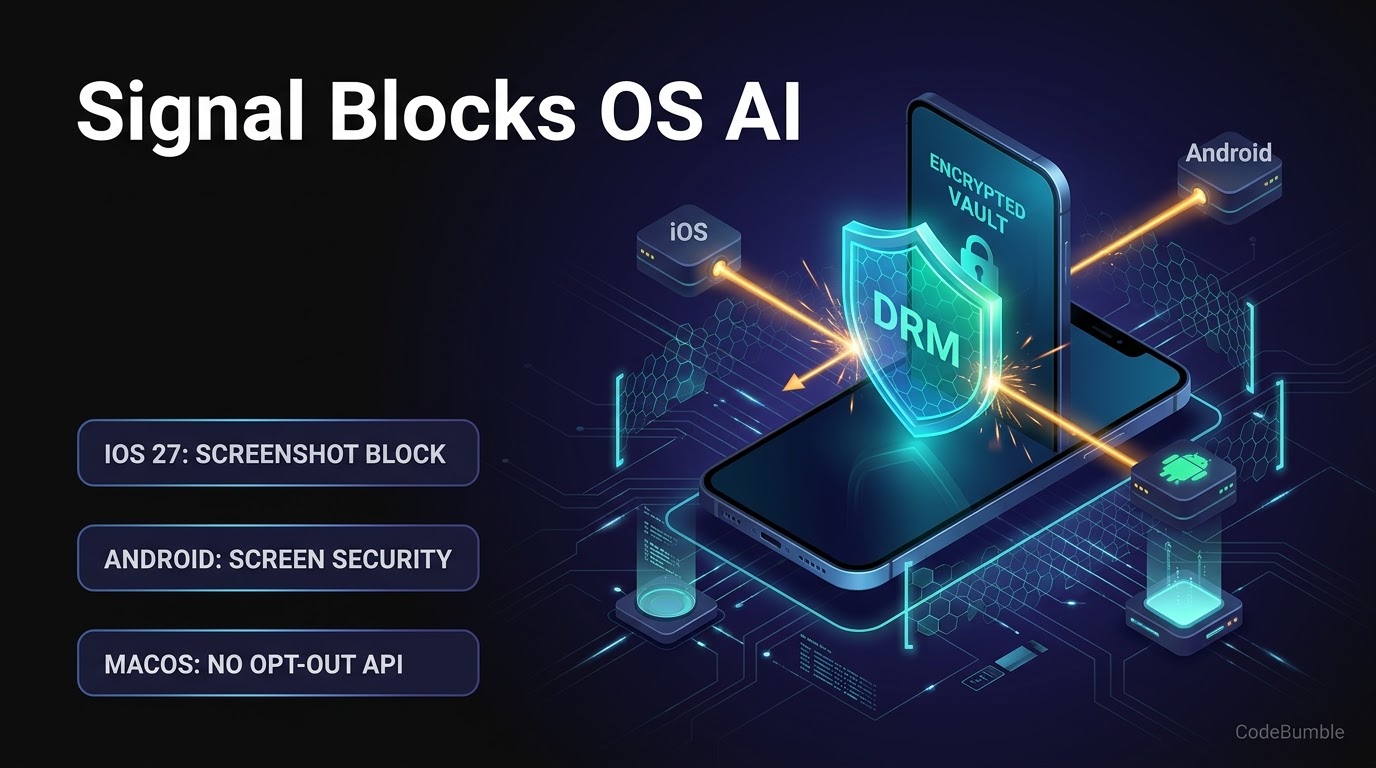
Executive Summary
- New mobile AI defenses (November 20, 2026): Signal Technology Foundation President Meredith Whittaker announced in Signal's official blog post that Signal is blocking in-app screenshots by default on iOS 27 (
Block Siri AI) and automatically enablingScreen securityon Android whenever it detects an AI assistant attempting to read the screen. - Why end-to-end encryption isn't enough: OS-level agentic integrations—such as Apple's Onscreen Awareness with Siri AI, Google's Gemini Intelligence, and Microsoft's Recall on Windows 11—capture plaintext directly from the screen or accessibility tree after decryption, placing user messages into local or remote AI databases outside Signal's control.
- Explicit gaps and macOS exposure: Signal warns that screenshot blocking is an "incomplete" defense that cannot stop filesystem-level data access, and notes it cannot block screenshots on macOS due to missing and deprecated Apple APIs—recommending macOS 27 users manually add Signal to
System Settings > Siri > Excluded Apps. - Ecosystem call to action: Signal is calling on Apple, Google, and Microsoft to ship documented, developer-controlled opt-out APIs for AI screen reading, filesystem access, notifications, and accessibility hooks without breaking core app usability or accessibility tools.
What Changed & How OS-Level AI Agents Bypass E2EE
From Windows Recall (2025) to Mobile OS Agents (2026)
In May 2025, Signal enabled Screen security by default in Signal Desktop on Windows 11 by applying Microsoft's Digital Rights Management (DRM) window flag—effectively turning Signal's desktop window into a black box for Microsoft Recall, which takes periodic screenshots, runs optical character recognition (OCR), and indexes them into a searchable local database.
On November 20, 2026, Signal extended that defensive posture to mobile operating systems (Signal Blog; TechCrunch):
- iOS 27: Signal now blocks in-app screenshots and screen recordings by default via a new
Block Siri AItoggle underSettings > Privacy > App Securityto prevent Apple's Onscreen Awareness from scanning chats. - Android: Because Android fragmentation prevents reliable detection of blocked screenshot attempts across non-Pixel vendor skins (which can silently confuse users), Signal instead detects when an AI assistant attempts to access the screen and automatically enables
Screen securityat that moment.
The Cryptographic Boundary Problem
For more than a decade, Signal's privacy guarantee rested on open-source client code and the formally verified Signal Protocol (recently augmented with the Sparse Post Quantum Ratchet). End-to-end encryption (E2EE) ensures that neither Signal's servers nor network intermediaries can read messages in transit or at rest on Signal's infrastructure.
However, E2EE terminates at the client display. Once the Signal app decrypts a message and renders pixels to the OS compositor—or exposes UI nodes to the OS accessibility tree—operating-system-level AI agents operate inside the trusted computing base (TCB) of the device.
flowchart LR
    Sender["Sender Device (E2EE)"] -->|Ciphertext over Network| SignalServer["Signal Servers (Zero Plaintext)"]
    SignalServer -->|Ciphertext| Recipient["Recipient Device"]
    Recipient -->|Signal Protocol Decrypts| AppUI["Signal App Plaintext UI"]
    AppUI -->|OS Compositor / Display| ScreenShield{"DRM / Screen Security Flag"}
    ScreenShield -->|Blocked by Default on iOS 27 / Win 11 / Android AI Detect| OSAgent["OS AI Agent (Siri AI / Gemini / Recall)"]
    AppUI -.->|Bypass Risk: Filesystem / Notifications / Accessibility| ThirdPartyAgent["Third-Party / OS Agents"]
As Whittaker explained in Signal's November 20, 2026 post, "Now, in service of AI agentic capabilities, your sensitive data is being captured, stored, and made accessible to whatever local database or remote server an OS-level AI agent is using at that moment. All of this is outside of Signal's control once the data has been captured, and imperils the privacy of all the participants in a conversation."
Even more concerning for privacy architects, The Hacker News highlighted a Reuters report showing that Meta's Muse AI agent bypassed its official "Connector" tool on both macOS and Android by abusing broad OS permissions granted during setup—using macOS accessibility and screenshot tools to OCR Signal chats, and reading Android push notifications to surface message reminders.
Platform-by-Platform Protection Matrix & Known Gaps
Because Apple, Google, and Microsoft expose different window-protection, notification, and accessibility primitives, Signal's defenses vary significantly across platforms:
| Operating System | Signal Default Protection (Nov 2026) | Underlying Mechanism | Known Gaps & Limitations |
|---|---|---|---|
| iOS 27 | Screenshots blocked by default (Block Siri AI) |
App-level screenshot & screen recording restriction | Does not stop filesystem access; users can toggle off (or pause for 10 min), breaking privacy guarantees |
| Android | Adaptive Screen security (auto-enabled on AI access detection) |
Detects AI assistant screen-read attempts and activates FLAG_SECURE-style protection |
Fragmented across OEM Android skins; cannot stop notification-scraping or filesystem reads |
| Windows 11 | Screenshots blocked by default (Screen security, since May 2025) |
Applies Windows DRM window flag so Recall and screenshot tools render black | May interfere with screen readers and magnification accessibility software |
| macOS (incl. macOS 27) | No built-in screenshot block | Lacks documented macOS APIs to block single screenshots (existing APIs only block continuous streaming/DRM) | Signal chats remain capturable via macOS screenshots/accessibility unless manually excluded in System Settings |
Why macOS Remains Unprotected at the App Layer
In Footnote 3 of Signal's November 20, 2026 announcement, Signal's engineering team detailed why macOS Desktop cannot mirror Windows 11 or iOS 27: while macOS offers APIs to block continuous screen capture (built for streaming video DRM), Apple provides no documented API for third-party apps to block individual screenshots—the exact mechanism most agentic systems use to sample app state. Signal described trying to implement screenshot blocking on macOS as "a minefield of bewildering decisions that place user privacy at risk."
Why "Confidential Computing" Isn't Enough
Some OS vendors have pitched on-device processing or Confidential Computing clouds as a sufficient privacy safeguard for AI agents. Signal explicitly rejects that framing, noting that confidential computing still leaves the scope, retention, and enforcement of privacy guarantees entirely in the hands of the OS vendor rather than giving the application developer or the user a verifiable, cryptographic or OS-enforced opt-out.
Practical Guidance & Industry Remedies
What Users and Enterprise Admins Can Do Today
- Keep Signal's default protections enabled on iOS 27, Android, and Windows 11:
- Avoid disabling
Block Siri AI(iOS) orScreen security(Android/Windows) unless you rely on assistive screen-reader tools that require compositor access. Remember that disabling screen protection exposes both your messages and your contacts' messages—including disappearing messages—to OS indexing.
- Avoid disabling
- Harden macOS 27 manually:
- Open System Settings > Siri and add Signal to the Excluded Apps list so Siri AI cannot proactively index Signal message content (Signal Blog).
- Audit OS-level AI and accessibility permissions:
- On iOS 27.2+, review Excluded Apps for Siri, Search, and Suggestions (The Hacker News).
- On Android, review Google Gemini's Connected Apps settings and audit which third-party apps hold Accessibility Service or Notification Listener permissions—since agents like Meta's Muse can use those permissions as a "skeleton key" across unrelated apps.
- Disable or sanitize Signal push notification previews (show sender/no content) on lock screens and desktop notifications so notification-reading agents cannot harvest message bodies.
Signal's Two Demands to Apple, Google, and Microsoft
Signal called on the three major OS vendors to ship two ecosystem-wide standards:
- A standardized, well-documented AI opt-out API: Give developers a clean mechanism to exclude sensitive applications from all AI data access and processing—covering screen reading, filesystem indexing, notifications, and OS frameworks—without degrading core app functionality or breaking accessibility tools.
- Transparent technical specifications: Publish clear documentation detailing exactly how OS-level AI agents capture, store, index, and transmit application data, eliminating the need for developers to reverse-engineer OS behavior via forensic investigations.
Frequently Asked Questions
Can I still take screenshots inside Signal on iOS 27 or Android?
Yes, but you must explicitly opt out. On iOS 27, you can disable Block Siri AI (either permanently or temporarily) under Settings > Privacy > App Security. On Android, you can toggle off Screen security in Signal's privacy settings. Signal displays a warning that doing so breaks its privacy guarantees against OS AI agents.
Why didn't Signal block screenshots on Android by default for everyone?
Signal explained that across non-Pixel Android distributions, the app cannot reliably detect when a screenshot attempt was blocked. Blocking screenshots unconditionally would leave users confused when the button silently stops working, so Signal Android instead listens for AI assistant screen-reading attempts and enables Screen security automatically when detected.
Why can't Signal block AI screenshots on macOS?
According to Signal, macOS lacks clearly documented APIs to block single-frame screenshots (existing screen-protection APIs only cover continuous capture for DRM streaming media). Signal recommends macOS 27 users manually add Signal to System Settings > Siri > Excluded Apps.
Does blocking screenshots completely stop AI agents from reading Signal messages?
No. Signal explicitly describes screenshot blocking as an "incomplete" solution because OS-level or over-privileged third-party agents may still access application data via the local filesystem, push notifications, or accessibility APIs.
What triggered Signal's mobile update in November 2026?
Signal cited the integration of OS-level agentic AI—specifically Apple's Onscreen Awareness with Siri AI in iOS 27 and Google's Gemini Intelligence on Android—alongside growing evidence of third-party agents (such as Meta's Muse) using broad OS permissions to capture private chat data.
Sources
- Signal Blog — Signal is Serious About Protecting Your Privacy (Published November 20, 2026): https://signal.org/blog/protecting-your-privacy/
- Signal Blog — By Default, Signal Doesn't Recall (Published May 21, 2025): https://signal.org/blog/signal-doesnt-recall/
- TechCrunch — Signal restricts mobile screenshots as it confronts 'existential threat' of AI surveillance (Published November 21, 2026): https://techcrunch.com/2026/11/21/signal-restricts-mobile-screenshots-as-it-confronts-existential-threat-of-ai-surveillance/
- The Hacker News — Signal Blocks AI Agents From Reading Private Chats via Screenshots on Android and iOS (Published November 21, 2026): https://thehackernews.com/2026/11/signal-blocks-ai-agents-from-reading.html