

WordPress
AI Engine 3.9.5 vs. Easy MCP AI 2.5.0: WordPress MCP Architecture, Pricing, BYOK, and Security Footprint
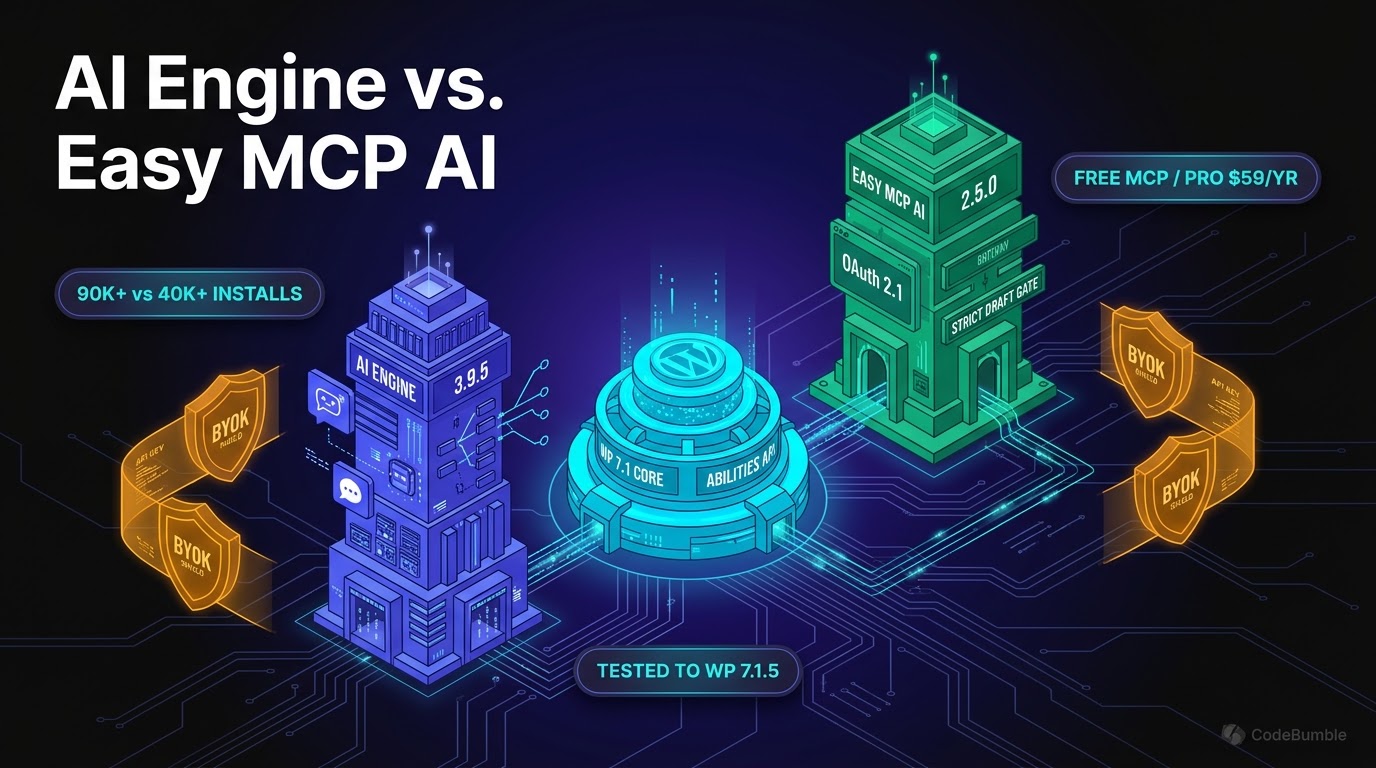
WordPress MCP adoption surged in November 2026 as AI Engine 3.9.5 (90,000+ active installs) and Easy MCP AI 2.5.0 (40,000+ active installs) shipped major updates within days of each other. Both turn a self-hosted WordPress site into a direct MCP server without a cloud relay, yet they differ sharply on Pro pricing, BYOK API keys, OAuth 2.1 scoping, and database footprint. Here is how they compare, verified as of November 23, 2026.
9 min read
AI Engine 3.9.5 vs. Easy MCP AI 2.5.0: WordPress MCP Architecture, Pricing, BYOK, and Security Footprint
Executive Summary
- Featured WordPress Plugins: AI Engine (
v3.9.5, updated November 22, 2026 by Jordy Meow) and Easy MCP AI (v2.5.0, updated November 19, 2026 by Themeisle), alongside context on the official WordPress MCP Adapter (v0.7.1,60,000+active installs as of November 5, 2026). - Verified Adoption Scale (as of November 23, 2026): On WordPress.org, AI Engine lists 90,000+ active installations (
4.9/5across 880 reviews), while Easy MCP AI lists 40,000+ active installations (4.9/5across 18 reviews). Both are tested up to WordPress 7.1.5. - Pricing & BYOK Caveats (Verified November 23, 2026):
- AI Engine includes its 140+ tool MCP server free with no account, API key, or usage cap when connecting Claude or ChatGPT via OAuth; visitor chatbots and in-admin AI features require Bring-Your-Own-Key (BYOK) API billing directly with OpenAI, Anthropic, Google, or local models. AI Engine Pro starts at $59/year (1 site) for WooCommerce, Elementor, plugin/theme, and database MCP tools (Meow Apps).
- Easy MCP AI is 100% free with all 280+ MCP tools included and no vendor relay; optional external SEO/analytics tools (GA4, Search Console, Semrush, SE Ranking, DataForSEO, Ahrefs) require your own provider accounts/keys.
- Primary Takeaway: Choose AI Engine if you want an all-in-one WordPress AI suite (visitor RAG chatbots, AI forms, admin Workspace, and MCP) and don't mind paying
$59/yearfor WooCommerce/Elementor MCP tools. Choose Easy MCP AI if you want a pure, zero-cost MCP server with OAuth 2.1 + PKCE, Strict Draft mode, and 280+ out-of-the-box content, WooCommerce, and SEO tools.
Growth Signals & WordPress.org Telemetry
With WordPress 6.9 introducing the server-side Abilities API and WordPress 7.0 adding the Client-Side Abilities API and Connectors API (WordPress Developer Blog), WordPress plugins have shifted rapidly from simple text-generation meta boxes to full Model Context Protocol (MCP) servers.
| Telemetry Metric | AI Engine (ai-engine) |
Easy MCP AI (easy-mcp-ai) |
Official WP MCP Adapter (mcp-adapter) |
|---|---|---|---|
| Latest Version | 3.9.5 (Nov 22, 2026) |
2.5.0 (Nov 19, 2026) |
0.7.1 (Oct 2026; pre-1.0) |
| Active Installations | 90,000+ (verified Nov 23, 2026) |
40,000+ (verified Nov 23, 2026) |
60,000+ (per InstaWP Nov 5, 2026) |
| WordPress.org Rating | 4.9 / 5 (880 reviews; 847 5-star) |
4.9 / 5 (18 reviews; 17 5-star) |
Directory listing |
| Requires WordPress | 6.0 or higher |
6.0 or higher (6.9+ for Abilities) |
6.9 or higher |
| Tested Up To | 7.1.5 |
7.1.5 |
6.9+ / 7.x |
| Minimum PHP | 8.1 or higher |
7.4 or higher |
7.4+ / 8.x |
| Support Resolution (2 mo.) | 22 / 22 issues resolved |
19 / 19 issues resolved |
Community / GitHub |
Note on active install reporting: Several third-party reviews published in September–October 2026 (SiteGPT, IvyForms) cited 100,000+ active installations for AI Engine, whereas the live WordPress.org directory page displays 90,000+ as of November 23, 2026.
November 2026 Release Momentum
- AI Engine (
3.9.0to3.9.5, Nov 2 – Nov 22, 2026): Shipped 30-day MCP Undo (block-by-block rollback that halts if a human edited the post since), per-deletion approval prompts, Beast Mode (one switch enabling all current and future MCP tools), Breakdance builder support, Qdrant per-site collection isolation, and multiple Patchstack-reported security hardening patches (3.9.2,3.9.4,3.9.5). - Easy MCP AI (
2.5.0, Nov 19, 2026): Added Strict Draft mode (refuses publishing or editing live content through an AI client), per-user/site/connection rate limits,wp_find_in_post, Elementor section/column management, Loco Translate and Smart Slider 3 tools, and 30-day Change History diffs.
AI Architecture, Pricing Breakdown & Verification Timestamp
Both plugins run the MCP server directly inside WordPress PHP with no third-party cloud relay required, contrasting with hosted MCP proxies (such as WPVibe) that route requests through vendor servers.
flowchart LR
    Client["AI Client (Claude, ChatGPT, Claude Code, Cursor)"] -->|"Direct OAuth 2.1 / Bearer Token (HTTPS)"| WP["Self-Hosted WordPress Site (WP 6.0–7.1.5)"]
    subgraph Plugins["MCP Server Layer (No Cloud Relay)"]
        AIE["AI Engine 3.9.5 (140+ Core Tools / Pro Add-ons)"]
        EMCP["Easy MCP AI 2.5.0 (280+ Tools / Strict Draft Gate)"]
    end
    WP --> AIE
    WP --> EMCP
    AIE -->|"Optional BYOK Keys"| LLM["OpenAI / Anthropic / Google / Ollama"]
    AIE -->|"Optional"| Abilities["WP 6.9+ Abilities API"]
    EMCP -->|"Bridges"| Abilities
    EMCP -->|"Optional User Keys"| SEO["GA4 / GSC / Semrush / Ahrefs"]
How They Hook Into WordPress
- AI Engine 3.9.5: Registers its own custom MCP endpoint and over 140 curated tools (expanding to 200+ with Meow Apps' companion SEO Engine, Code Engine, and Social Engine plugins). It does not require the official WordPress MCP Adapter, though it can expose WordPress Abilities API hooks alongside its native tools. In
wp-admin, it also embeds a full-screen Workspace chat (paired with iOS 17+ / Android 8+ mobile apps), Gutenberg Editor Assistant, AI Forms, and vector-database RAG (Pinecone, Chroma, Qdrant, OpenAI Vector Store). - Easy MCP AI 2.5.0: Acts purely as an inbound MCP server and WordPress 6.9+ Abilities API adapter at
/wp-json/easy-mcp-ai/v1/mcp(supporting MCP2026-07-28down to2025-03-26). It includes 280+ tools out of the box—130+ core WordPress tools, 47 WooCommerce tools, 56 external analytics/SEO tools, plus ACF, Yoast, Rank Math, AIOSEO, SEOPress, The Events Calendar, and BuddyPress integrations.
Pricing Breakdown (Verified as of November 23, 2026)
Note on pricing discrepancies: An October 20, 2026 review by eesel.ai listed AI Engine Pro Starter at $69/year and Standard at $99/year. The figures below are taken directly from Meow Apps' official pricing page and WordPress.org listings, verified November 23, 2026.
| Plugin | Free Tier Limits | Paid Plan Pricing | BYOK vs. Bundled Credits | Verified Date |
|---|---|---|---|---|
AI Engine (3.9.5) |
Free MCP server (140+ core tools, no usage cap or account needed for OAuth clients); free visitor chatbot, Content/Image Studio, Workspace. | Pro Starter: $59/yr (1 site)<br>Pro Standard: $79/yr (5 sites)<br>Pro Professional: $149/yr (20 sites)<br>Lifetime: $299–$799 (1–2,500 sites) | 100% BYOK for chatbots & admin AI (zero markup; you pay OpenAI/Anthropic/Google directly). Pro unlocks WooCommerce, Elementor, plugin/theme & DB MCP tools. | Nov 23, 2026 (Meow Apps, WP.org) |
Easy MCP AI (2.5.0) |
All 280+ MCP tools free, no vendor quota, no account, OAuth 2.1, Audit Log, Change History, and Strict Draft mode included. | $0 (no paid Pro tier required for WordPress MCP tools) | No LLM API key needed for MCP (uses your Claude/ChatGPT/Cursor plan). External SEO/analytics tools (GA4, Semrush, Ahrefs, DataForSEO) require your own provider keys. | Nov 23, 2026 (WP.org) |
WP MCP Adapter (0.7.1) |
Free & open source (GPL-2.0-or-later); exposes only 3 gateway tools + 3 read-only core abilities by default. | $0 (developer infrastructure) | No LLM keys; requires custom wp_register_ability() code or companion plugins. |
Nov 23, 2026 (InstaWP) |
WordPress Performance Footprint, Security & Lock-In Check
Adding an MCP server to WordPress introduces distinct database, frontend, and security considerations compared to traditional plugins:
1. wp_options Autoload & Frontend Script Bloat
- AI Engine: Because AI Engine includes visitor-facing chatbots, themes, and embeddings, enabling popup chatbots loads frontend JS/CSS assets (and Meow Apps notes potential caching conflicts with SiteGround Optimizer and Ninja Firewall, requiring exclusion rules). On the database side, AI Engine
3.9.3added MCP database inspection tools specifically to show what WordPress autoloads on every page, and3.9.1added a discreet option to disable and purge automatic settings backups that store API keys. - Easy MCP AI: Has zero frontend script footprint because it only exposes REST/MCP endpoints (
/wp-json/easy-mcp-ai/v1/mcp) andwp-adminscreens. However, note two background behaviors documented on its WordPress.org page: (1) once an AI client connects, it syncs signed skill files daily fromskills.easymcpai.comunless disabled viadefine( 'EASY_MCP_AI_SKILLS_SYNC', false );inwp-config.php; and (2) three optional EasyMCP Cloud block tools (blocks_execute,blocks_schema_get,atomic_wind_context) are off until enabled.
2. Permission Scoping, OAuth 2.1 & Arbitrary Code Safety
- OAuth 2.1 vs. Application Passwords: Unlike the official WordPress MCP Adapter—which relies on WordPress Application Passwords stored in plain text in local client configs and defaults to
readcapability checks (InstaWP)—both AI Engine and Easy MCP AI support OAuth 2.1 flows for Claude and ChatGPT. - Role & Write Guardrails:
- Easy MCP AI stores tokens as SHA-256 hashes, encrypts external provider credentials with AES-256-GCM, enforces a default 120 requests/minute rate limit, and offers Strict Draft mode so an AI client can never publish or alter live published posts.
- AI Engine binds actions to WordPress user accounts (Administrators or opt-in Editors), keeps 30-day undo snapshots, and intentionally omits arbitrary PHP execution (offloading that only to a separate GitHub-only AI Engine YOLO plugin that disables itself in production). However, admins should be cautious with
3.9.5's new Beast Mode toggle on production sites, as it automatically grants connected agents every newly added MCP tool.
- Patch Cadence: AI Engine shipped six+ security fixes across
3.8.4–3.8.6and additional upload/HTML sanitization fixes in3.9.2,3.9.4, and3.9.5via Patchstack. Enable timely updates and test behind staging before exposing MCP endpoints on live client sites.
3. Lock-In & Portability
- Standard posts, pages, WooCommerce products, and Gutenberg blocks edited by either plugin are native WordPress database records—deactivating the plugin leaves your content intact.
- Where lock-in exists: AI Engine's custom AI Forms, Chatbot themes/discussions, and vector-database sync mappings depend on AI Engine remaining active. Easy MCP AI's Audit Log and Change History are plugin tables, though WordPress's own post revisions remain native.
Frequently Asked Questions
Do I need the official WordPress MCP Adapter if I install AI Engine or Easy MCP AI?
No. Both AI Engine and Easy MCP AI ship their own built-in MCP servers with OAuth support and hundreds of pre-built tools. Both can also run alongside the official mcp-adapter plugin and expose WordPress 6.9+ Abilities API hooks if you already use them.
Is AI Engine's MCP server really free, or do I need Pro?
AI Engine's core MCP server (140+ tools covering posts, block-by-block Gutenberg editing, media, ACF, SEO plugins, and 30-day undo) is free with no usage cap as of November 23, 2026. You only need AI Engine Pro ($59/year for 1 site) if you want MCP tools for WooCommerce, Elementor, Beaver Builder, Polylang/WPML, plugin/theme management, or database inspection.
Which plugin is safer for client sites where an AI should only draft content?
Easy MCP AI 2.5.0 has a dedicated Strict Draft mode that blocks AI clients from publishing or modifying published content, combined with OAuth 2.1 per-tool scopes and a 120 req/min rate limit. AI Engine 3.9.5 also supports Editor-only access, draft-only workflows, and per-deletion approval prompts.
Do either of these plugins mark up OpenAI or Anthropic API token prices?
No. AI Engine uses a BYOK model where you pay OpenAI, Anthropic, Google, or other providers directly at their standard rates (or run local models via Ollama/vLLM). Easy MCP AI does not call LLM APIs at all—it uses your existing Claude, ChatGPT, or IDE subscription.
What happens to my WordPress site if I deactivate either plugin?
All posts, pages, WooCommerce products, and SEO metadata created or updated via MCP remain standard WordPress data. Only plugin-specific features—such as AI Engine's chatbots, AI Forms, and vector sync, or Easy MCP AI's 30-day Change History—stop running.
Sources
- WordPress.org Plugin Directory — AI Engine – MCP Server & AI Chatbot for WordPress (
v3.9.5): https://wordpress.org/plugins/ai-engine/ (Updated November 22, 2026; verified November 23, 2026) - Meow Apps — AI Engine Pro Pricing & Plans: https://meowapps.com/products/ai-engine-pro/ (Verified November 23, 2026)
- WordPress.org Plugin Directory — Easy MCP AI – Connect Claude to WordPress (
v2.5.0): https://wordpress.org/plugins/easy-mcp-ai/ (Updated November 19, 2026; verified November 23, 2026) - WordPress Developer Blog — From Abilities to AI Agents: Introducing the WordPress MCP Adapter: https://developer.wordpress.org/news/2026/02/from-abilities-to-ai-agents-introducing-the-wordpress-mcp-adapter/ (Published February 4, 2026)
- WordPress Developer Blog — What's new for developers? (April 2026 — WordPress 7.0 Abilities & Connectors API): https://developer.wordpress.org/news/2026/04/whats-new-for-developers-april-2026/ (Published April 10, 2026)
- InstaWP — Official WordPress MCP Adapter Review (2026): v0.7.1 Setup: https://instawp.com/wordpress-mcp-adapter-review/ (Checked November 5, 2026)
- eesel.ai — AI Engine review 2026: pricing, MCP, chatbot limits and user ratings: https://www.eesel.ai/blog/meow-ai-engine-review (Published October 20, 2026)