

Vulnerability
Chrome 157 Prerender Zero-Day-Class Flaw CVE-2026-121035
A critical use-after-free in Chrome's Prerender lets a crafted web page run code outside the sandbox. Here is who is affected, how bad it is, and how to patch in minutes.
7 min read
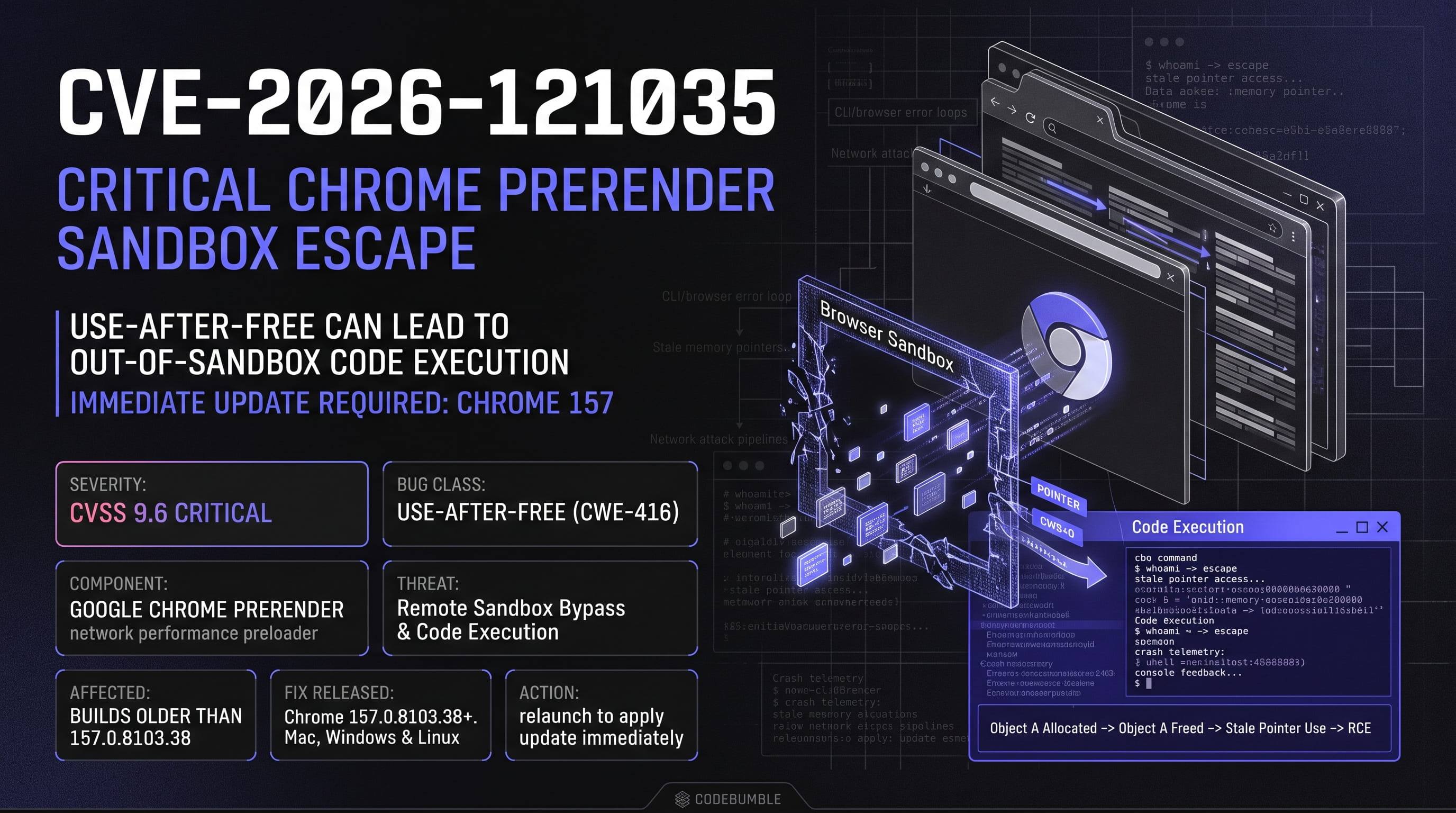
Chrome fixed 213 security bugs on November 3, 2026. Seven are rated Critical. One of them, CVE-2026-121035, is a use-after-free in Prerender that can lead to code execution outside the browser sandbox.
This post covers what the flaw is, how serious it is, who is exposed, and what to do today. It also separates confirmed facts from guesses, because early CVE coverage is often noisy.
The short version
- CVE: CVE-2026-121035
- Component: Prerender (Google Chrome)
- Bug class: Use after free (CWE-416)
- Severity: Critical (Chromium rating); CVSS v3.1 score 9.6
- Vector:
CVSS:3.1/AV:N/AC:L/PR:N/UI:R/S:C/C:H/I:H/A:H - Fixed in: Chrome 157.0.8103.38 (Linux), 157.0.8103.38/.39 (Windows and Mac)
- Published: November 3, 2026
- Known exploitation: Not listed in CISA KEV at time of writing
- EPSS: about 0.004 (under 1%)
If you only do one thing, open chrome://version, confirm you are on 157.0.8103.38 or later, and relaunch the browser.
What is Prerender?
Prerender is a Chrome performance feature. When Chrome predicts you will visit a page next, it can load and render that page in the background before you click. When you do click, the page appears almost instantly.
That speed comes at a cost. Chrome runs a full page lifecycle (parsing, scripting, rendering) for content you never explicitly opened. Complex lifecycle code that handles pages being created, activated and discarded is a classic place for memory-safety bugs.
What is a use-after-free?
A use-after-free (UAF) happens when a program frees a block of memory but keeps a pointer to it. If the program later reads or writes through that stale pointer, it touches memory that may now hold something else.
An attacker who controls what gets allocated into that freed slot can often turn the bug into a powerful primitive: read or write arbitrary memory, hijack control flow, and ultimately execute code. This is why UAF bugs dominate browser vulnerability lists.
A simplified timeline:
- Object A is allocated and a pointer to it is stored.
- Object A is freed, but the pointer is not cleared.
- The attacker's page triggers an allocation that reuses the freed memory.
- Chrome uses the stale pointer and operates on attacker-shaped data.
Why the score is 9.6
The CVSS v3.1 vector breaks down like this:
| Metric | Value | Meaning |
|---|---|---|
| Attack Vector | Network | Delivered over the web |
| Attack Complexity | Low | No special conditions required |
| Privileges Required | None | Attacker needs no account |
| User Interaction | Required | Victim must load a crafted page |
| Scope | Changed | Impact crosses the sandbox boundary |
| Confidentiality / Integrity / Availability | High / High / High | Full compromise potential |
The key word is Scope: Changed. Chrome's renderer sandbox is designed to contain browser bugs. Chromium's description says this flaw allows code execution outside the sandbox, which means the sandbox is not a safety net for this issue. That is what pushes the score from "serious" to "critical".
User interaction is still required: the victim has to visit or be steered to a crafted page. In practice that is a low bar. Phishing links, malicious ads, compromised sites and chat links all qualify.
How worried should you be?
Be urgent, not panicked. Here is what is known and unknown.
Known:
- Google rated the bug Critical and shipped a fix in Chrome 157.
- NVD has analyzed the entry and assigned CVSS 9.6.
- It is not in the CISA Known Exploited Vulnerabilities catalog.
- The SSVC data on OpenCVE lists Exploitation as "none" and Technical Impact as "total".
- EPSS is very low, under 1%.
Not known:
- Whether a public proof of concept exists. Google usually restricts bug details until most users have updated.
- Whether any attacker has used it in the wild.
- The exact trigger conditions.
A low EPSS score and no KEV listing reflect the present, not the future. Critical browser bugs are often reverse-engineered from the patch diff within days. Treat the patch window as the time you have before an exploit appears.
Who is affected
Any Chrome build older than 157.0.8103.38 is in scope. That includes:
- Desktop Chrome on Windows, macOS and Linux that has not yet taken the 157 stable update.
- Chrome for Android on the same release train, since Android receives the same security fixes as the matching desktop version.
- Managed fleets that pin Chrome versions or delay updates.
Google says the rollout reaches users "over the coming days and weeks", so two machines on the same network can be on different builds. Do not assume auto-update has already finished.
Other Chromium-based browsers (Edge, Brave, Opera, Vivaldi and others) inherit Chromium code. Whether and when they are affected depends on each vendor's merge schedule. Check each vendor's advisory instead of assuming either way.
How to patch
Single machine
- Open
chrome://settings/help. - Let Chrome check for updates.
- Click Relaunch when it appears. The fix does not apply until the browser restarts.
- Confirm in
chrome://versionthat the version is 157.0.8103.38 or later.
Linux command line
Check the installed version:
google-chrome --version
# or
chromium --version
Update through your package manager, for example:
# Debian / Ubuntu
sudo apt update && sudo apt install --only-upgrade google-chrome-stable

# Fedora / RHEL
sudo dnf upgrade google-chrome-stable
Then restart every running Chrome process. Long-lived sessions are a common reason a "patched" machine is still vulnerable.
Managed fleets
- Push Chrome 157 through your normal update channel (Google Update, MDM, or your package repository).
- Check that your update policy is not holding browsers on an older version.
- Report on the installed version per endpoint and chase the stragglers. Browsers that sit open for weeks are common.
Mitigation if you cannot patch yet
Treat these as temporary measures. None of them replaces the update.
1. Disable network prediction and prerendering by policy.
Chrome has an enterprise policy for this, NetworkPredictionOptions. Setting it to "Do not predict network actions" turns off preloading and prerendering. Verify the exact behavior in Google's current policy documentation for your Chrome version before rolling it out.
2. Be cautious with command-line flags.
Some automated summaries, including OpenCVE's AI-generated recommendations, suggest launching Chrome with --disable-prerender. That flag is not confirmed by Google for this CVE, and Chrome's switches change between releases. Test it, and do not rely on it as your only control.
3. Reduce exposure.
- Use site isolation and keep Safe Browsing enabled.
- Filter known malicious domains at the DNS or proxy layer.
- Tell users not to open unexpected links until they have updated.
4. Monitor endpoints. Look for unusual child processes spawned by Chrome, unexpected crashes in renderer or browser processes, and outbound connections right after a browser crash. EDR tooling that flags browser-spawned shells is useful here.
Detection checklist for security teams
- Inventory Chrome versions across all endpoints, including Android.
- Alert on any build below 157.0.8103.38.
- Watch Chrome crash reports for spikes in Prerender or renderer crashes. A burst of crashes can mean someone is probing the bug.
- Review proxy logs for newly registered domains serving heavy JavaScript to many users.
- Subscribe to CISA KEV updates. If this CVE is added, move it to emergency patching.
What this release tells us
CVE-2026-121035 is one of seven Critical bugs in a release with 213 security fixes. Four of the seven Criticals are use-after-free issues, in WebGL, Prerender, Geometry and Core. Memory-safety bugs in a large C++ codebase remain the main source of serious browser vulnerabilities.
One outlet reports that this Prerender bug was found by an Anthropic researcher working with the company's AI model, and that 14 reports in the release were Claude-assisted. Treat this as a single-source claim until Google's credit line is easy to verify. If it holds, it shows AI-assisted bug hunting is now producing Critical browser findings.
Action plan
| Priority | Action | Time |
|---|---|---|
| Now | Update Chrome and relaunch | 2 min |
| Today | Check version across fleet | 30 min |
| Today | Apply the prediction policy where patching lags | 15 min |
| This week | Add version compliance alerting | 1 hr |
| Ongoing | Watch KEV and vendor advisories | Daily |
Sources and further reading
- Chrome Releases: Stable Channel Update for Desktop (Nov 3, 2026)
- Chromium issue 567216197 (access may be restricted)
- NVD entry for CVE-2026-121035
- OpenCVE entry for CVE-2026-121035
- CVE.org record for CVE-2026-121035
- Rapid7 vulnerability database entry
Last checked: November 4, 2026. Details may change as Google lifts bug restrictions. Verify against the official Chrome Releases blog.
#Chrome #Chrome157 #CVE2026121035 #Cybersecurity #InfoSec #UseAfterFree #CWE416 #SandboxEscape #RCE #PatchNow #VulnerabilityManagement #BrowserSecurity #Chromium #Prerender #ThreatIntel