

WordPress
Easy MCP AI 2.5.0 for WordPress: Strict Draft Mode, Cost & Bloat Review
Easy MCP AI 2.5.0 turns 40,000+ WordPress sites into self-hosted MCP servers with zero hosted relay and a new Strict Draft mode. Pricing and install stats verified as of November 22, 2026: the plugin is $0 free and open source with no vendor meter, while optional analytics and SEO tools use your own API keys.
9 min read
Easy MCP AI 2.5.0 for WordPress: Strict Draft Mode, Cost & Bloat Review
Executive Summary
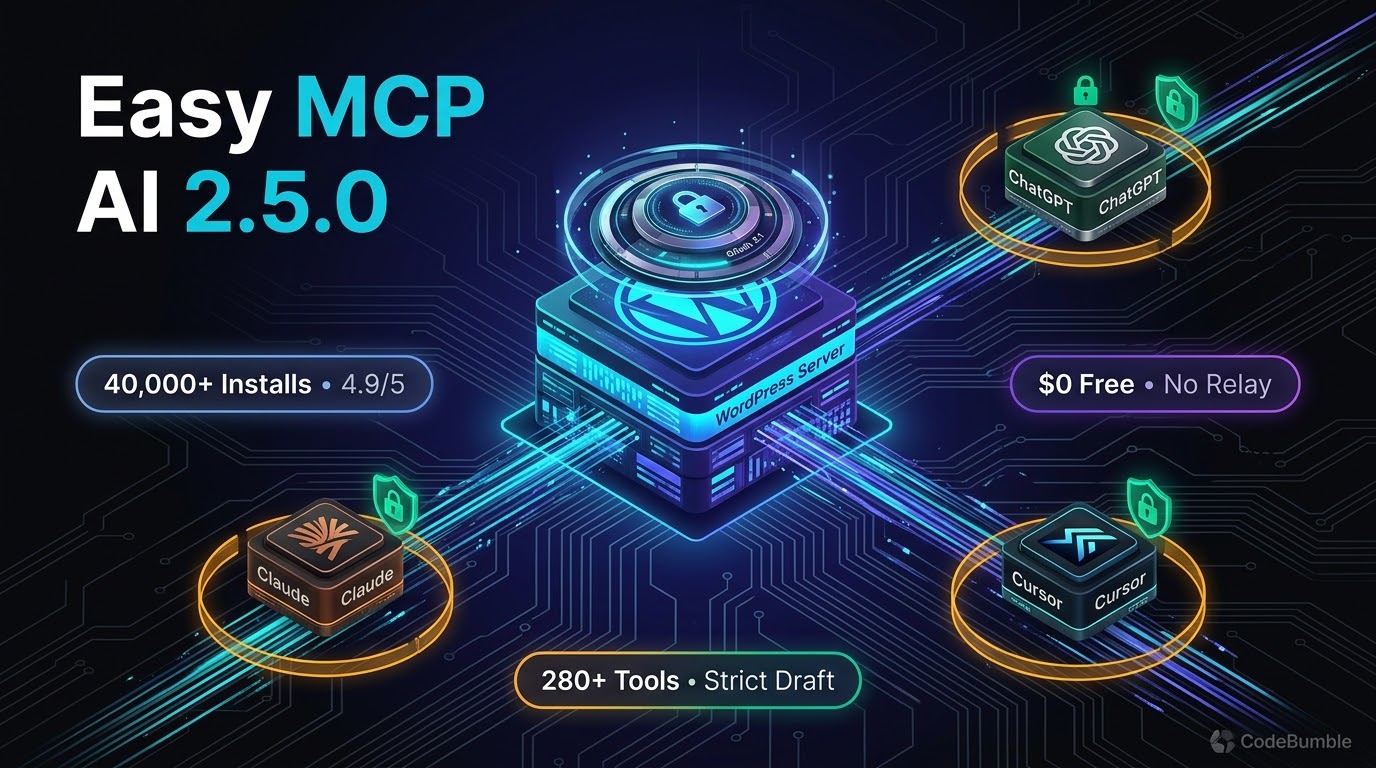
Easy MCP AI by Themeisle has crossed 40,000+ active installations on WordPress.org and shipped version 2.5.0 on November 20, 2026—adding Strict Draft mode, configurable per-user and per-connection tool call limits, Loco Translate and multilingual linking tools, Elementor section/column controls, and compact JSON tool responses (WordPress.org).
Unlike hosted MCP relays that proxy your site's requests through a vendor cloud and meter daily actions, Easy MCP AI runs natively in PHP at /wp-json/easy-mcp-ai/v1/mcp on your own WordPress server. AI clients—including Claude (web, Desktop, Cowork, and Claude Code), ChatGPT, Cursor, GitHub Copilot in VS Code, OpenAI Codex CLI, Google Antigravity (Gemini), Windsurf, and n8n—connect directly to your site over Streamable HTTP or OAuth 2.1 (WordPress.org, Themeisle).
Pricing and install stats verified as of November 22, 2026: the plugin is $0 free and open source with all 280+ MCP tools unlocked and no vendor usage quota (WordPress.org). The plugin makes zero outbound LLM API calls itself; you bring your own AI client subscription, and any optional external analytics or SEO integrations (Google Analytics 4, Search Console, Semrush, SE Ranking, DataForSEO, Ahrefs) rely on your own provider accounts and API keys (WordPress.org, miniOrange).
Growth Signals & WordPress.org Telemetry
Easy MCP AI's adoption has accelerated noticeably through the second half of 2026. In mid-October 2026, both Uncanny Automator's comparison (as of October 19, 2026) and Themeisle's MCP roundup (updated October 30, 2026) recorded Easy MCP AI at 30,000+ active installations. By November 22, 2026, WordPress.org lists 40,000+ active installations alongside a 4.9 out of 5 rating (WordPress.org).
Key WordPress.org telemetry verified as of November 22, 2026 (WordPress.org):
| Metric | Verified Value | Context |
|---|---|---|
| Active Installations | 40,000+ | Up from 30,000+ in October 2026 comparisons |
| Current Version | 2.5.0 | Released November 20, 2026 (2 days ago) |
| User Rating | 4.9 / 5 stars | 17 5-star reviews, 1 3-star review (18 total) |
| WordPress Support | 6.0 or higher | Tested up to WordPress 7.1.5; Abilities API for 6.9+ |
| PHP Floor | 7.4 or higher | Pure PHP; no Node.js or external runtime required |
| Support Resolution | 19 of 19 resolved | Measured over the trailing two-month window |
The 2.5.0 changelog (November 20, 2026) reflects heavy production hardening rather than cosmetic tweaks. Highlights include (WordPress.org):
- Strict Draft Mode: Previously, Draft mode focused on saving newly created items as drafts; 2.5.0 adds Strict mode, which blocks AI clients from publishing or modifying already-published content so human editors retain final publishing authority.
- Per-User, Site, and Connection Limits: Administrators can now set configurable tool-call caps per user, site, or connection on top of the default per-minute rate limiter.
- Multilingual & Builder Depth: Added Loco Translate file read/update tools, post language controls, translation-linking tools, Smart Slider 3 read/edit tools, and Elementor section insertion with automatic column resizing.
- Payload & Search Optimization: Added
wp_find_in_postand site-wide text search across posts, custom fields, and terms without loading full post bodies, and switched tool replies from indented JSON to compact JSON while shortening oversized layout, product, and Site Health responses.
AI Architecture, Pricing Breakdown & Verification Timestamp
Three-Layer MCP Architecture & Abilities API Adapter
Easy MCP AI implements MCP 2026-07-28 while maintaining backwards compatibility with 2025-11-25, 2025-06-18, and 2025-03-26 clients (WordPress.org). Its 280+ tools are organized into three distinct layers (WordPress.org, Themeisle):
- WordPress Core Layer (130+ tools): Posts, pages, custom post types, Gutenberg blocks, block templates, global styles, media uploads (from file or URL), taxonomies, menus, users, roles, comments, revisions, and site settings. Since version 2.3.0, three core layout tools also read and edit text, links, and images inside existing Elementor, WPBakery, and Flatsome elements (Themeisle).
- Plugin Integrations & Abilities API Layer (90+ tools + dynamic Abilities): Dedicated toolsets for WooCommerce (47 tools) covering products, variations, orders, refunds, coupons, tax rates, shipping zones, and sales reports; ACF (6 tools); The Events Calendar (10 tools); BuddyPress (10 tools); and six SEO plugins (Yoast SEO, Rank Math, AIOSEO, SEOPress, Slim SEO, and The SEO Framework) (WordPress.org). On WordPress 6.9+, Easy MCP AI also acts as a zero-code MCP adapter under
Easy MCP AI → Tools → Abilities, letting admins toggle abilities registered by third-party plugins. - External Analytics & SEO Data Layer (56 tools): Direct chat access to Google Analytics 4 (13 tools), Google Search Console (6 tools), Semrush (13 tools), SE Ranking (15 tools), DataForSEO (8 tools), and Ahrefs Domain Rating (1 tool) (WordPress.org). Note that sites already running Site Kit by Google can enable the optional Site Kit group to read GA4 and Search Console through Site Kit's existing connection without uploading a separate Google service-account JSON key (Themeisle).
Exact Pricing Breakdown & BYOK Model (Verified November 22, 2026)
Pricing and install stats verified as of November 22, 2026 from WordPress.org and ecosystem comparisons (Themeisle, Uncanny Automator):
| Cost Component | Verified Price / Limit | Metering & Caveats |
|---|---|---|
| Easy MCP AI Plugin | $0 (Free & Open Source) | All 280+ tools included; zero paid tiers, zero vendor account, zero daily tool quota |
| AI Model / Client Cost | User's Own Plan | Plugin makes no LLM API calls; you connect your own Claude, ChatGPT, Cursor, Codex, or Gemini client |
| GA4 & Search Console | $0 (Google Service Account / Site Kit) | Credentials stored locally with AES-256-GCM encryption; called only on test, tab load, or tool run |
| Ahrefs Domain Rating | $0 with Free Ahrefs APIv3 Key | Requires displaying "Domain Rating by Ahrefs" attribution where shown |
| Semrush / SE Ranking / DataForSEO | BYOK Paid Provider Accounts | Billed directly by those third-party SEO platforms per your API plan |
| EasyMCP Cloud Block Tools | $0 (Optional, Off by Default) | Three tools (blocks_execute, blocks_schema_get, atomic_wind_context) contact mcp.easymcpai.com only if enabled |
Compared against competitors in the WordPress MCP category, Easy MCP AI's cost model eliminates the per-site license fees and daily action caps common elsewhere: Uncanny Automator caps its free Lite tier at 150 tool uses/day and charges $199/year+ for unlimited Pro (Uncanny Automator), miniOrange Secure MCP Server limits free installs to 100 requests/day with Pro starting at $79/year (miniOrange), and Royal MCP offers its core plugin free while charging $79/year+ for Pro fleet management (Themeisle). The trade-off is that Easy MCP AI focuses strictly on MCP connectivity and analytics—it does not bundle a background workflow automation engine like Uncanny Automator or an on-site visitor chatbot like AI Engine (Uncanny Automator, miniOrange).
WordPress Performance Footprint, Security & Lock-In Check
Performance & Bloat Audit
Easy MCP AI runs in pure PHP on your WordPress server and does not inject frontend JavaScript or CSS onto visitor-facing pages. Its primary footprint considerations sit on the admin and REST API side:
- Context & Schema Weight: Enabling all 280+ tools at once can crowd an LLM's context window and add configuration overhead, a caveat noted by both miniOrange and Frontman. In practice, administrators should toggle off unused WooCommerce, BuddyPress, or external SEO groups under
Easy MCP AI → Toolsso clients only see relevant schemas. - 2.5.0 Payload Trim: Version 2.5.0 directly reduces REST response overhead by switching tool replies to compact JSON and truncating oversized product, layout, and Site Health responses (WordPress.org).
- Database Footprint: When enabled, the Audit Log retains tool calls for 30 days by default, and Change History stores before/after snapshots for diffs and rollbacks (WordPress.org). High-volume automated stores should monitor log table growth or adjust retention settings accordingly.
Security Controls & Attack Surface
Self-hosting an MCP endpoint removes third-party relay exposure, but it places authentication and authorization squarely on your WordPress host. Easy MCP AI layers several defensive controls (WordPress.org, miniOrange):
- OAuth 2.1 & Token Hygiene: Supports OAuth 2.1 with PKCE, Dynamic Client Registration, refresh-token rotation with reuse detection, audience binding, and one-click revocation. Static API tokens (for CLI/config-file clients like Codex CLI or Windsurf) are stored as SHA-256 hashes and displayed only once at creation, while external analytics/SEO keys are encrypted with AES-256-GCM (WordPress.org).
- Capability Binding & Strict Draft Mode: Every OAuth grant or API token binds to a specific WordPress user account and inherits that user's role capabilities. Pairing a dedicated Editor-role account with 2.5.0's Strict draft mode prevents an AI client from publishing posts or altering live pages—a workflow highlighted by reviewers comparing it favorably against plain WordPress Application Passwords (WordPress.org).
- Rate Limits & IP Allowlists: Enforces 120 requests per minute per token by default, supports optional IP allowlists for API tokens, and adds per-user/site/connection call limits in 2.5.0. Note that Cloudflare Flexible SSL breaks OAuth token issuance by sending plain HTTP to the origin; sites behind Cloudflare must use Full (Strict) SSL (WordPress.org).
Lock-In & Outbound Call Disclosure
Because Easy MCP AI has no hosted relay, your connection continues working even if Themeisle's infrastructure goes offline (WordPress.org). However, administrators with strict outbound-network policies should note two optional external touches documented in the plugin readme (WordPress.org):
- Daily Skills Sync (
skills.easymcpai.com): Once an AI client connects, the plugin fetches signed skill guides once per day (sending only the plugin version). You can disable this completely by addingdefine( 'EASY_MCP_AI_SKILLS_SYNC', false );towp-config.php. - EasyMCP Cloud Block Tools (
mcp.easymcpai.com): Three optional block tools (blocks_execute,blocks_schema_get,atomic_wind_context) are off until enabled; switching off the Cloud tools group returns404on/wp-json/easy-mcp-ai/v1/cloud-proofand sends nothing outbound.
If you deactivate or uninstall Easy MCP AI, all posts, WooCommerce records, and SEO metadata remain untouched in standard WordPress tables.
Frequently Asked Questions
Is Easy MCP AI really 100% free with no daily tool limits?
Yes. Easy MCP AI is free and open source on WordPress.org with all 280+ tools unlocked and no vendor-enforced daily quota (WordPress.org). The default 120 requests/minute rate limit is configurable locally, and you only pay third-party fees if you connect paid external SEO APIs like Semrush, SE Ranking, or DataForSEO.
What does Strict Draft mode in Easy MCP AI 2.5.0 do?
Added in version 2.5.0 (November 20, 2026), Strict draft mode blocks AI clients from publishing new content or modifying already-published content, forcing a human editor to review and publish changes in WordPress (WordPress.org). Note that both New content and Strict draft modes are off by default until enabled.
Does Easy MCP AI send my WordPress data through a hosted relay?
No. The MCP server runs in pure PHP directly on your WordPress site at /wp-json/easy-mcp-ai/v1/mcp, so AI requests and tool responses travel directly between your AI client and your server (WordPress.org, Themeisle).
Can I disable the daily skills sync and EasyMCP Cloud block tools?
Yes. The three EasyMCP Cloud block tools are off by default unless you enable the Cloud tools group under Easy MCP AI → Tools, and you can disable the daily skills.easymcpai.com check by adding define( 'EASY_MCP_AI_SKILLS_SYNC', false ); to wp-config.php (WordPress.org).
Why does OAuth fail on sites using Cloudflare Flexible SSL?
Cloudflare Flexible SSL forwards traffic to your WordPress origin over plain HTTP, causing Easy MCP AI's OAuth 2.1 server to refuse token issuance on live domains. Switching Cloudflare SSL/TLS to Full (Strict) resolves the issue (WordPress.org).
Sources
- Easy MCP AI – Connect Claude to WordPress: MCP Server for ChatGPT & AI Agents — WordPress.org Plugin Directory (Updated November 20, 2026; verified November 22, 2026)
- 5 Best WordPress MCP Server Plugins in 2026 (Honest Comparison) — Themeisle (Updated October 30, 2026)
- 6 Best Model Context Protocol (MCP) Server Plugins for WordPress (2026) — miniOrange (Published October 28, 2026)
- Uncanny Automator vs Easy MCP AI — Uncanny Automator (Data verified October 19, 2026)
- Best WordPress MCP Servers and Plugins 2026 — Frontman (Published July 31, 2026)