

WordPress
Easy MCP AI 2.5.2 Hits 50,000+ WordPress Installs: Features, $0 Cost Model, and Security Audit
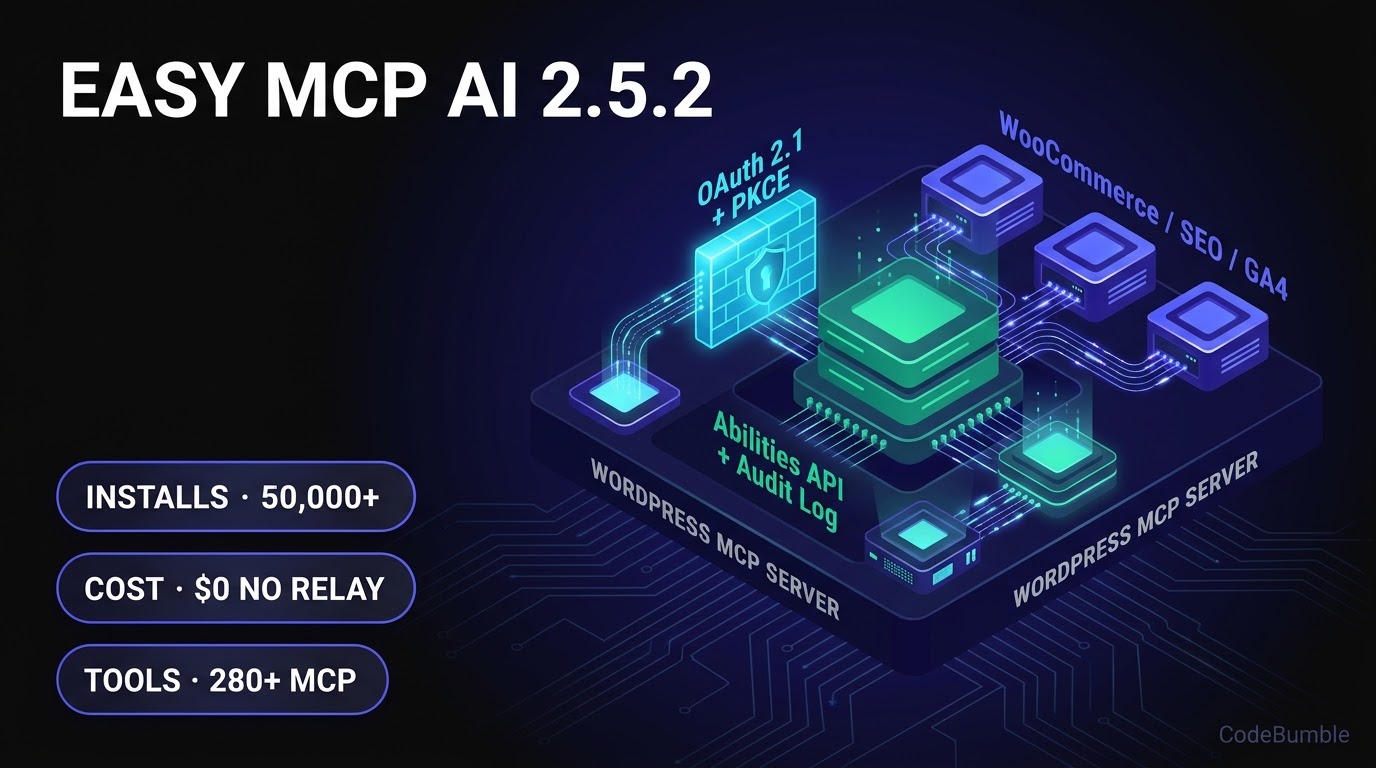
Themeisle's Easy MCP AI 2.5.2 (Nov 26, 2026) crosses 50,000+ active WordPress installs with 280+ MCP tools, OAuth 2.1 + PKCE, and a $0 no-relay cost model. Here is how its architecture, pricing, and security footprint compare as of November 27, 2026.
8 min read
Easy MCP AI 2.5.2 Hits 50,000+ WordPress Installs: Features, $0 Cost Model, and Security Audit
Executive Summary
On November 26, 2026, Themeisle released Easy MCP AI 2.5.2 on the WordPress.org Plugin Directory, crossing 50,000+ active installations while adding WP Mail SMTP tools, batch Google Search Console sitemap management, and dry-run previews for Additional CSS updates. Rather than embedding a metered LLM wrapper inside wp-admin, the plugin turns any WordPress site into a self-hosted Model Context Protocol (MCP) server at /wp-json/easy-mcp-ai/v1/mcp and acts as a zero-code adapter for the WordPress 6.9+ Abilities API.
Cost & Verification Snapshot (Verified as of November 27, 2026): Easy MCP AI 2.5.2 is 100% free ($0) with all 280+ MCP tools and no hosted vendor relay or per-request meter. However, your connected AI client (Claude, ChatGPT, Cursor, Codex CLI, or Gemini) carries its own subscription or Bring-Your-Own-Key (BYOK) LLM cost, and the 56 optional external SEO/analytics tools (Google Analytics 4, Search Console, Semrush, SE Ranking, DataForSEO, and Ahrefs) require your own provider accounts and API keys.
Growth Signals & WordPress.org Telemetry
Easy MCP AI has scaled rapidly since its WordPress.org debut, growing from over 20,000 active installations roughly seven months into its listing (documented in Miraheze's Easy MCP AI entry) to 50,000+ active installations on WordPress.org as of November 27, 2026.
| Telemetry Metric | Verified Value (As of November 27, 2026) | Source |
|---|---|---|
| Latest Version & Release Date | 2.5.2 (Updated Nov 26, 2026) |
WordPress.org Plugin Page |
| Active Installations | 50,000+ |
WordPress.org Plugin Page |
| User Rating | 4.9 / 5 (17 five-star, 1 three-star across 18 reviews) |
WordPress.org Plugin Page |
| Support Resolution (Last 2 Months) | 18 of 19 issues resolved |
WordPress.org Plugin Page |
| WordPress & PHP Requirements | WordPress 6.2+ (Tested up to 7.1.5), PHP 7.4+ |
WordPress.org Plugin Page |
What Shipped in v2.5.2 (November 26, 2026)
The 2.5.2 changelog focuses on production reliability, safer theme/CSS edits, and caching edge cases:
- WP Mail SMTP & Search Console Expansion: Added MCP tools to read and update WP Mail SMTP settings, plus Search Console tools to submit and delete sitemaps in batches.
- Additional CSS Dry-Run & Elementor Drafts: Added a dry-run mode to preview Additional CSS updates before saving, and added Elementor layout initialization for block-editor and classic drafts.
- Cache & Multisite/Theme Compatibility Fixes: Fixed rate limits and sign-in lockouts failing to clear on sites running LiteSpeed Cache's object cache, fixed Customizer tools failing when menus include a WPML language switcher, fixed
wp_update_theme_modfor Blocksy header/footer placements, and fixed Avada mega-menu settings being cleared during menu updates. - WordPress 6.2–6.5 & ACF Fixes: Fixed blank admin screens on WordPress 6.2–6.5, fixed ACF calls sending a field twice by name and key, and fixed Google service account key errors to report the exact signing failure cause.
AI Architecture, Pricing Breakdown & Verification Timestamp
Self-Hosted MCP Server & Abilities API Bridge
Unlike relay-based WordPress MCP plugins that proxy requests through a vendor cloud, Easy MCP AI runs its MCP server directly in PHP on your WordPress host at /wp-json/easy-mcp-ai/v1/mcp. It supports the MCP 2026-07-28 specification while remaining backward-compatible with 2025-11-25, 2025-06-18, and 2025-03-26 clients over Streamable HTTP (or local mcp-remote stdio bridges for desktop/CLI tools).
Its 280+ built-in tools span three domains:
- 130+ Core WordPress Tools: Posts, pages, custom post types, Gutenberg blocks, block templates, global styles, media uploads, menus, taxonomies, users, and site settings.
- 90+ Plugin Integration Tools: WooCommerce (47 tools covering products, variations, orders, coupons, shipping zones, tax rates, and sales reports), Yoast SEO, Rank Math, AIOSEO, SEOPress, Slim SEO, The SEO Framework, Advanced Custom Fields (6 tools), The Events Calendar (10 tools), and BuddyPress (10 tools).
- 56 External SEO & Analytics Tools: Google Analytics 4 (13 tools), Google Search Console (6 tools), Semrush (13 tools), SE Ranking (15 tools), DataForSEO (8 tools), and Ahrefs Domain Rating (1 tool).
For sites running WordPress 6.9 or newer, Easy MCP AI also acts as a visual adapter for the WordPress Abilities API—administrators toggle individual plugin abilities under Easy MCP AI → Tools → Abilities without writing custom PHP glue code, complementing the core WordPress.org MCP Adapter (0.7.2).
Pricing & Cost Comparison (Verified as of November 27, 2026)
| Plugin / Solution | Active Installs | Free Tier Limits | Paid Plan Pricing | BYOK / Relay Architecture | Verified Date |
|---|---|---|---|---|---|
Easy MCP AI 2.5.2 |
50,000+ |
100% Free ($0): all 280+ tools, 120 req/min default rate limit | None ($0 plugin; no paid tiers) | Self-hosted PHP (no relay); BYOK for AI client & 56 external SEO/GA4 APIs | Nov 27, 2026 |
MCP Adapter 0.7.2 |
80,000+ |
100% Free ($0): open-source WordPress.org canonical bridge | None ($0 plugin) | Self-hosted PHP; exposes Abilities API only (requires WP 6.9+) |
Nov 27, 2026 |
Uncanny Automator 8.1.0 |
40,000+ |
Lite ($0): 150 tool uses/day (300/day first week), 250 app credits | Pro from $25/mo billed annually (Basic/Plus $40/Elite $60) |
Hosted relay (mcp.automatorplugin.com, 90-day logs) + BYOK for recipe AI steps |
Nov 27, 2026 |
miniOrange Secure MCP Server |
N/A | Free: 100 requests/day on unlimited sites | $79/yr early-bird until Nov 30, 2026 ($99/yr regular, 500 req/day) |
Vendor gateway (direct on-site endpoint deprecated in 1.5.3) |
Nov 27, 2026 |
Rank Math Content AI |
4+ million |
Limited monthly AI usage | Starter €5.99/mo billed annually ex VAT (€6.99/mo renewal) |
Managed Rank Math cloud credits (cai.rankmath.com) |
Nov 27, 2026 |
WordPress Performance Footprint, Security & Lock-In Check
Security Controls: OAuth 2.1, Strict Draft Mode & Audit Logs
Exposing write-capable tools to an autonomous AI client requires strict boundary controls. As documented on Easy MCP AI's WordPress.org listing and reviewed by WPShout, the plugin enforces defense-in-depth by default:
- OAuth 2.1 + PKCE: Supports Dynamic Client Registration, refresh-token rotation with reuse detection, audience binding, and instant per-client revocation. Unlike the core
MCP Adapter(which relies on WordPress Application Passwords), OAuth 2.1 avoids storing long-lived site-wide passwords in local client configs. - Hashed & Encrypted Credentials: API tokens are stored as SHA-256 hashes, external SEO/analytics credentials use AES-256-GCM encryption, and API tokens support optional IP allowlists alongside a default
120requests/minute rate limit. - Draft Mode (
New contentvs.Strict): Off by default, enablingStrictDraft Mode forces all create tools to save drafts and blocks AI clients from publishing or modifying already-published content. - Audit Log & Change History: The Audit Log retains tool calls (including refused calls, client IP, arguments, and duration) for 30 days by default, while Change History stores before/after field snapshots that can be inspected or rolled back via
wp_history_diffand WordPress revisions.
wp_options Footprint, Outbound Calls & Hardening Tips
Because Easy MCP AI runs only when an MCP endpoint or admin screen is invoked, it adds zero frontend JavaScript or CSS bloat to visitor page loads. However, administrators auditing outbound connections should note two opt-out mechanisms documented on WordPress.org:
- EasyMCP Cloud Block Tools (
mcp.easymcpai.com): Three optional block tools (blocks_execute,blocks_schema_get,atomic_wind_context) contact EasyMCP Cloud when first invoked by an AI client. To keep your WordPress install 100% isolated, disable the Cloud tools group underEasy MCP AI → Tools(the/wp-json/easy-mcp-ai/v1/cloud-proofroute will then return404). - Daily Skills Sync (
skills.easymcpai.com): Once an AI client connects, the plugin downloads signed task-guidance skills daily (sending only the plugin version). Disable this inwp-config.php:
// Disable daily remote skills sync in wp-config.php
define( 'EASY_MCP_AI_SKILLS_SYNC', false );
Finally, if your site sits behind Cloudflare Flexible SSL or a reverse proxy that terminates TLS before PHP, OAuth 2.1 will reject plain HTTP requests; Themeisle recommends upgrading to Cloudflare Full (Strict) or, behind a trusted proxy, normalizing $_SERVER['HTTPS'] = 'on' from HTTP_X_FORWARDED_PROTO in wp-config.php. For local loopback testing (127.0.0.1 or ::1), OAuth allows plain HTTP without extra flags.
Data Portability & Lock-In
If you deactivate Easy MCP AI, your posts, pages, WooCommerce products, ACF fields, and Yoast/Rank Math metadata remain untouched in native WordPress tables—there are no proprietary custom post types or shortcodes locking content to the plugin. Only the OAuth grants, hashed API tokens, and 30-day Audit Log/Change History metadata become inactive.
Frequently Asked Questions (FAQ)
1. Is Easy MCP AI really free, or are there hidden credit limits?
As verified on WordPress.org on November 27, 2026, Easy MCP AI 2.5.2 is completely free ($0) with all 280+ MCP tools included and no vendor request quota. You only pay for your own AI client subscription/LLM API key and any third-party SEO/analytics APIs (Semrush, SE Ranking, DataForSEO, Ahrefs) you connect.
2. How does Easy MCP AI compare to the official WordPress MCP Adapter?
The official MCP Adapter (0.7.2) requires WordPress 6.9+ and only exposes abilities registered via the Abilities API, using Application Passwords by default. Easy MCP AI works on WordPress 6.2+, bundles 280+ ready-made tools for core, WooCommerce, ACF, and SEO plugins, adds OAuth 2.1 + PKCE, and still adapts WordPress 6.9+ Abilities.
3. Does Easy MCP AI send my WordPress posts to OpenAI, Anthropic, or Themeisle?
No vendor relay sits in the middle of standard tool calls—your AI client connects directly to /wp-json/easy-mcp-ai/v1/mcp on your own server. The only optional external vendor calls are the three EasyMCP Cloud block tools (disabled when you toggle off the Cloud tools group) and the daily signed-skills check (disabled via EASY_MCP_AI_SKILLS_SYNC).
4. Can I prevent an AI agent from accidentally publishing or deleting live WooCommerce orders?
Yes. Bind the OAuth grant or API token to a dedicated WordPress user with minimal role capabilities, disable destructive tools site-wide, and enable Strict Draft Mode so the AI client cannot publish or alter already-published content.
5. What changed in Easy MCP AI 2.5.2 on November 26, 2026?
Version 2.5.2 added WP Mail SMTP settings tools, batch Search Console sitemap submission/deletion, dry-run previews for Additional CSS, Elementor draft layout initialization, and fixes for LiteSpeed Cache object-cache rate limits, WPML Customizer menus, Blocksy wp_update_theme_mod, and WordPress 6.2–6.5 admin screens.
Sources
- WordPress.org: Easy MCP AI – Connect Claude to WordPress (
2.5.2, Updated Nov 26, 2026) - Easy MCP AI Docs: Getting Started (Updated Nov 25, 2026)
- WordPress.org: MCP Adapter (
0.7.2, Updated Nov 19, 2026) - WordPress.org: Uncanny Automator (
8.1.0, Updated Nov 23, 2026) - Uncanny Automator: Pricing & Plans (Verified Nov 2026)
- WPShout: Best WordPress MCP Plugins in 2026 (Oct 30, 2026)
- Themeisle: 9 Best AI Plugins for WordPress in 2026 (Oct 30, 2026)
- Miraheze Learn AI: Easy MCP AI Growth & Architecture (Nov 13, 2026)