

WordPress
AI Engine 3.9.7 for WordPress: 140+ Free MCP Tools, 30-Day Undo, Pricing & Performance Review (Nov 2026)
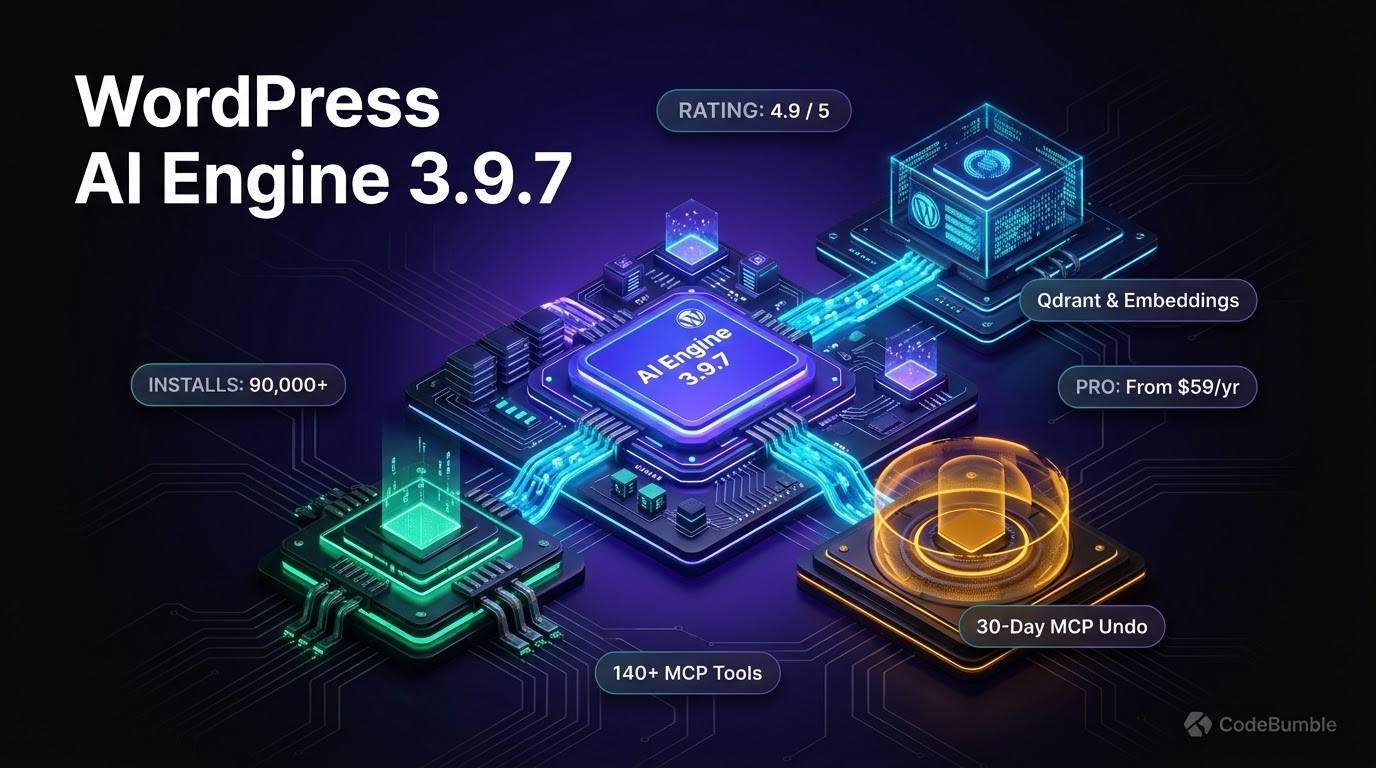
Updated on November 26, 2026, AI Engine 3.9.7 powers 90,000+ WordPress sites with a free, unmetered 140+ tool MCP server, 30-day undo, and BYOK support for OpenAI, Anthropic, and Google models—plus a Pro tier starting at $59/year. Here is the WordPress.org telemetry, verified November 2026 pricing breakdown, and performance footprint review.
8 min read
AI Engine 3.9.7 for WordPress: 140+ Free MCP Tools, 30-Day Undo, Pricing & Performance Review (Nov 2026)
Executive Summary
On November 26, 2026, Jordy Meow's AI Engine (ai-engine) shipped v3.9.7 on WordPress.org—capping a rapid November release streak (3.9.0 through 3.9.7) that turned one of WordPress's largest AI frameworks into a full-featured Model Context Protocol (MCP) server with 140+ free tools, 30-day one-click undo, and WordPress Abilities API integration (WordPress.org AI Engine).
- Verified Scale & Cost Model (Verified November 26, 2026): AI Engine runs on 90,000+ active WordPress installations with a 4.9/5 rating (884 reviews) (WordPress.org AI Engine). Its built-in MCP server is $0 (free) with no relay fee, no daily cap, and no API key required when connecting Claude or ChatGPT via OAuth (Meow Apps MCP Facts).
- BYOK & Pro Pricing Caveats (Verified November 26, 2026): On-site chatbots, Content Studio, and Image Studio follow a Bring-Your-Own-Key (BYOK) model where you pay OpenAI, Anthropic, Google, Mistral, or local inference servers directly with zero Meow Apps markup. AI Engine Pro starts at $59/year for a single site (unlocking WooCommerce, Elementor, Beaver Builder, Polylang/WPML, database MCP tools, AI Forms, and Vector DB embeddings) (Meow Apps MCP Facts; HelpJet).
Growth Signals & WordPress.org Telemetry
Unlike single-purpose MCP wrappers that launched in 2026, AI Engine has been in the WordPress.org directory since December 27, 2022 and combines visitor-facing chatbots, admin workspaces, and MCP orchestration in one codebase (Cowboy MCP Comparison; WordPress.org AI Engine).
| WordPress.org Telemetry Field | Verified Value (As of November 26, 2026) | Source |
|---|---|---|
| Latest Version & Update Date | v3.9.7 (Released November 26, 2026) |
WordPress.org AI Engine |
| Active Installations | 90,000+ | WordPress.org AI Engine |
| User Rating | 4.9 / 5 stars (851 5-star, 18 4-star, 5 3-star, 3 2-star, 7 1-star out of 884 reviews) |
WordPress.org AI Engine |
| WordPress Compatibility | Requires WordPress 6.0+ | Tested up to 7.1.5 | WordPress.org AI Engine |
| PHP Floor & Localization | PHP 8.1 or higher | Translated into 16 locales | WordPress.org AI Engine |
| Support Responsiveness | 22 of 22 support threads resolved in the last two months | WordPress.org AI Engine |
November 2026 Feature & Security Timeline (3.9.0 → 3.9.7)
v3.9.0(November 2, 2026): Introduced MCP Undo (every assistant change is recorded with its prior state for 30 days and stops if a human edited the item since), MCP Approvals (1-click approval before deletions or any site change), block-by-block Gutenberg editing, and SEO plugin integrations (Yoast SEO, Rank Math, All in One SEO, SEOPress, The SEO Framework, Slim SEO) (WordPress.org AI Engine).v3.9.1–v3.9.4(November 5–12, 2026): Added WooCommerce Subscriptions MCP tools,wp_list_pluginsenvironment telemetry, MCP self-management tools (chatbots, knowledge, insights), and Patchstack-reported upload validation hardening (WordPress.org AI Engine).v3.9.5(November 22, 2026): Added Beast Mode (exposing all current and future MCP tools in one toggle), ClaudeFable 5.2support, Breakdance page-builder protection,mwai_mcp_access_token_ttltoken-lifetime filter, and three chatbot/media security fixes (WordPress.org AI Engine).v3.9.6(November 25, 2026): AddedGPT-6.2 SolandGPT-6.2 Astra, screen-reader announcements, RTL Hebrew/Arabic chatbot rendering, an admin warning for OpenAI retiring Prompts on November 30, 2026, Qdrant as the recommended cloud vector store, and reduced database writes for background tasks (WordPress.org AI Engine).v3.9.7(November 26, 2026): Fixed Gemini streamed tool calls running with empty arguments, isolated Local Memory per signed-in user on shared browsers, improved refused Code Interpreter file errors (suggesting ZIP for HTML/PHP/JS), and fixed Editor Assistant multi-step history for Claude Opus 4.5 (WordPress.org AI Engine).
AI Architecture, Pricing Breakdown & Verification Timestamp
How AI Engine Hooks Into WordPress & MCP
AI Engine operates across two distinct integration planes (WordPress.org AI Engine; Cowboy MCP Comparison):
- Direct On-Site MCP Server (
140+Free Tools /200+with Meow Apps Add-Ons): Rather than routing traffic through a third-party SaaS relay, AI Engine exposes an MCP endpoint directly on your WordPress host (or via optional Meow Apps pass-throughConnect WPthat stores nothing). In addition to its own curated, context-rich tools, toggling the Abilities option in the MCP tab automatically exposes abilities registered by other plugins via WordPress 6.9+'s Abilities API—meaning it can coexist with the official WordPressMCP Adapteron separate endpoints (WordPress.org AI Engine). - Multi-Provider BYOK AI Framework: Inside WordPress, AI Engine ships native connectors for OpenAI, Anthropic, Google, xAI (Grok), Mistral, Perplexity, OpenRouter, Replicate, Azure OpenAI, and custom OpenAI-compatible endpoints (Ollama, LM Studio, vLLM, llama.cpp, LocalAI), alongside Workspace (in
wp-adminand free iOS 17+ / Android 8+ companion apps paired via QR code) (WordPress.org AI Engine).
Pricing & Cost Model (Verified as of November 26, 2026)
| Plan / Component | Price (Verified Nov 26, 2026) | What Is Included & Metering / BYOK Caveats |
|---|---|---|
| AI Engine Free (WordPress.org) | $0 (GPL) | 140+ MCP tools (posts, blocks, media, comments, users, menus, CSS, ACF, Yoast/Rank Math/AIOSEO/SEOPress/TSF/Slim SEO), 30-day MCP Undo, 5 chatbot themes, Content/Image Studio, Playground, Workspace + mobile apps. No usage cap or relay fee. Chatbots/generation require BYOK API keys; MCP with Claude/ChatGPT uses your existing subscription (WordPress.org AI Engine; Meow Apps MCP Facts). |
| AI Engine Pro (1 Site) | From $59 / year | Unlocks Extra MCP Tools (plugins, themes, database, WooCommerce + Subscriptions, Elementor, Beaver Builder, Polylang, WPML), Embeddings & Vector DBs (Pinecone, Chroma, Qdrant, OpenAI Vector Store), AI Forms, Editor Assistant, Realtime Audio, Cross-Site Chatbots, Models API, and Statistics & Usage Control (Meow Apps MCP Facts; HelpJet; WPOS). |
| AI Engine Pro Multi-Site Tiers | $299 (Standard, 1–5 sites) | $449 (Pro, 20 sites) | $599 (Developer, 500 sites) | $799 (Agency, 2,500 sites) | Yearly licenses (cancel anytime) or Lifetime options; Neko Pass bundles all 12 Meow Apps Pro plugins for $199/year (Meow Apps Pro). |
| LLM / Vector API Costs (BYOK) | Direct Provider Rates (0% Markup) | API keys stay on your WordPress server; you pay OpenAI, Anthropic, Google, or Qdrant directly (WordPress.org AI Engine). |
Note on Pricing Transparency: Meow Apps lists entry single-site Pro pricing from $59/year on its MCP Facts page (corroborated by HelpJet and WPOS in November 2026), while its multi-site product checkout lists Standard (1–5 websites) at $299 through Agency (2,500 websites) at $799 (Meow Apps Pro).
WordPress Performance Footprint, Security & Lock-In Check
1. Database, Cron & Frontend Footprint
- Reduced Background DB Writes (
v3.9.6): In earlier builds, background task status updates wrote on page views; v3.9.6 changes this so background tasks only write to the database when state actually changes, loweringwp_options/ database churn (WordPress.org AI Engine). - Workspace Off by Default: The admin Workspace module ships disabled by default (
AI Engine → Settings → Modules) so sites that only want MCP or a single chatbot do not load unused admin UI assets (WordPress.org AI Engine). - Caching & Firewall Exclusions: Meow Apps explicitly warns of conflicts with aggressive caching and WAF plugins—specifically SiteGround Optimizer and Ninja Firewall—requiring AI Engine REST/MCP endpoints (
rest_route=/mcp/) to be excluded from page caching. Similarly, sites behind Cloudflare may need firewall allow rules for Claude/ChatGPT OAuth connectors, and hosts that strip HTTPAuthorizationheaders require an.htaccesspass-through rule (WordPress.org AI Engine).
2. Permission Scoping, OAuth & Arbitrary PHP Guardrails
- Role-Based Access: Administrators receive full access; Editors can only connect if Editor Access is explicitly enabled, and even then they remain blocked from settings, users, plugins, themes, and deletions. Database tools ship off by default (WordPress.org AI Engine).
- No Arbitrary PHP Execution on Production: Unlike staging-oriented MCP plugins (such as Novamira) that expose
execute-phpdirectly, AI Engine refuses to bundle arbitrary PHP execution in the main plugin because it introduces remote code execution (RCE) risk. Developers who need it on local/dev copies must install the separate GitHub-onlyAI Engine YOLOcompanion, which automatically disables itself in production (WordPress.org AI Engine). - Security Hardening Cadence: Versions
3.8.6–3.9.5patched multiple Patchstack- and WPScan-reported issues, including strict MIME/content validation for chat and Media Library uploads (3.9.2,3.9.4,3.9.5), immutable server-printed chatbot config blocks (3.9.5), andDISALLOW_FILE_EDITenforcement (3.8.8) (WordPress.org AI Engine).
3. Data Portability & Lock-In
All chatbot discussions, settings backups, and prompt templates are stored locally in your WordPress database (and visitor uploads stay isolated in AI Engine's own storage rather than polluting the Media Library as of 3.9.6). Because content edited via MCP is written as native Gutenberg blocks, custom fields (ACF), or standard WooCommerce/SEO meta keys, deactivating AI Engine leaves your site's published content and SEO metadata completely intact—with only chatbot widgets, AI Forms, and vector-index sync pausing (WordPress.org AI Engine).
Frequently Asked Questions
Is AI Engine's WordPress MCP server really free?
Yes. Verified as of November 26, 2026, the free WordPress.org version of AI Engine includes 140+ MCP tools, OAuth/bearer authentication, 30-day undo, and no daily request cap or relay fee. Paid Pro (from $59/year) adds WooCommerce, Elementor, Beaver Builder, Polylang/WPML, plugin/theme, and database MCP tools (Meow Apps MCP Facts; WordPress.org AI Engine).
Do I need an OpenAI or Anthropic API key to use AI Engine's MCP server?
No. When connecting Claude or ChatGPT to your WordPress site over MCP, the connection uses OAuth and runs on your existing Claude or ChatGPT plan with no API key required. You only need a BYOK API key for on-site visitor chatbots, AI Forms, embeddings, and admin Content/Image Studio features (WordPress.org AI Engine).
Do I need the official WordPress MCP Adapter alongside AI Engine?
No. AI Engine runs its own built-in MCP server, and its Abilities toggle in the MCP tab can also expose abilities registered by other plugins. However, if you already run the official MCP Adapter (v0.7.x), both can run side by side on separate endpoints (WordPress.org AI Engine; Cowboy MCP Comparison).
How does AI Engine prevent an AI agent from breaking a live WordPress site?
AI Engine includes 30-day one-click Undo (which halts automatically if a human edited the item after the AI), approval prompts before deletions or site changes, disabled-by-default database tools, role-scoped Editor access, and a strict ban on arbitrary PHP execution in the production plugin (WordPress.org AI Engine).
What changed in AI Engine v3.9.6 and v3.9.7?
v3.9.6 (Nov 25, 2026) added GPT-6.2 Sol and Astra, RTL support, screen-reader announcements, and reduced background task DB writes. v3.9.7 (Nov 26, 2026) fixed Gemini streamed tool calls running with empty arguments, isolated Local Memory per user on shared browsers, and resolved Claude Opus 4.5 Editor Assistant multi-step history loss (WordPress.org AI Engine).
Sources
- WordPress.org — AI Engine (
v3.9.7) Plugin Directory Listing & Changelog (Updated November 26, 2026): https://wordpress.org/plugins/ai-engine/ - Meow Apps — AI Engine MCP: The Facts (Verified November 26, 2026): https://meowapps.com/ai-engine/mcp-facts/
- Meow Apps — AI Engine Pro Licensing & Tiers (Verified November 26, 2026): https://meowapps.com/products/ai-engine-pro/
- Cowboy MCP — Best WordPress MCP Plugins Compared (November 2026) (Updated November 8, 2026): https://cowboymcp.com/compare
- HelpJet — 9 Best Free WordPress AI Plugins for 2026 (Published November 1, 2026): https://helpjet.com/blog/free-wordpress-ai-plugins