

WordPress
Enable Abilities for MCP 2.17.1 Review: 6,000+ Installs, 114 Abilities & OAuth 2.1
Enable Abilities for MCP 2.17.1 by Fabio Montenegro has doubled to 6,000+ active WordPress installations with a 5.0-star rating across 18 reviews. This technical audit examines its $0 open-source model, 114 abilities across 21 categories, embedded OAuth 2.1 server for Claude and ChatGPT, recent 2.13.x–2.17.x security hardening, and key trade-offs like the lack of an undo journal.
9 min read
Enable Abilities for MCP 2.17.1 Review: 6,000+ Installs, 114 Abilities & OAuth 2.1
Executive Summary
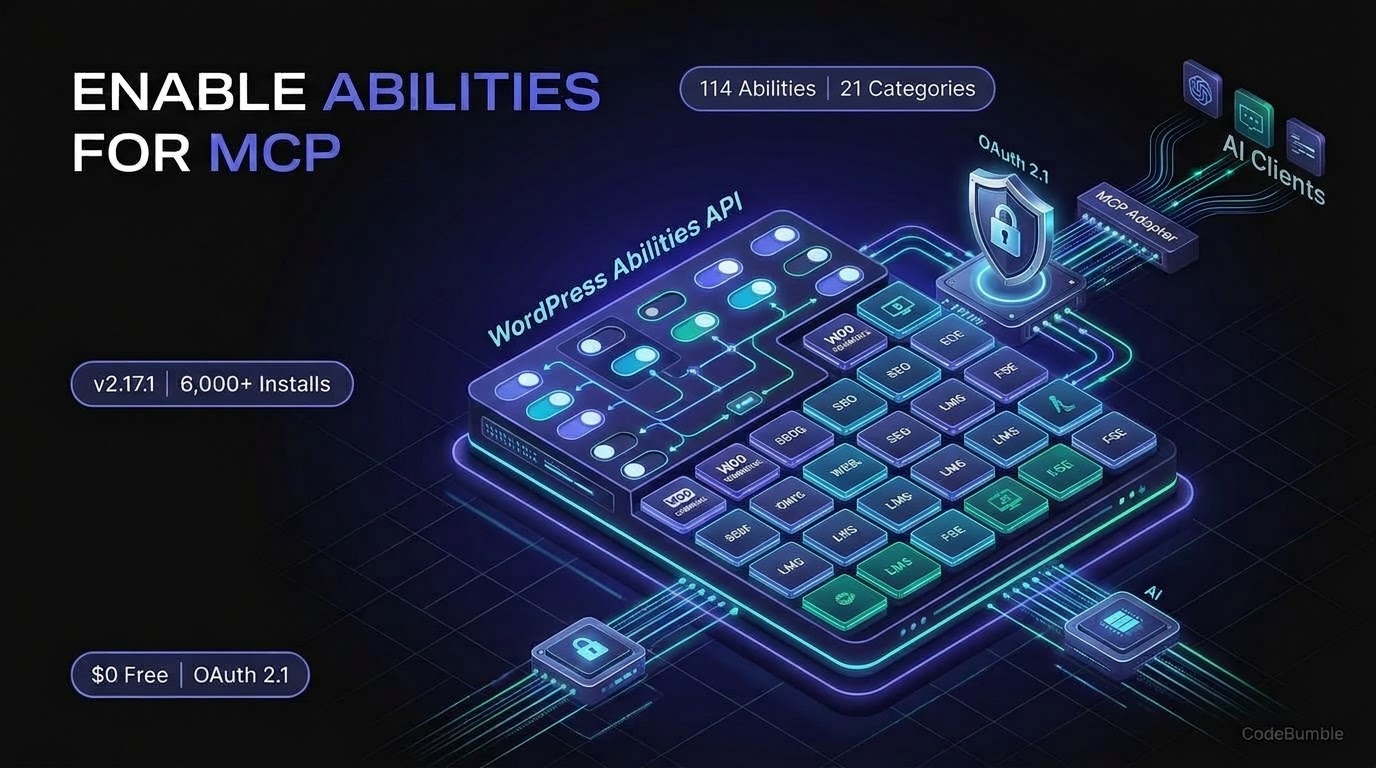
Enable Abilities for MCP (by Fabio Montenegro) has emerged as the leading free companion control plane for the official WordPress MCP Adapter. Because the official MCP Adapter ships with zero admin screens and exposes only three meta-tools by default, site owners needed a graphical toggle panel and a ready-made catalog of content, e-commerce, and SEO actions. Enable Abilities for MCP fills that gap with 114 abilities across 21 categories, an embedded OAuth 2.1 server, and per-ability toggle switches—at $0 under an open-source license.
As of November 22, 2026, the plugin has reached version 2.17.1 (updated November 19, 2026, with a 2.16.1 security/locale branch also active on regional WordPress.org mirrors) and 6,000+ active installations with a 5.0 out of 5 stars rating across 18 reviews. That represents a 2x adoption jump from the 3,000+ installs and 10 reviews documented by WPNeon in August–September 2026. Pricing and install stats verified as of November 22, 2026.
Growth Signals & WordPress.org Telemetry
Among Plugins built specifically around WordPress 6.9's native wp_register_ability() API, Enable Abilities for MCP shows some of the strongest organic adoption momentum on WordPress.org:
- Active Installations: 6,000+, doubling from 3,000+ in August/September 2026 (WPNeon).
- Current Version & Release Cadence: 2.17.1, last updated 3 days ago (November 19, 2026) on WordPress.org, following rapid
2.13.x–2.17.xsecurity and capability releases. (Because no new version shipped in the past 48 hours, this audit evaluates the latest2.17.1release.) - Ratings & Support: 5.0 out of 5 stars across 18 five-star reviews, with 6 out of 6 support forum issues resolved over the past two months.
- Environment Requirements: Requires WordPress 6.9 or higher (for the core Abilities API), PHP 8.0 or higher, and the official MCP Adapter plugin installed and configured. Tested up to WordPress 7.1.5.
- Localization: Available in 2 locales (English US and Spanish Spain, with bundled
es_EStranslations fixed in2.16.0).
Key Engineering Changes in 2.15.0 Through 2.17.1
Recent releases show a clear shift toward granular role scoping, token-saving media uploads, and object-level authorization:
- 2.17.0 – 2.17.1 (November 2026): Added pagination (
pageparameter, 100 items per call ordered by menu order and ID) toewpa/get-pages, and relaxedewpa/create-post/ewpa/create-pageto require onlyedit_posts/edit_pagesso Contributor-role agents can create drafts without holding publish rights. Version2.17.1refreshed the settings icon and review notice styling. - 2.16.1 (November 2026): Closed multiple object-level authorization gaps—
ewpa/wc-update-productnow checks per-product edit and publish rights (protecting multi-vendor marketplaces),ewpa/create-cpt-itemandewpa/update-cpt-itemenforce taxonomyassign_termspermissions,ewpa/create-postwithtranslation_ofverifies edit rights on the source post, and password-protected descriptions/custom fields stay hidden from users who cannot edit them. - 2.16.0 (November 2026): Introduced
ewpa/create-upload-linkandewpa/get-upload-status, generating single-use, 10-minute upload links (capped at 20 MB across JPEG, PNG, GIF, WebP, and AVIF, max 5 unused links per user) so AI assistants no longer waste thousands of tokens sending base64 image payloads through chat. Also addedunfiltered_htmlfiltering toewpa/elementor-update-elementand expanded the catalog to 114 abilities in 21 categories. - 2.15.0 (November 2026): Added atomic
metawrites onewpa/create-post(with automatic post rollback if a protected underscore key is refused) andmeta_key/meta_valuefiltering onewpa/get-posts.
AI Architecture, Pricing Breakdown & Verification Timestamp
How Enable Abilities for MCP Works With the Official Adapter
Enable Abilities for MCP is not a standalone MCP server—it is an ability provider, OAuth 2.1 identity layer, and governance UI that plugs into the official WordPress MCP Adapter. All abilities are registered via wp_register_ability() on the wp_abilities_api_init hook with show_in_rest and mcp.public metadata, and source code is maintained openly on GitHub under WordPress Coding Standards (phpcs).
Its 114 abilities across 21 categories span:
- Core, Read & Write: Filtered post/page/CPT queries, comment moderation, external URL image sideloading, temporary upload links, and draft-default post duplication.
- SEO & AI Search Readiness: Full metadata read/write for Rank Math, SEOPress, and Yoast SEO (including Yoast sitemap index parsing), plus
llms.txtvalidation againstllmstxt.organdllms.txtwriting (routing to SEOPress Pro when active). - E-Commerce & Events: HPOS-compatible WooCommerce tools (products, variations, stock, prices, orders, customers) and The Events Calendar (events, venues, organizers).
- Builders, LMS & JetEngine: Elementor compact tree inspection, batch element updates, and dynamic tag binding; FSE Block Templates (
wp_templateandwp_template_partoverrides with balanced block-comment delimiter checks); LearnDash and Tutor LMS (courses, progress, quiz results, opt-in enrollment); and JetEngine Options Pages and Query Builder (je-list-queries,je-get-query, and opt-in updates). - Multilanguage & Accessibility: Polylang, WPML, and Linguator AI post/term translation creation and linking, plus a paginated WCAG 1.1.1 media library alt-text scanner.
- Third-Party Ability Governance: Since
2.2, abilities registered by other plugins (such as Fluent Forms) appear in Settings → WP Abilities grouped by namespace. Disabling an ability unregisters it before any MCP server on the site can expose it.
Authentication & Client Support
The plugin supports three authentication paths from Settings → WP Abilities → Connection:
- Embedded OAuth 2.1 for
claude.ai(CIMD): Built-in OAuth 2.1 server supporting Client ID Metadata Documents. Each team member signs in with their own WordPress account and role, and executions are logged under their real username. Supports single sites, subdirectory multisite (via network activation), and subdomain multisite. - ChatGPT & Dynamic OAuth Connectors (Beta, Opt-In): Disabled by default. Enabling it activates RFC 7591 dynamic client registration at
/oauth/register, strictly bounded by an administrator-managed Allowed callback URLs allowlist (with path-only wildcards and IP rate limiting) or manual Client ID/Secret issuance. - Application Passwords & Single-Admin Bearer Token: Per-user Application Passwords and a route-restricted single-admin Bearer token for Claude Desktop, Claude Code, OpenAI Codex CLI, and Google Antigravity, with auto-filled JSON snippets.
Pricing Breakdown
Pricing and install stats verified as of November 22, 2026 via WordPress.org and GitHub.
| Component / Tier | Software Cost | Daily Tool-Call Limit | Included Capabilities | BYOK AI Client & Hosting Costs |
|---|---|---|---|---|
| Enable Abilities for MCP (WordPress.org) | $0 / Free (Open Source, no Pro tier) | None (unmetered, self-hosted) | All 114 abilities across 21 categories, third-party ability toggles, embedded OAuth 2.1 server, Bearer/App Password config generator, execution activity log | BYOK: Requires your own free or paid AI client (e.g., Claude, ChatGPT Plus/Pro for Developer Mode, Codex CLI); zero markup on tokens |
| Official WordPress MCP Adapter (Required) | $0 / Free (GPL-2.0-or-later) | None (unmetered, self-hosted) | Core HTTP/STDIO MCP transport (2025-11-25 and 2026-07-28 specs) |
Runs on your existing WordPress host |
Important Cost Caveat: While the plugin itself has no paid tier and no daily call cap, using ChatGPT's custom MCP connector in Developer mode requires a paid ChatGPT plan per the plugin's documentation, whereas claude.ai custom connectors and local STDIO/Application Password clients use whatever AI plan you already hold.
WordPress Performance Footprint, Security & Lock-In Check
Performance & Dependency Footprint
- Autoload & Frontend Assets: Enable Abilities for MCP acts purely on
wp_abilities_api_init, REST/OAuth endpoints, and theSettings → WP Abilitiesadmin screen. It injects zero front-end JavaScript or CSS for site visitors. - No Bundled Duplicate Adapter: In
2.11.1and2.13.5, the author removed a transitivewordpress/mcp-adapterdependency fromvendor/and upgradedwp-media/mcp-oauthto2.0with a committedcomposer.lock, preventing autoloader version collisions with plugins like Imagify and ensuring only your installed standalonemcp-adapterplugin loads. - Opt-In Risk Defaults: Since
2.11.0, fresh installs leave high-impact and destructive abilities disabled by default (opt-in), including Elementor writes, LearnDash/Tutor LMS enrollment, JetEngine writes,llms.txtwrites, FSE template edits, Code Snippets updates/activations, and menu deletions. However, standard Read, Write, SEO, and WooCommerce abilities start enabled on first activation, so administrators should reviewSettings → WP Abilitiesimmediately after setup.
Security Controls, Hardening & Honest Trade-Offs
- Code Snippets 24-Hour Human Gate: AI-created PHP snippets via the Code Snippets integration are always saved inactive, validated for PHP syntax, and scanned against dangerous functions (
eval,exec,shell_exec). Activating a snippet is never automatic—it returns awp-adminlink requiring a logged-in administrator's WordPress nonce, bound to a hash of the exact code and expiring in 24 hours. - Object-Level & Route-Level Hardening: Releases
2.13.1through2.16.1closed several real-world edge cases: Bearer tokens are now checked against WordPress's parsedrest_routerather than the raw URL (2.13.7), disabling the OAuth switch or changing a user's password immediately revokes active OAuth connector sessions (2.13.1), and per-postread_post/edit_postchecks run on every content ability (2.13.3). - WAF / Cloudflare
python-httpxGotcha: Both Claude and ChatGPT fetch/.well-known/oauth-authorization-serverserver-side using apython-httpxUser-Agent. Hosting WAFs (cPGuard, Imunify360, ModSecurity) and Cloudflare Bot Fight Mode frequently return403topython-httpx, causing misleading PKCE or registration errors even when browser checks pass. - The Missing Safety Net — No Undo Journal: As Cowboy MCP's November 9, 2026 comparison highlights, Enable Abilities for MCP does not include a built-in undo journal or dry-run preview. Deleted posts go to the WordPress trash, but bulk content overwrites or option updates rely on WordPress revisions or external backups rather than one-click MCP rollback.
Lock-In & Portability Check
Lock-in is virtually zero. Because every action is registered via WordPress 6.9's standard wp_register_ability() API, any compliant MCP server (including the official mcp-adapter or alternatives like Cowboy MCP) can discover and execute the enabled abilities. Disabling or uninstalling the plugin cleanly removes its abilities and OAuth routes without touching your posts, WooCommerce orders, or SEO metadata.
Frequently Asked Questions
Is Enable Abilities for MCP free?
Yes. All 114 abilities across 21 categories, the embedded OAuth 2.1 server, and third-party ability toggles are $0 and open source with no paid Pro tier and no daily call limits.
Do I need to install the official WordPress MCP Adapter plugin too?
Yes. Enable Abilities for MCP registers the abilities, admin toggles, and OAuth 2.1 layer, but it relies on the official WordPress MCP Adapter plugin to serve the MCP protocol endpoints.
Does Enable Abilities for MCP have an undo button or dry-run mode?
No. Unlike plugins such as AI Engine or Cowboy MCP, Enable Abilities for MCP does not maintain a before/after undo journal or dry-run preview. Deletions move posts to the WordPress trash, and high-risk categories (Code Snippets, FSE templates, Elementor writes, LMS enrollment) are disabled by default as opt-in abilities.
Why do Claude or ChatGPT connectors fail with PKCE or registration errors?
Both Anthropic and OpenAI fetch OAuth discovery documents server-side using a python-httpx User-Agent. If Cloudflare Bot Fight Mode or a host WAF (Imunify360, ModSecurity, cPGuard) blocks that User-Agent with a 403, OAuth discovery fails even though /.well-known/oauth-authorization-server loads fine in your browser.
Can I restrict an AI assistant to drafts only?
Yes. Because OAuth 2.1 and Application Passwords authenticate as a real WordPress user, connecting as a Contributor (or using 2.17.0+ where ewpa/create-post requires only edit_posts) lets the AI create drafts and pending-review posts while blocking any attempt to publish.
Sources
- WordPress.org Plugin Directory — Enable Abilities for MCP v2.17.1 (Updated November 19, 2026; verified November 22, 2026): https://wordpress.org/plugins/enable-abilities-for-mcp/
- GitHub — FabioMontenegro/enable-abilities-for-mcp (Verified November 22, 2026): https://github.com/FabioMontenegro/enable-abilities-for-mcp
- WPNeon — WordPress MCP Server: 9 Options Verified and Compared (Published August 13, 2026; documents 3,000+ install baseline): https://wpneon.com/wordpress-mcp-server/
- Cowboy MCP — Cowboy MCP vs Enable Abilities for MCP: Which Fits? (Published November 9, 2026): https://cowboymcp.com/compare/cowboy-mcp-vs-enable-abilities-for-mcp
- WordPress.org Plugin Directory — Official WordPress MCP Adapter v0.7.2 (Updated November 19, 2026): https://wordpress.org/plugins/mcp-adapter/