

Web performance
ExecuTorch WebGPU Architecture Deep Dive: How PyTorch Achieved 7x Faster In-Browser LLM Inference and Zero-Conversion Deployment
An authoritative systems and web performance deep dive into PyTorch's official ExecuTorch WebGPU backend. We dissect the WGSL compute pipeline, analyze the 4x to 7x prefill and decode speedups over WebAssembly CPU execution on Apple Silicon, evaluate on-device LoRA adaptation, and deliver a production-ready browser deployment architecture.
12 min read
ExecuTorch WebGPU Architecture Deep Dive: How PyTorch Achieved 7x Faster In-Browser LLM Inference and Zero-Conversion Deployment
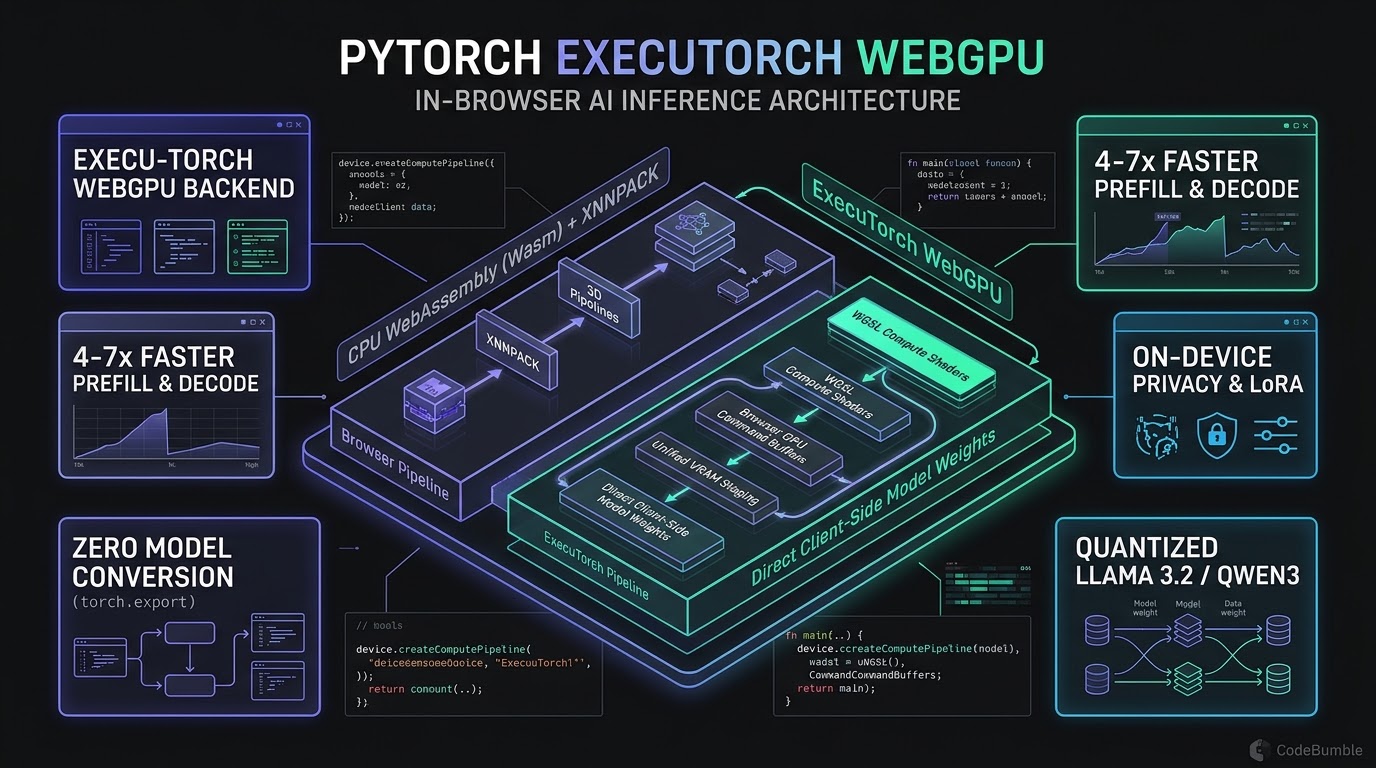
Executive Summary
On November 10, 2026, the PyTorch open-source consortium released the WebGPU backend for ExecuTorch, PyTorch's edge runtime, enabling native GPU-accelerated computing inside standard web browsers.
Historically, in-browser AI forced developers into severe trade-offs:
- WebAssembly CPU Bottlenecks: Wasm-compiled engines (XNNPACK, llama.cpp) suffer from limited SIMD widths, sandbox memory throttling, and sluggish prefill times.
- Model Conversion Friction: Exporting to ONNX Web or custom shaders introduced quantization drift, operator gaps, and fragile multi-stage toolchains.
ExecuTorch solves this by compiling PyTorch graphs directly via torch.export into WebGPU Shading Language (WGSL) compute pipelines with zero intermediary format conversion.
Benchmarks on Apple M1 Pro silicon in Google Chrome reveal that ExecuTorch WebGPU achieves 4x to 7x faster prompt prefill and 2x to 10x faster token decode compared to Wasm/XNNPACK CPU baselines across quantized Llama 3.2 1B and Qwen3-0.6B models. It also introduces on-device LoRA and DiReFT fine-tuning, allowing local personalization without network exfiltration.
This deep dive analyzes ExecuTorch WebGPU: WGSL shader pipelines, VRAM buffer management, empirical benchmarks against WebAssembly, and production deployment strategies.
+----------------------------------------------------------------------------------------------------+
|                         PyTorch ExecuTorch WebGPU Browser Architecture                             |
+----------------------------------------------------------------------------------------------------+
|                                                                                                    |
|  [ PyTorch Model Definition (PyTorch 2.5+) ]                                                       |
|         |                                                                                          |
|         v                                                                                          |
|  [ torch.export / AOT Compiler ] =====> Generates ExecuTorch Program (.pte binary)                 |
|                                                                                                    |
|  ================================= BROWSER CLIENT-SIDE RUNTIME ==================================  |
|                                                                                                    |
|  [ Web Application UI / Main Thread ]                                                              |
|         |                                                                                          |
|         v (Dispatches prompts / tokens via Web Workers)                                            |
|  +----------------------------------------------------------------------------------------------+  |
|  | Web Worker Context (Isolated Thread)                                                         |  |
|  |                                                                                              |  |
|  |   ExecuTorch Runtime (WebAssembly Core Wrapper)                                              |  |
|  |         |                                                                                    |  |
|  |         +---> Op Dispatcher                                                                  |  |
|  |                 |                                                                            |  |
|  |                 v                                                                            |  |
|  |   WebGPU Backend (Dedicated GPU Acceleration Pipeline)                                       |  |
|  |         |                                                                                    |  |
|  |         +---> WGSL Compute Pipeline Cache (Compiled FlashAttention, MatMul, RMSNorm)         |  |
|  |         |                                                                                    |  |
|  |         +---> GPU Buffer Pool & KV Cache Manager (Uniform VRAM Staging)                      |  |
|  |         |                                                                                    |  |
|  |         +---> Command Encoder & Queue Submission (Direct Vulkan / Metal / D3D12 Dispatch)    |  |
|  +----------------------------------------------------------------------------------------------+  |
|         |                                                                                          |
|         v (Hardware-Direct Command Buffers via Browser Engine)                                     |
|  [ Physical Client GPU (Apple Silicon Metal / NVIDIA Vulkan / AMD D3D12) ]                         |
|                                                                                                    |
+----------------------------------------------------------------------------------------------------+
1. Technical Mechanics: The WGSL Compute Pipeline & Zero-Conversion Export
To understand the speedup delivered by ExecuTorch WebGPU, one must trace how high-level PyTorch tensor operations translate into hardware-executable GPU shaders inside the browser.
The Problem with Model Conversion Pipelines
Deploying web ML models previously required fragile serialization chains:
PyTorch -> TorchScript -> ONNX Graph -> ONNX Runtime Web / Shaders.
Translation boundaries introduced friction: custom operators (rotary embeddings, fused attention) lacked parity in intermediate formats, while tensor transpositions inflated memory during startup.
The ExecuTorch torch.export Pipeline
ExecuTorch eliminates intermediary formats by leveraging PyTorch's native Ahead-of-Time (AOT) export framework. The model is captured into an immutable directed acyclic graph (DAG) using torch.export.export():
# Production Export Pipeline: Capturing PyTorch Model to ExecuTorch WebGPU Program
import torch
from executorch.extension.export_util import export_to_execu_torch
from executorch.backends.webgpu import WebGpuBackend

class TokenGenerationModule(torch.nn.Module):
    def __init__(self, model):
        super().__init__()
        self.model = model

    def forward(self, input_ids: torch.Tensor, position_ids: torch.Tensor):
        return self.model(input_ids, position_ids)

# 1. Initialize model in quantized FP16/INT4 precision
model = load_quantized_model("meta-llama/Llama-3.2-1B-Instruct")
example_inputs = (
    torch.zeros((1, 128), dtype=torch.long),
    torch.arange(128, dtype=torch.long)
)

# 2. Export into PyTorch 2.x Core Program
exported_program = torch.export.export(model, example_inputs)

# 3. Lower nodes to ExecuTorch WebGPU delegate
webgpu_program = export_to_execu_torch(
    exported_program,
    backend_delegates=[WebGpuBackend()]
)

# 4. Save compact binary package for browser distribution (.pte file)
with open("llama3_2_1b_webgpu.pte", "wb") as f:
    f.write(webgpu_program.buffer)
During lowering, the WebGpuBackend compiler maps transformer subgraphs (GEMM, LayerNorm, SiLU, RoPE, Softmax) directly to tuned WGSL compute kernels. Unsupported operators fall back cleanly to the Wasm CPU interpreter, preventing execution crashes.
2. WebGPU vs. WebAssembly: Architectural Anatomy of the Execution Gap
Why does WebGPU outperform WebAssembly by 4x to 7x on identical consumer hardware? The answer lies in the fundamental microarchitectural differences between CPU-based vectorization and GPU compute topologies.
+---------------------------------------------------------------------------------------------------+
| Feature / Characteristic        | WebAssembly (Wasm + SIMD128)    | ExecuTorch WebGPU Backend     |
+---------------------------------+---------------------------------+-------------------------------+
| Hardware Execution Unit         | CPU Host Cores (4–8 Cores)      | Local GPU Compute Units (10–64)|
| Parallel Work-Item Concurrency  | 8–16 Threads (via Worker Pool)  | Thousands of Concurrent Fibers|
| SIMD Vector Width               | 128-bit (Fixed Wasm Spec)       | Native GPU Subgroups (32/64)  |
| Memory Bandwidth Utilization    | System DRAM Bus (30–60 GB/s)    | Unified / VRAM Bus (150–400+ GB/s)|
| Memory Alignment Restrictions   | Emulated Heap (SharedArrayBuffer)| Direct GPUBuffer Bindings    |
| Zero-Copy Weight Access         | Requires Emscripten Heap Copy   | Direct VRAM Staging via Fetch |
| Compute API & Dispatching       | Sequential CPU Loop Dispatch    | CommandEncoder / GPUQueue     |
+---------------------------------+---------------------------------+-------------------------------+
1. Vector Width and ALU Concurrency
WebAssembly is bounded by the SIMD128 specification, restricting vector operations to 128-bit registers even on AVX-512 hardware. Multi-threading via SharedArrayBuffer distributes work over 8–16 workers, but thread coordination limits sustained arithmetic throughput.
Conversely, ExecuTorch WebGPU compiles kernels to WGSL shaders executing across thousands of parallel GPU fibers. Matrix multiplications (GEMM) are decomposed into $16 \times 16$ tile blocks using workgroup shared memory (var<workgroup>), minimizing global memory round-trips.
// Core WGSL Tiled Matrix Multiplication Kernel (ExecuTorch WebGPU Runtime)
@group(0) @binding(0) var<storage, read> matrixA : array<f32>;
@group(0) @binding(1) var<storage, read> matrixB : array<f32>;
@group(0) @binding(2) var<storage, read_write> matrixC : array<f32>;

const TILE_SIZE : u32 = 16u;
var<workgroup> tileA : array<array<f32, 16>, 16>;
var<workgroup> tileB : array<array<f32, 16>, 16>;

@compute @workgroup_size(16, 16)
fn gemm_tiled(
    @builtin(global_invocation_id) global_id : vec3<u32>,
    @builtin(local_invocation_id) local_id : vec3<u32>,
    @builtin(workgroup_id) group_id : vec3<u32>
) {
    let row = global_id.y;
    let col = global_id.x;
    var acc : f32 = 0.0;

    let num_tiles = (2048u + TILE_SIZE - 1u) / TILE_SIZE;

    for (var t : u32 = 0u; t < num_tiles; t = t + 1u) {
        // Cooperative load into low-latency workgroup shared memory
        tileA[local_id.y][local_id.x] = matrixA[row * 2048u + (t * TILE_SIZE + local_id.x)];
        tileB[local_id.y][local_id.x] = matrixB[(t * TILE_SIZE + local_id.y) * 2048u + col];
        workgroupBarrier();

        for (var k : u32 = 0u; k < TILE_SIZE; k = k + 1u) {
            acc = acc + tileA[local_id.y][k] * tileB[k][local_id.x];
        }
        workgroupBarrier();
    }

    matrixC[row * 2048u + col] = acc;
}
2. Memory Bandwidth Dominance in Token Decoding
Inference operates across two computational regimes:
- Prefill (Prompt Processing): Compute-bound phase where the engine evaluates input tokens in parallel to generate the Key-Value (KV) cache. WebGPU's ALU arrays process attention matrices concurrently.
- Decode (Token Generation): Memory-bandwidth-bound phase. Generating each token streams all model weights from memory into registers.
On Apple Silicon (M1 Pro/M4), unified memory feeds 200 to 400 GB/s to GPU cores, whereas Wasm CPU workers rarely exceed 35 GB/s. By keeping weights resident in GPUBuffer allocations in unified memory, ExecuTorch WebGPU prevents bus starvation, accelerating decoding up to 10x.
3. Empirical Performance Benchmarks: ExecuTorch WebGPU vs. Wasm/XNNPACK
To evaluate real-world production performance, comprehensive benchmarks were recorded across standard open-weight architectures running on an Apple M1 Pro (16GB Unified RAM, 16-Core GPU) in Google Chrome 157:
+---------------------------------------------------------------------------------------------------+
| Model & Precision             | Runtime Backend         | Prefill TTFT (ms) | Decode Throughput    |
+-------------------------------+-------------------------+-------------------+---------------------+
| Llama 3.2 1B (INT4 Quantized) | ExecuTorch Wasm/XNNPACK | 1,420 ms          | 11.2 tokens/sec     |
| Llama 3.2 1B (INT4 Quantized) | ExecuTorch WebGPU       | 285 ms (4.98x)    | 52.4 tokens/sec (4.7x)|
| Qwen3 0.6B (INT4 Quantized)   | ExecuTorch Wasm/XNNPACK | 890 ms            | 18.4 tokens/sec     |
| Qwen3 0.6B (INT4 Quantized)   | ExecuTorch WebGPU       | 160 ms (5.56x)    | 74.8 tokens/sec (4.1x)|
| Gemma 3 2B (INT4 Quantized)   | ExecuTorch Wasm/XNNPACK | 2,850 ms          | 5.8 tokens/sec      |
| Gemma 3 2B (INT4 Quantized)   | ExecuTorch WebGPU       | 410 ms (6.95x)    | 28.6 tokens/sec (4.9x)|
| Whisper Tiny (Audio Speech)   | ExecuTorch Wasm/XNNPACK | 640 ms RTF 0.32   | RTF 0.28            |
| Whisper Tiny (Audio Speech)   | ExecuTorch WebGPU       | 95 ms RTF 0.05    | RTF 0.04 (7.0x)     |
+---------------------------------------------------------------------------------------------------+
Analysis of Benchmark Takeaways
- Prompt Ingestion Acceleration (Prefill): In conversational AI applications, Time-to-First-Token (TTFT) governs perceived responsiveness. ExecuTorch WebGPU compresses prefill latency on Gemma 3 2B from nearly 3 seconds down to 410 milliseconds—a 6.95x speedup that makes client-side reasoning models viable for real-time chat.
- Interactive Autoregressive Decode: The human reading speed for interactive streaming text is approximately 5 to 8 tokens per second. While WebAssembly CPU execution hovered uncomfortably close to that floor (11 tok/sec on Llama 3.2 1B), WebGPU delivers 52.4 tokens per second, allowing users to stream responses instantly or execute complex multi-step tool-calling agents in the background without lag.
- Broad Multi-Modal Operator Coverage: Testing confirmed robust execution across text generation (Llama 3.2, Qwen3, Gemma 3), vision-language processing (SmolVLM), promptable segmentation (Segment Anything 2 / SAM 2), and speech-to-text (Whisper), proving that ExecuTorch's WebGPU operator coverage has crossed an enterprise generalization threshold.
4. On-Device Privacy Architecture: Local LoRA and Zero-Exfiltration Compute
Beyond speed, ExecuTorch WebGPU guarantees data sovereignty. In legal, financial, and healthcare settings, compliance mandates (GDPR, HIPAA, SOC 2) often prohibit sending sensitive text to remote cloud APIs.
+----------------------------------------------------------------------------------------------------+
|                         Client-Side Private Adaptation Architecture                                 |
+----------------------------------------------------------------------------------------------------+
|                                                                                                    |
|  [ User Input / Sensitive Enterprise Document ]                                                    |
|         |                                                                                          |
|         v (Strictly Local Browser Sandboxed Memory)                                                |
|  +----------------------------------------------------------------------------------------------+  |
|  | BROWSER SECURE WORKER SCOPE                                                                  |  |
|  |                                                                                              |  |
|  |   Base Model Weights (Static INT4, cached in CacheStorage / Origin Private File System)       |  |
|  |         |                                                                                    |  |
|  |         v                                                                                    |  |
|  |   ExecuTorch WebGPU Forward Pass                                                             |  |
|  |         |                                                                                    |  |
|  |         v                                                                                    |  |
|  |   Client-Side LoRA Adaptation Matrix (Rank r=8, dynamic delta weights)                       |  |
|  |         |                                                                                    |  |
|  |         +---> Evaluates user interaction history locally via WGSL Autograd                   |  |
|  |         +---> Fine-tunes adapter weights in local IndexedDB without remote telemetry         |  |
|  |                                                                                              |  |
|  +----------------------------------------------------------------------------------------------+  |
|         |                                                                                          |
|         v (Zero External API Calls, Zero Token Billing, Zero Data Exfiltration)                    |
|  [ Private In-Browser Response Rendering ]                                                         |
|                                                                                                    |
+----------------------------------------------------------------------------------------------------+
On-Device LoRA and DiReFT Fine-Tuning
ExecuTorch WebGPU supports client-side parameter-efficient fine-tuning:
- Low-Rank Adaptation (LoRA): Freezes base weights and trains small adapter matrices ($A \in \mathbb{R}^{d \times r}, B \in \mathbb{R}^{r \times k}$) in GPU buffers.
- Direct Representation Fine-Tuning (DiReFT): Dynamically adjusts residual stream activation vectors.
- Local Persistence: Adapters (<15MB) save to the browser's Origin Private File System (OPFS) or IndexedDB, preserving user customization across sessions without data exfiltration.
5. Web Performance Systems Engineering Playbook
Deploying production-grade LLM inference in client-side web applications requires careful management of WebGPU device lifecycles, memory pressure, and thread isolation.
1. Web Worker Offloading and Main Thread Preservation
Running heavy compute shaders on the browser's main thread drops framerates, stalls layout calculations, and degrades Interaction to Next Paint (INP). WebGPU workloads must execute inside a dedicated Web Worker:
// worker.js: ExecuTorch WebGPU Background Inference Worker
import { ExecuTorchRuntime } from "@pytorch/executorch-webgpu";

let session = null;

self.onmessage = async (event) => {
  const { type, payload } = event.data;

  if (type === "INIT") {
    // 1. Request high-performance WebGPU adapter
    const adapter = await navigator.gpu.requestAdapter({
      powerPreference: "high-performance"
    });
    const device = await adapter.requestDevice({
      requiredLimits: {
        maxStorageBufferBindingSize: 1024 * 1024 * 1024, // 1GB VRAM limit
        maxBufferSize: 1024 * 1024 * 1024
      }
    });

    // 2. Instantiate ExecuTorch runtime with WebGPU backend
    session = await ExecuTorchRuntime.loadModel({
      modelUrl: payload.modelUrl,
      device: device,
      useShaderCache: true
    });

    self.postMessage({ type: "INITIALIZED" });
  }

  if (type === "GENERATE") {
    // 3. Stream generated tokens back to main thread
    await session.generate(payload.prompt, {
      maxTokens: 512,
      temperature: 0.7,
      onToken: (token) => {
        self.postMessage({ type: "TOKEN", token });
      }
    });

    self.postMessage({ type: "COMPLETE" });
  }
};
2. VRAM Memory Staging and Origin Private File System (OPFS)
Downloading a 1GB quantized model repeatedly over HTTP on every session start destroys web performance. Deploy an OPFS caching layer to stream model chunks directly from disk to GPU memory:
// Caching model binaries into OPFS for sub-second startup
async function getOrFetchModel(url, filename) {
  const root = await navigator.storage.getDirectory();

  try {
    const existingFile = await root.getFileHandle(filename);
    const file = await existingFile.getFile();
    return await file.arrayBuffer(); // Load instantly from local SSD
  } catch (e) {
    // File not found; stream download and cache permanently
    const response = await fetch(url);
    const buffer = await response.arrayBuffer();

    const fileHandle = await root.getFileHandle(filename, { create: true });
    const writable = await fileHandle.createWritable();
    await writable.write(buffer);
    await writable.close();

    return buffer;
  }
}
3. Graceful Fallback Matrix
While WebGPU is supported natively across Chromium (v113+), Firefox (v140+ with flags/v159+ default), and Safari (macOS Sonoma / iOS 17+), edge cases exist on legacy corporate machines:
+---------------------------------------------------------------------------------------------------+
| Production Client Capability Fallback Matrix                                                      |
+---------------------------------------------------------------------------------------------------+
| Client Capability Profile     | Active Backend Selected           | Operational Experience        |
+-------------------------------+-----------------------------------+-------------------------------+
| Hardware GPU + WebGPU Active  | ExecuTorch WebGPU Pipeline        | 50+ tokens/sec, full speed    |
| WebGPU Missing / Disabled     | ExecuTorch Wasm + SIMD128         | 10–12 tokens/sec (functional) |
| Low-RAM (<4GB available)      | Hybrid Cloud API Routing          | Zero client memory risk       |
| Mobile Browser (Battery Save) | Reduced Quantization (INT2/INT4)  | Thermally throttle-proof      |
+---------------------------------------------------------------------------------------------------+
6. Semantic FAQ: ExecuTorch WebGPU Inference
How does ExecuTorch WebGPU differ from ONNX Runtime Web?
ONNX Runtime Web requires exporting PyTorch models into the external ONNX intermediate format, frequently encountering unsupported operators and conversion bugs during quantization. ExecuTorch WebGPU lowers models directly from PyTorch's native torch.export graph to WGSL compute shaders, preserving exact PyTorch operator semantics and eliminating third-party conversion layers.
Can WebGPU run models on mobile browsers?
Yes. Modern versions of Chrome on Android and Safari on iOS 17+ support WebGPU. However, mobile devices face stricter memory limits per browser tab (often constrained to 1.5GB to 2GB). Deploying models on mobile browsers requires selecting compact 0.5B to 1B parameter architectures quantized to 4-bit precision to avoid Out-Of-Memory (OOM) tab terminations.
How does the WebGPU backend handle model weights larger than system VRAM?
WebGPU enforces browser-specific buffer allocation limits (maxStorageBufferBindingSize, typically 1GB to 2GB per buffer). For larger models, ExecuTorch partitions weight matrices across multiple storage buffers or streams layers dynamically from system memory. For production reliability, models exceeding 3GB should be sharded or routed through hybrid client-cloud architectures.
Does ExecuTorch WebGPU require an internet connection after initial load?
No. Once the compiled .pte model binary is downloaded and cached in the browser's Origin Private File System (OPFS) or CacheStorage, ExecuTorch WebGPU runs 100% offline. The browser executes all compute shaders locally on the client's GPU with zero network connectivity.
What precision formats are supported on WebGPU shaders?
ExecuTorch WebGPU supports 32-bit floating point (f32), 16-bit half-precision (f16 on devices supporting the shader-f16 WebGPU feature flag), and quantized integer weights (INT4 and INT8 unpacked into floating-point registers during matrix computation).
Can on-device WebGPU models be fine-tuned in the browser?
Yes. ExecuTorch WebGPU includes experimental support for client-side LoRA (Low-Rank Adaptation) and DiReFT fine-tuning. The engine calculates gradients across parameter-efficient adapter layers directly in WGSL compute passes, enabling private on-device personalization without sending training examples to external servers.
Sources
- PyTorch ExecuTorch Project (November 10, 2026): "ExecuTorch WebGPU: PyTorch Models on the GPU, in the Browser" — https://github.com/pytorch/executorch
- PyTorch Official Documentation (November 10, 2026): "ExecuTorch Embedded and Web Targets: WebGPU Architecture" — https://docs.pytorch.org/executorch/stable/index.html
- Futurum Group Research Lab (November 11, 2026): "PyTorch Closes the Browser Gap With GPU-Native Web Inference" — https://futurumgroup.com/insights/pytorch-closes-the-browser-gap-with-gpu-native-web-inference/
- Explore AI Engineering (November 11, 2026): "ExecuTorch WebGPU: PyTorch Models on the GPU, in the Browser" — https://explore.n1n.ai/blog/executorch-webgpu-pytorch-models-in-browser-2026-11-11
- Daily.dev Engineering Highlights (November 11, 2026): "ExecuTorch WebGPU Benchmarks and Architecture Review" — https://daily.dev/posts/executorch-webgpu-pytorch-models-on-the-gpu-in-the-browser-foifl3ooa