

WordPress
WordPress MCP Adapter 0.7.2: Abilities API Bridge, Zero-Cost Model, and Security Review
WordPress.org released MCP Adapter 0.7.2 on November 19, 2026, surpassing 80,000 active installations as the official bridge between WordPress's core Abilities API and Model Context Protocol clients. Verified as of November 21, 2026, the plugin is 100% free (GPL-2.0-or-later) with zero frontend script bloat, though admins must harden its default read-capability permission check.
8 min read
WordPress MCP Adapter 0.7.2: Abilities API Bridge, Zero-Cost Model, and Security Review
Executive Summary
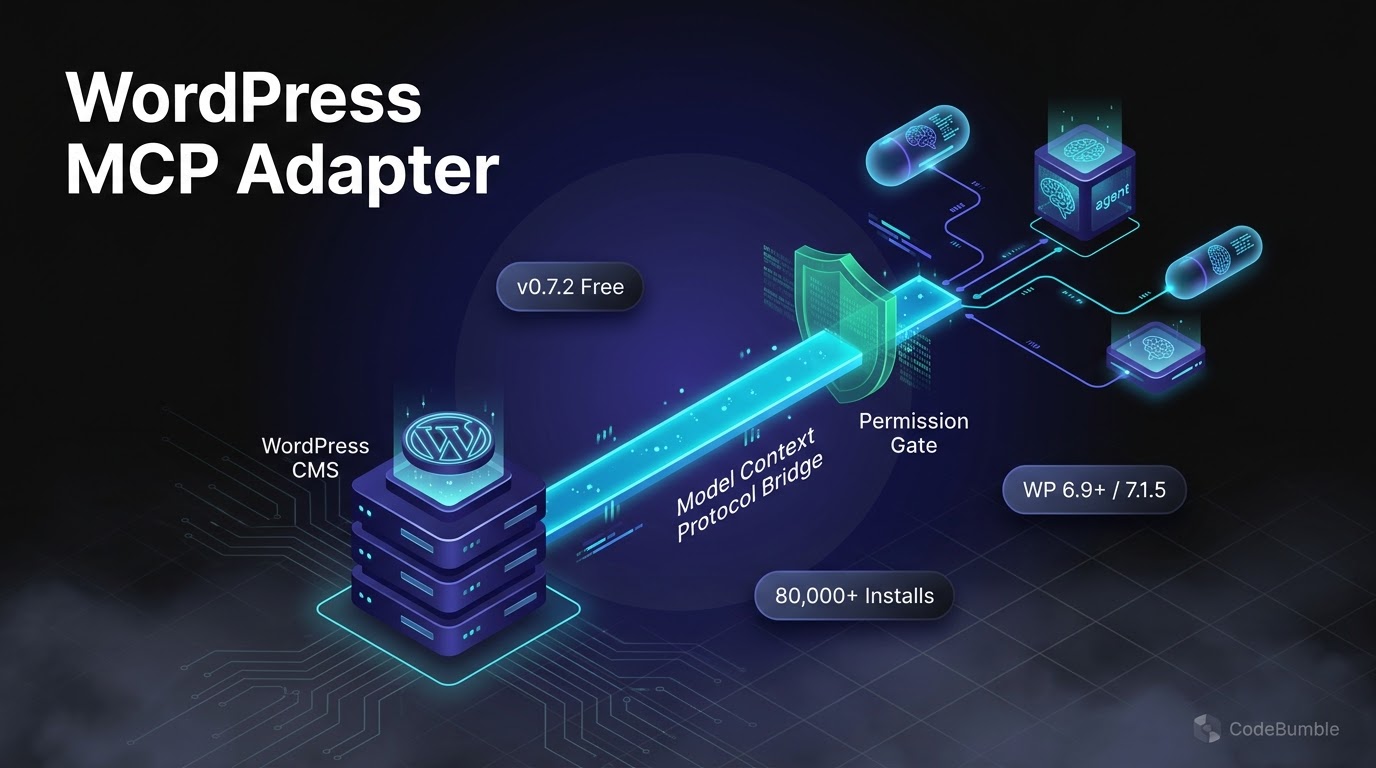
On November 19, 2026, the WordPress AI Team released MCP Adapter 0.7.2 on the WordPress.org Plugin Directory, advancing the official open-source bridge between WordPress's core Abilities API and external Model Context Protocol (MCP) clients such as Claude Desktop, Cursor, VS Code, and Claude Code. Part of the AI Building Blocks for WordPress initiative, the plugin converts registered WordPress abilities into standardized MCP tools, resources, and prompts over HTTP and STDIO transports.
As verified on November 21, 2026, MCP Adapter has reached 80,000+ active installations on WordPress.org, is tested up to WordPress 7.1.5 (requiring WordPress 6.9+ and PHP 7.4+), and carries a $0 plugin cost under the GPL-2.0-or-later license (WordPress.org, Post Snippets). Because the adapter acts strictly as a server and transport layer rather than an LLM provider, all model inference costs are Bring-Your-Own-Key (BYOK) or billed through your external MCP client subscription. While it introduces zero frontend script bloat, administrators must explicitly override its default read-capability transport check before exposing HTTP endpoints on sites with open user registration (InstaWP).
Growth Signals & WordPress.org Telemetry
After launching as a GitHub-only project in August 2025, WordPress/mcp-adapter debuted on the official WordPress.org directory with v0.7.0 on October 2, 2026, and has posted rapid adoption momentum through November 2026 (InstaWP, GitHub Releases):
| Telemetry Metric | Verified Figure | Verification Date | Source |
|---|---|---|---|
| Latest Version | 0.7.2 (Released Nov 19, 2026) |
Nov 21, 2026 | WordPress.org |
| Active Installations | 80,000+ (up from 60,000+ on Nov 5, 50,000+ on Oct 26) |
Nov 20–21, 2026 | WordPress.org / InstaWP |
| Packagist Installs | 578,905 total (156,491 in prior 30 days) |
Oct 6, 2026 | InstaWP |
| GitHub Repository | 1,794 stars, 203 forks |
Oct 6, 2026 | InstaWP |
| WordPress Compatibility | Requires 6.9+; Tested up to 7.1.5 |
Nov 21, 2026 | WordPress.org |
| PHP Requirement & License | PHP 7.4+; GPL-2.0-or-later |
Nov 21, 2026 | WordPress.org / GitHub |
Release Timeline Leading to v0.7.2
v0.6.0–v0.6.1(Aug 12–13, 2026): Raised the minimum floor to WordPress6.9(where the Abilities API entered core), scoped multisite sessions per blog, adopted Jetpack Autoloader, and patched a missing test-class autoloader map in the release ZIP (GitHub Releases).v0.7.0(Oct 2, 2026): First WordPress.org directory release; locked protocol output to exact MCP revisions2025-11-25and2026-07-28, removed legacy validator/DTO classes, deprecated bundled Composer usage, and added sessionlessserver/discoversupport.v0.7.1(Oct 16, 2026): Security and reliability update capping stored HTTP session initialization parameters at 4 KiB, excludingclientInfo.iconsfrom session storage, and adding a site-owner Application Password setup guide (alongsidev0.6.2security backport).v0.7.2(Nov 19, 2026): Ensures abilitypermission_callbackhandlers receive the exact same prepared input that WordPress passes during direct ability execution, restores compatibility for MCP clients that omit theMCP-Protocol-Versionheader afterinitialize, updateswp help mcp-adapter serveexamples, and bumps Jetpack Autoloader to6.0.3(WordPress.org).
AI Architecture, Pricing Breakdown & Verification Timestamp
How MCP Adapter Bridges WordPress Core and AI Agents
A common point of confusion is separating WordPress Core's Abilities API (introduced in PHP in WordPress 6.9 and extended to JavaScript in 7.0) from the MCP Adapter plugin (BroCode, InstaWP). The Abilities API acts as the typed internal registry (wp_register_ability()), while MCP Adapter translates opt-in abilities into MCP endpoints:
- Opt-In Exposure Only: Registered abilities remain private by default. Only abilities marked with
meta.mcp.public = true(ormeta.public = true) are discoverable by MCP clients (WordPress.org). - Three Meta-Tool Gateway Design: Instead of flooding an LLM's context window with dozens of schemas, the default server (
/wp-json/mcp/mcp-adapter-default-server) exposes three constant meta-tools:mcp-adapter-discover-abilities,mcp-adapter-get-ability-info, andmcp-adapter-execute-ability(slashes are converted to hyphens byMcpNameSanitizer) (InstaWP). - Dual Transports (No SSE Yet): Supports STDIO via WP-CLI (
wp mcp-adapter serve) for local development and HTTP via the WordPress REST API (requiringMcp-Session-Idheaders afterinitializewith a 24-hour inactivity timeout). Server-Sent Events (SSE) onGETrequests are not yet implemented and return405 Method Not Allowed. v0.7.2Input & Validation Order: Input preparation and validation now execute before the permission callback and beforemcp_adapter_pre_tool_call/mcp_adapter_pre_prompt_getfilters, ensuring permission checks inspect normalized data (WordPress.org).
Registering a Public Ability & Hardening the Default Server
// 1. Register an opt-in read-only ability for MCP clients
add_action( 'wp_abilities_api_init', function () {
    wp_register_ability( 'my-plugin/summarise-post', array(
        'label'               => __( 'Summarise a post', 'my-plugin' ),
        'description'         => __( 'Returns a short summary of a published post.', 'my-plugin' ),
        'input_schema'        => array(
            'type'       => 'object',
            'properties' => array( 'post_id' => array( 'type' => 'integer' ) ),
            'required'   => array( 'post_id' ),
        ),
        'execute_callback'    => 'my_plugin_summarise_post',
        'permission_callback' => function () {
            return current_user_can( 'edit_posts' );
        },
        'meta'                => array( 'mcp' => array( 'public' => true ) ),
    ) );
} );

// 2. Raise the default HTTP transport capability from 'read' to 'manage_options'
add_filter( 'mcp_adapter_default_transport_permission_user_capability', function () {
    return 'manage_options';
} );
Connecting Desktop & CLI Clients (STDIO vs. HTTP)
For local development, STDIO eliminates network exposure entirely by spawning WP-CLI directly with an explicit --user flag (without --user, the subprocess runs unauthenticated and returns an empty tool list). For remote sites over HTTPS, desktop clients such as Claude Desktop and Cursor use @automattic/mcp-wordpress-remote with a dedicated WordPress Application Password, while HTTP-native clients like Claude Code can point directly to the REST endpoint (InstaWP, WPMusk).
{
  "mcpServers": {
    "my-wordpress-site": {
      "command": "npx",
      "args": ["-y", "@automattic/mcp-wordpress-remote@latest"],
      "env": {
        "WP_API_URL": "https://example.com/wp-json/mcp/mcp-adapter-default-server",
        "WP_API_USERNAME": "mcp-editor",
        "WP_API_PASSWORD": "xxxx xxxx xxxx xxxx xxxx xxxx"
      }
    }
  }
}
For WP-CLI deployments, run wp plugin install mcp-adapter --activate (or composer require wordpress/mcp-adapter on Composer-managed roots). Avoid cloning the raw GitHub repository directly into wp-content/plugins/ without running composer install, as only the WordPress.org and GitHub release ZIPs bundle vendor/autoload_packages.php (InstaWP).
Pricing Model & Ecosystem Comparison (Verified November 21, 2026)
| Solution | Free Tier & Limits | Paid Plan Pricing | LLM / API Cost Model | Verified Date |
|---|---|---|---|---|
WordPress MCP Adapter (v0.7.2) (WordPress.org) |
$0 (Unlimited local/HTTP calls; GPL-2.0-or-later; no plugin credit caps) |
None (No Pro tier) | Client-side / BYOK (Paid via your MCP client or API key) | Nov 21, 2026 |
| Official WordPress AI Plugin + Connectors (Post Snippets) | $0 plugin (Settings > Connectors) |
None (Core/directory) | BYOK (Anthropic, Google, OpenAI, Mistral, Vercel AI Gateway keys) | Nov 20–21, 2026 |
| InstaWP InstaMCP (InstaWP) | Included on InstaWP sandboxes/sites (43 typed tools) |
Bundled with InstaWP managed hosting plans | Client-side / Platform-hosted (Token-scoped URL per site) | Nov 6, 2026 |
WordPress Performance Footprint, Security & Lock-In Check
wp_optionsAutoload & Session Footprint: MCP Adapter does not bloatwp_optionswith large configuration blobs. Following thev0.7.1security update, HTTP session initialization payloads are strictly capped at 4 KiB,clientInfo.iconsare stripped before storage, and oversized legacy session entries are automatically purged (GitHub Releases).- Zero Frontend Script Bloat: Because MCP Adapter operates purely as a REST API namespace (
/wp-json/mcp/...) and WP-CLI command (wp mcp-adapter serve), it enqueues zero frontend JavaScript or CSS on visitor-facing pages—meaning zero impact on Core Web Vitals (LCP, INP, or CLS). - Transport Permission Default & OAuth 2.1 Gap: Independent source audits by InstaWP highlight a critical default: if a site does not supply a custom transport permission callback, the adapter falls back to
current_user_can( 'read' ), which every logged-in Subscriber possesses. On WooCommerce or membership sites, always apply themcp_adapter_default_transport_permission_user_capabilityfilter shown above, create a dedicated least-privilege WordPress user, and use HTTPS with Application Passwords. Note also that WordPress core andmcp-adapterdo not ship a built-in OAuth 2.1 server, so web-basedclaude.aiand ChatGPT OAuth connectors cannot authenticate directly without an external OAuth plugin or the local@automattic/mcp-wordpress-remoteproxy (InstaWP, WPMusk). - Plugin Conflicts & Pre-1.0 Pinning: Testing across 21 WordPress MCP plugins showed that third-party plugins bundling older
wordpress/mcp-adaptercopies (such as WooCommerce11.2.2shipping^0.3.0) can trigger autoloader warnings, thoughv0.7.1+registers its autoloader early to let the newer version win; similarly, plugins likeAtlasMCP,Agent Abilities for MCP, andMCP Content Manager Litecan override the default server or block Application Password logins on/wp-json/mcp/routes (InstaWP). Because the plugin is still pre-1.0 (0.7.x), agencies should pin versions and test minor updates on staging before fleet-wide auto-updates. - Data Portability & Lock-In: Deactivating MCP Adapter leaves zero orphaned content, custom post types, or shortcodes behind; registered abilities remain standard WordPress core hooks.
Frequently Asked Questions
How much does the WordPress MCP Adapter cost?
As verified on November 21, 2026, the official MCP Adapter plugin is 100% free ($0, licensed under GPL-2.0-or-later) with no Pro tier or request quotas (WordPress.org). Any LLM token charges come solely from the external AI client or API key you connect to it.
What WordPress and PHP versions does MCP Adapter 0.7.2 require?
It requires WordPress 6.9 or higher (which introduced the core Abilities API) and PHP 7.4 or higher, and is tested up to WordPress 7.1.5 as of November 2026 (WordPress.org). The standalone WordPress/abilities-api and Automattic/wordpress-mcp repositories are archived and should not be installed (InstaWP).
Why does my MCP client connect but show only three tools?
By design, abilities are private until opted in with meta.mcp.public = true, and the default server exposes three discovery/execution meta-tools (mcp-adapter-discover-abilities, mcp-adapter-get-ability-info, mcp-adapter-execute-ability) to keep LLM context windows small (WPMusk).
Is WordPress MCP Adapter secure out of the box?
Individual abilities fail closed and respect WordPress capability callbacks, but the default HTTP transport checks current_user_can( 'read' ), which includes Subscribers. Always raise the required capability via mcp_adapter_default_transport_permission_user_capability, enforce HTTPS, and scope a dedicated Application Password user (InstaWP).
Can ChatGPT or Claude on the web connect directly to MCP Adapter?
Not natively without an OAuth layer. Web clients such as claude.ai and ChatGPT expect OAuth sign-in rather than WordPress Application Passwords over Basic Auth, whereas desktop/CLI clients (Claude Desktop, Cursor, VS Code, Claude Code) connect directly or via @automattic/mcp-wordpress-remote (InstaWP).
Sources
- WordPress.org Plugin Directory — MCP Adapter (
v0.7.2, Changelog, Active Installs, Compatibility) (Updated Nov 19, 2026; Verified Nov 21, 2026): https://wordpress.org/plugins/mcp-adapter/ - GitHub (
WordPress/mcp-adapter) — Official Releases (v0.7.1,v0.7.0,v0.6.2,v0.4.2,v0.3.1) (Accessed Nov 21, 2026): https://github.com/WordPress/mcp-adapter/releases - InstaWP — Official WordPress MCP Adapter Review (2026): v0.7.1 Setup and Security (Updated Nov 6, 2026): https://instawp.com/wordpress-mcp-adapter-review/
- Post Snippets — How to use Built-in WordPress 7.0 AI Tools in 2027 (Nov 20, 2026): https://postsnippets.com/how-to-use-wordpresss-built-in-ai-tools/
- WPMusk — AI and MCP for WordPress: The Complete Guide (2026) (Nov 16, 2026): https://wpmusk.com/complete-guide-ai-mcp-wordpress/
- BroCode — WordPress and MCP: A Content API That Talks Back (Jul 15, 2026): https://brocode.at/blog/wordpress-mcp-content-api/