

WordPress
WordPress MCP Adapter 0.7.2: 80,000+ Active Installs, Abilities API Security, and Real Cost Comparison
WordPress's official MCP Adapter reached v0.7.2 on November 19, 2026, and surpassed 80,000+ active installations ahead of WordPress 7.2 RC3. Here is how its Abilities API architecture, free GPL-2.0 BYOK model, and critical Subscriber permission default compare against hosted and third-party WordPress MCP options.
8 min read
WordPress MCP Adapter 0.7.2: 80,000+ Active Installs, Abilities API Security, and Real Cost Comparison
Executive Summary
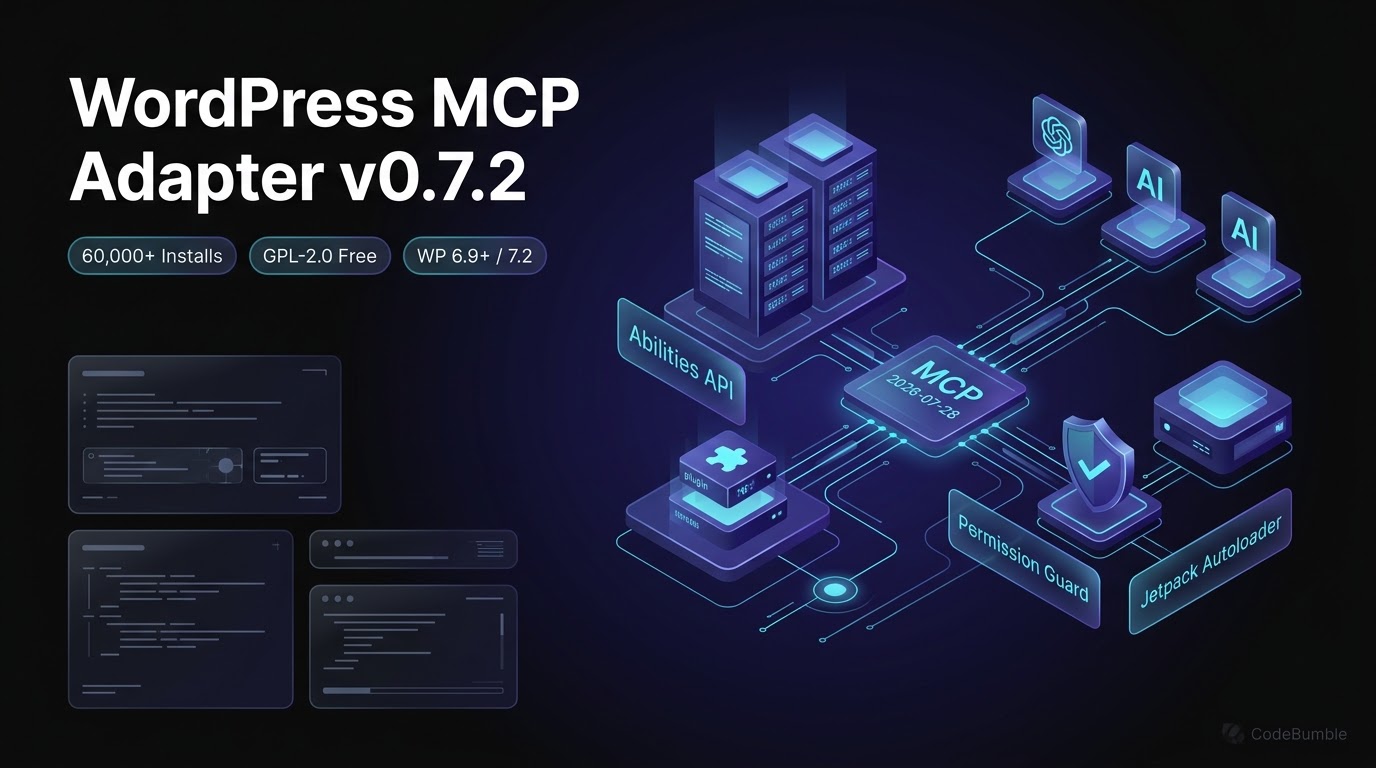
The official WordPress MCP Adapter (mcp-adapter) reached v0.7.2 on November 19, 2026, and surpassed 80,000+ active installations on WordPress.org (pricing and install statistics verified as of November 25, 2026). Developed under the WordPress.org organization as part of the AI Building Blocks initiative, the plugin bridges WordPress's core Abilities API (introduced in WordPress 6.9) with the Model Context Protocol (2025-11-25 and 2026-07-28 specifications), letting AI clients such as Claude, Cursor, VS Code, and Claude Code discover and execute registered site capabilities.
Cost & BYOK Caveat: MCP Adapter itself is 100% free (GPL-2.0-or-later) with no per-call fees or bundled AI credits. Because it acts strictly as a local/HTTP MCP server and transport layer rather than an AI SaaS, you bring your own MCP client subscription or LLM API key (BYOK), and you must install a separate ability-providing plugin (or register custom abilities in PHP) for agents to perform actions beyond the three read-only core abilities (WordPress.org; Enrich Labs).
Growth Signals and WordPress.org Telemetry
Verified as of November 25, 2026, mcp-adapter shows rapid adoption since entering the official WordPress.org Plugin Directory in October 2026, arriving alongside WordPress 7.2 Release Candidate 3 on November 24, 2026 (WordPress News):
| Telemetry / Metadata Metric | Verified Value | Verification Date / Source |
|---|---|---|
| Plugin Slug & Author | mcp-adapter by WordPress.org (Ovidiu Galatan, David Levine) |
Nov 25, 2026 — WordPress.org |
| Current Version | 0.7.2 (pre-1.0; released 2026-11-19) |
Nov 25, 2026 — WordPress.org |
| Active Installations | 80,000+ (up from 50,000+ Oct 26 & 60,000+ Nov 5, 2026) |
Nov 25, 2026 — WordPress.org / InstaWP |
Packagist Installs (wordpress/mcp-adapter) |
578,905 total (156,491 monthly) |
Oct 6, 2026 — InstaWP |
| Minimum WordPress / Tested Up To | WordPress 6.9 or higher; Tested up to 7.1.5 |
Nov 25, 2026 — WordPress.org |
| Minimum PHP / License | PHP 7.4 or higher (^7.4 || ^8.0); GPL-2.0-or-later |
Nov 25, 2026 — WordPress.org / InstaWP |
| User Rating | 5.0 / 5 (3 five-star reviews) |
Nov 25, 2026 — WordPress.org |
Recent Release Timeline (0.7.0 -> 0.7.2)
0.7.2(Nov 19, 2026): Ensures abilitypermission_callbackfunctions receive the exact prepared input WordPress passes during direct execution; restores compatibility for clients omitting theMCP-Protocol-Versionheader afterinitialize(which had returned HTTP400since0.7.0); validates tool/prompt input before permission checks and pre-call filters; and updates the bundled Jetpack Autoloader to6.0.3(WordPress.org).0.7.1(Oct 15–16, 2026): Caps stored HTTP session initialization parameters at 4 KiB, dropsclientInfo.iconsfrom session storage, and registers the directory plugin's autoloader before older bundled copies load (WordPress.org).0.7.0(Oct 2, 2026): Adds support for the stateless MCP2026-07-28specification (includingMcpInputRequiredelicitation andMcpRequestContext), serves2025-11-25and2026-07-28strictly, rejects JSON-RPC batches, and deprecates bundlingmcp-adapteras a Composer library (WordPress.org).
AI Architecture, Pricing Breakdown, and Verification Timestamp
Rather than hardcoding dozens of proprietary REST wrappers, MCP Adapter separates capability definition from protocol transport. WordPress core (6.9+) provides the Abilities API (wp_register_ability()), which defines typed JSON schemas and per-ability permission_callback rules. MCP Adapter reads abilities marked meta.mcp.public = true and exposes them over STDIO (wp mcp-adapter serve) or HTTP (/wp-json/mcp/mcp-adapter-default-server).
Crucially, its default server exposes only three meta-tools (mcp-adapter-discover-abilities, mcp-adapter-get-ability-info, and mcp-adapter-execute-ability) regardless of how many abilities exist on the site—keeping an AI agent's tools/list context compact instead of flooding the prompt with 50+ schemas (InstaWP).
// Register a public read-only ability for MCP clients (WordPress 6.9+)
wp_register_ability( 'my-plugin/summarise-post', array(
    'label'               => __( 'Summarise a post', 'my-plugin' ),
    'description'         => __( 'Returns a short summary of a published post.', 'my-plugin' ),
    'input_schema'        => array(
        'type'       => 'object',
        'properties' => array( 'post_id' => array( 'type' => 'integer' ) ),
        'required'   => array( 'post_id' ),
    ),
    'execute_callback'    => 'my_plugin_summarise_post',
    'permission_callback' => function () {
        return current_user_can( 'edit_posts' );
    },
    'meta'                => array(
        'mcp' => array( 'public' => true ),
    ),
) );
Transport Setup: STDIO vs. HTTP Session Handshake
Administrators can connect MCP clients over two built-in transports (InstaWP):
- Local STDIO Transport (Zero Network Surface): Ideal for local plugin development via WP-CLI (
wp mcp-adapter serve --server=mcp-adapter-default-server --user=admin). Always pass--user=<login>, because omitting it runs unauthenticated and returns an empty tool list rather than an explicit auth error. - Remote HTTP Transport (REST API + Application Passwords): Exposes
/wp-json/mcp/mcp-adapter-default-serverover HTTPS using WordPress Application Passwords (Basic Auth) or a custom OAuth layer. Note that non-Plain permalinks must be enabled (wp option get permalink_structure), and every request afterinitializemust echo theMcp-Session-Idresponse header or fail with JSON-RPC-32600(Missing Mcp-Session-Id header). Desktop clients such as Claude Desktop and Cursor typically bridge this endpoint using@automattic/mcp-wordpress-remote@latestvianpx, while Claude Code connects directly over--transport http.
Pricing and Capability Comparison (Verified November 2026)
Using verified pricing and feature data from WordPress.org, Enrich Labs, and InstaWP (all pricing and plan rules verified as of November 19–25, 2026):
| WordPress MCP Option | Target Hosting | Free Tier / Limits | Paid Plan / BYOK Model | Browser ChatGPT / Claude.ai OAuth | Verified Date |
|---|---|---|---|---|---|
| MCP Adapter (Official) | Self-hosted WP 6.9+ |
Free (GPL-2.0); unlimited local/HTTP calls |
$0 plugin; BYOK via your MCP client (Cursor, Claude Desktop/Code) | No (Application Passwords only; no built-in OAuth server) | Nov 25, 2026 |
| WordPress.com / Jetpack | WordPress.com or Jetpack sites | Free sites lose access after Nov 30, 2026 | Included on paid WordPress.com plans; Jetpack sites need Jetpack AI or Complete after Nov 30 | Yes (native OAuth connector) | Nov 19, 2026 |
| AI Engine | Self-hosted | Free tier (can restrict to drafts, 30-day undo) | Paid Pro adds plugin, theme, and WooCommerce actions; BYOK for LLM APIs | Yes (sign in with WP login) | Nov 19, 2026 |
| Easy MCP AI | Self-hosted | Free; optional "drafts only" for new posts | $0 plugin; BYOK via client | Yes (sign in as chosen WP user) | Nov 19, 2026 |
| WPVibe | Self-hosted | Free daily allowance | Paid plans raise daily allowance; routes traffic through WPVibe's service | Yes (one-click approval) | Nov 19, 2026 |
| Helena by Enrich Labs | WordPress.com or self-hosted | 3-day trial | Paid plans from $39/month (bundles SEO, GSC, Ads & social) | Yes | Nov 19, 2026 |
WordPress Performance Footprint, Security, and Lock-In Check
Because MCP Adapter is a lightweight PHP protocol bridge (wordpress/php-mcp-schema, automattic/jetpack-autoloader, ext-json) with zero frontend assets, it adds no frontend script bloat or TTFB overhead to public visitor page loads. However, administrators should audit four backend and security behaviors before deploying it in production:
- Critical Default Permission Warning (
readCapability): When an MCP server is created without an explicit transport permission callback, the adapter checkscurrent_user_can( 'read' )—a capability held by every logged-in account, including Subscribers (InstaWP). On WooCommerce stores, membership sites, or blogs with open registration, harden the default server immediately with one line in anmu-plugin:
add_filter( 'mcp_adapter_default_transport_permission_user_capability', function () {
    return 'manage_options';
} );
- Database &
wp_optionsSession Cap (4 KiB): Sincev0.7.1, stored HTTP session initialization payloads are capped at 4 KiB,clientInfo.iconsare dropped, and oversized sessions are automatically cleared to prevent database bloat and repeated error logging (WordPress.org). HTTP sessions expire after 24 hours of inactivity by default, andGETSSE streaming is not yet implemented (returning405 Method Not Allowed). - Autoloader & Multi-Plugin Conflicts: Plugins such as WooCommerce
11.2.2still bundlewordpress/mcp-adapter ^0.3.0invendor/(InstaWP). Updating tov0.7.2ships Jetpack Autoloader6.0.3and ensures the directory plugin loads first; plugin authors are urged to declareRequires Plugins: mcp-adapterrather than vendoring copies. In addition, InstaWP's testing of 21 WordPress MCP plugins on WordPress7.1found that third-party plugins building on the adapter (such as AtlasMCP or Agent Abilities for MCP) can disable the default server, while others (such as MCP Content Manager Lite) blocked Application Password logins across/wp-json/mcp/routes—so audit active MCP plugins first if authentication fails unexpectedly. - Pre-1.0 Auto-Update Risk & Zero Lock-In: Because
0.7.2is pre-1.0, minor releases (0.6.0,0.7.0) have introduced breaking changes for custom transports. Pin versions or disable automatic updates on client fleets until tested in staging. On the upside, lock-in is minimal: abilities are registered against WordPress core's nativeAbilities API, so deactivatingMCP Adapterleaves all post data and core site functionality untouched.
Frequently Asked Questions
Is the official WordPress MCP Adapter free, and does it need an API key?
Yes, mcp-adapter is completely free (GPL-2.0-or-later) with no usage caps or paid tiers (WordPress.org). Because it only exposes your site as an MCP server, any LLM token costs live on your client side (such as Claude Desktop, Cursor, or Claude Code) rather than inside the plugin (Enrich Labs).
Do I need WordPress 7.0 or 7.2 to use MCP Adapter?
No. The Abilities API shipped in WordPress 6.9, which is the minimum requirement for mcp-adapter 0.7.2 (tested up to 7.1.5, with 7.2 RC3 currently in testing) (WordPress.org; WordPress News).
Why can't Claude.ai or ChatGPT in the browser connect to my self-hosted MCP Adapter?
Browser-based connectors in Claude and ChatGPT require an OAuth 2.1 login flow, whereas WordPress core and MCP Adapter authenticate HTTP requests via Application Passwords (Basic Auth over HTTPS). Use Claude Desktop, Cursor, or Claude Code with @automattic/mcp-wordpress-remote, or use a plugin/connector that provides OAuth (InstaWP; Enrich Labs).
What changed in WordPress MCP Adapter 0.7.2?
Released November 19, 2026, 0.7.2 ensures ability permission callbacks receive prepared input, restores compatibility for clients omitting the MCP-Protocol-Version header after initialize, validates inputs before permission checks, and updates Jetpack Autoloader to 6.0.3 (WordPress.org).
What happens on WordPress.com and Jetpack sites after November 30, 2026?
According to Enrich Labs (verified November 19, 2026), free WordPress.com sites lose access to the hosted WordPress.com MCP connector after November 30, 2026, and self-hosted Jetpack sites will require Jetpack AI or Jetpack Complete to keep using that connector.
Sources
- WordPress.org Plugin Directory — MCP Adapter (
0.7.2) (Changelog0.7.2on2026-11-19,80,000+active installations, verified Nov 25, 2026): https://wordpress.org/plugins/mcp-adapter/ - WordPress News — WordPress 7.2 Release Candidate 3 (Published Nov 24, 2026): https://wordpress.org/news/category/releases/
- Make WordPress AI — AI Team Updates & 1.5.0 Release (Updated Nov 18, 2026): https://make.wordpress.org/ai/
- InstaWP — Official WordPress MCP Adapter Review (2026): v0.7.1 Setup and Security (Neha Sharma, updated Nov 6, 2026): https://instawp.com/wordpress-mcp-adapter-review/
- Enrich Labs — WordPress MCP in 2026: Connect Claude to Your Site (Seijin, published Nov 19, 2026): https://www.enrichlabs.ai/blog/wordpress-mcp