

Automation
Temporal November 2026 Release: External Storage, Standalone Nexus, and Azure Preview for Durable Workflows
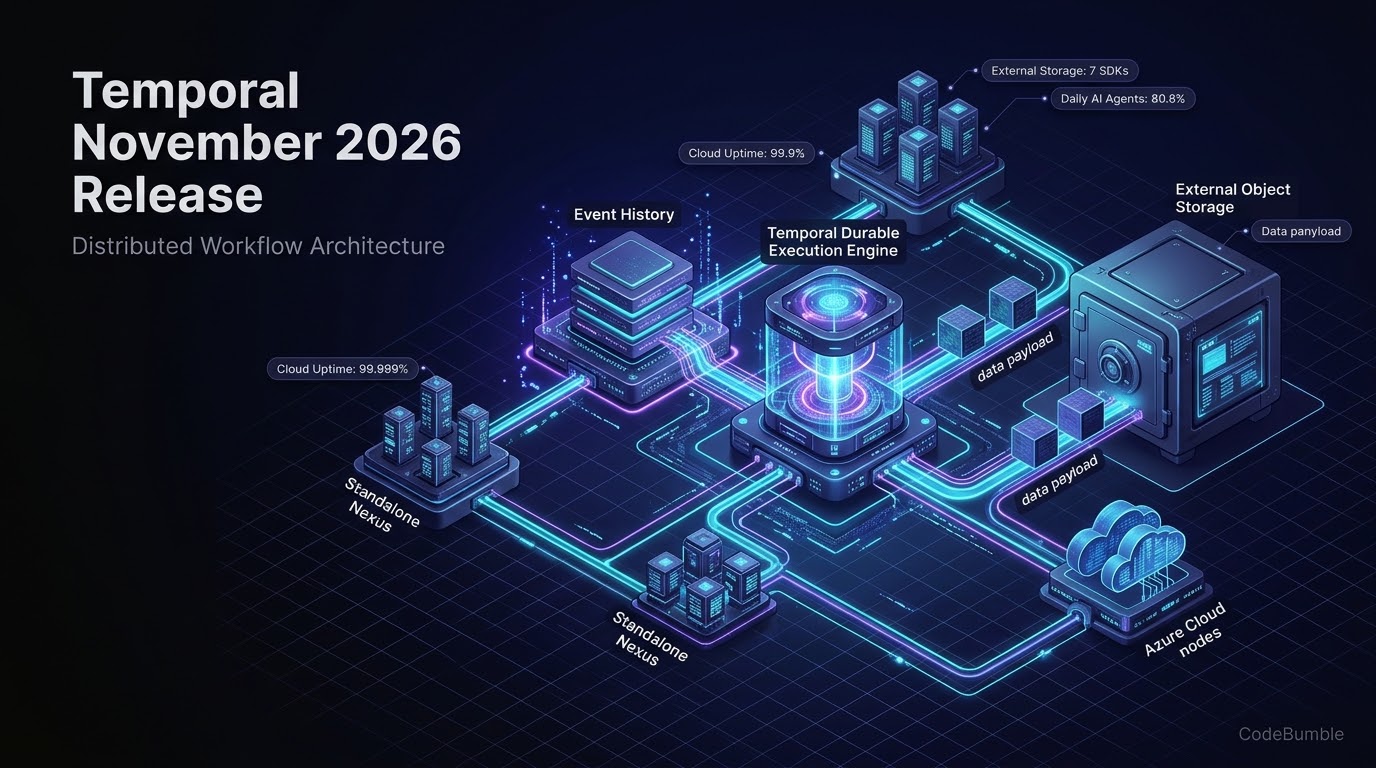
Temporal's November 2026 platform update expands External Storage (Public Preview) to TypeScript, Java, .NET, Ruby, and Rust SDKs—offloading 256 KiB+ payloads past the 2 MB Event History cap—while introducing Standalone Nexus Operations, Temporal Cloud on Azure (Public Preview), Namespace encryption validation, and 11 GA AI integrations. Explore the architecture, pricing, and production trade-offs.
8 min read
Temporal November 2026 Release: External Storage, Standalone Nexus, and Azure Preview for Durable Workflows
Executive Summary
- Multi-SDK External Storage (Public Preview): Temporal expanded External Storage in its November 2026 update to TypeScript, Java, .NET, Ruby, and Rust SDKs—joining Go and Python—to automatically offload payloads of 256 KiB or larger to customer-controlled object storage (such as Amazon S3 or Google Cloud Storage) without hitting the 2 MB per-payload Event History limit (Temporal Durable Digest, Nov 24, 2026; Temporal External Storage Docs).
- Azure Cloud, Standalone Nexus & Edge Encryption Validation: Temporal Cloud launched on Microsoft Azure in Public Preview (Nov 18, 2026), Standalone Nexus Operations entered Public Preview for direct Client-to-Nexus calls without a caller Workflow, and Namespace-level Encryption Validation arrived in Pre-Release (Temporal Durable Digest).
- 11 AI Integrations Reach General Availability: Integrations for Google ADK, OpenAI Agents SDK, AWS Strands, LangGraph, LangSmith, Gemini SDK, and Vercel AI SDK—alongside Serverless Workers on Google Cloud Run, AWS Lambda, and Amazon Bedrock AgentCore Runtime—are now GA (Temporal AI Partner Ecosystem, Nov 19, 2026).
- Operational Takeaway: Teams running long-lived agentic pipelines or document-heavy workflows can now bypass Event History bloat across seven languages without rewriting Workflow logic, though every Client and Worker touching an offloaded run must share identical storage-driver configurations (Temporal External Storage Docs).
What Changed: Core Mechanism & Architecture
Workflow engines built on deterministic replay—like Temporal—persist every Activity input, output, signal, and timer inside an append-only Event History. That design guarantees crash recovery and exact step resumption, but it introduces a structural ceiling when workflows pass large blobs, multi-turn LLM conversation histories, or batch documents. By default, the Temporal Service enforces a 2 MB per-payload size limit and a 4 MB gRPC message size limit (Temporal Payload Troubleshooting Docs).
1. Claim-Check Offloading via External Storage (Now 7 SDKs)
Temporal's External Storage implements the Claim Check pattern directly inside the SDK's DataConverter layer. Instead of forcing application developers to manually upload files to S3 and pass URLs through Workflow parameters, the SDK intercepts serialized payloads after any encryption PayloadCodec runs. If the serialized size (including metadata) meets or exceeds payloadSizeThreshold (256 KiB by default), the storage driver uploads the encrypted bytes to customer-controlled object storage (e.g., Amazon S3 or Google Cloud Storage) and writes only a lightweight reference token into Event History (Temporal External Storage Docs).
flowchart LR
    A[Client / Worker App Data] --> B[Payload Converter & Encryption Codec]
    B --> C{Serialized Size >= 256 KiB?}
    C -->|No| D[Inline Payload in Temporal Event History]
    C -->|Yes| E[Storage Driver: SHA-256 Keyed Upload to S3 / GCS]
    E --> F[Lightweight Claim-Check Token in Event History]
    F --> G[Receiving Worker Downloads Concurrently & Verifies SHA-256]
With the November 2026 expansion, TypeScript, Java, .NET, Ruby, and Rust SDKs join Go and Python in Public Preview (Temporal Durable Digest). Both S3 and GCS drivers upload and download multiple payloads concurrently, address objects using a SHA-256 content hash scoped to Namespace, Workflow ID, and Run ID (reusing identical objects within the same Run), and verify that hash on retrieval. By default, single payloads larger than 50 MiB (maxPayloadSize) are rejected (Temporal TypeScript External Storage Docs).
2. Standalone Nexus Operations & Cloud Edge Controls
- Standalone Nexus Operations (Public Preview): Previously, invoking a Temporal Nexus service across team or namespace boundaries required wrapping the call inside a caller Workflow. Standalone Nexus Operations let a Temporal SDK Client invoke Nexus services directly with durable execution, automatic retries, and full visibility without spinning up a caller Workflow (Temporal Durable Digest).
- Encryption Validation at the Cloud Edge (Pre-Release): Administrators can now monitor payload encryption metadata at the Namespace level in Temporal Cloud and configure the edge to warn on or reject unencrypted or non-compliant incoming requests (Temporal Durable Digest).
- Temporal Cloud on Azure (Public Preview): Announced November 18, 2026, managed Temporal Cloud now runs natively on Microsoft Azure alongside existing cloud regions, reducing cross-cloud egress and latency for Azure-hosted Workers (Temporal Blog Index).
3. Production AI Ecosystem & Serverless Workers
Temporal's November 19, 2026 ecosystem update formalized 11 GA AI integrations (including Google ADK, OpenAI Agents SDK, AWS Strands, LangGraph, LangSmith, Gemini SDK, and Vercel AI SDK) and Serverless Workers on Google Cloud Run, AWS Lambda, and Amazon Bedrock AgentCore Runtime (Temporal AI Partner Ecosystem). Rather than keeping idle Worker containers running while an agent waits hours for human approval or an external webhook, Serverless Workers spin down during waits and resume from the last completed step on demand. In production, teams such as Lovable use Temporal behind user-facing AI messages to run usage metering and credit deduction durably, ensuring billing remains exact even during third-party outages, while Town uses Temporal to handle 10x launch traffic spikes across AI meeting-prep and follow-up workflows (Temporal AI Partner Ecosystem; Temporal Durable Digest).
// Conceptual TypeScript Client/Worker DataConverter wiring for External Storage
import { Connection, Client } from '@temporalio/client';

// Configure compatible External Storage drivers on BOTH Client and Worker
// Default offload threshold: 256 KiB; maxPayloadSize: 50 MiB (Public Preview APIs)
const connection = await Connection.connect({ address: 'your-namespace.tmprl.cloud:7233' });
const client = new Client({
  connection,
  // dataConverter configured with S3/GCS ExternalStorage driver & optional encryption codec
});
(Note: Because External Storage in TypeScript, Java, .NET, Ruby, and Rust is in Public Preview, exact SDK configuration properties may evolve prior to General Availability; consult the Temporal TypeScript External Storage Guide before pinning production dependencies.)
Reliability, Cost & Performance Analysis
In Temporal's 2026 State of Development survey of engineers working with AI agents, daily agent usage jumped from 47.3% to 80.8% in a single year, yet 41% of respondents reported hitting agent failures at least daily—citing state tracking as the primary blocker (Temporal AI Partner Ecosystem). Durable execution directly targets that failure mode, but teams must weigh payload limits, storage availability, and cloud billing mechanics.
| Metric / Parameter | Verified Value / Behavior | Operational Implication | Source |
|---|---|---|---|
| Default Payload Limit | 2 MB per payload (4 MB gRPC limit) | Workflows exceeding 2 MB fail without External Storage | Temporal Docs |
| External Storage Threshold | 256 KiB default (set 0/1 to offload all) |
Keeps small metadata inline; offloads blobs automatically | Temporal Docs |
| Max Single Payload (Driver) | 50 MiB default (maxPayloadSize) |
Rejects oversized single blobs unless explicitly raised | Temporal Docs |
| Temporal Cloud Active Storage | $0.042 / GBhr (Retained: $0.00105 / GBhr) | Offloading large blobs to S3/GCS cuts Cloud storage cost | Temporal Pricing |
| Temporal Cloud Uptime / Trial | 99.999% trailing 30-day uptime; $150 free credits | Pay-as-you-go with no base monthly fee | Temporal Pricing |
Key Bottlenecks & Reliability Caveats
- Single-Backend Dependency: External Storage stores offloaded payloads in your chosen object store (e.g., S3 or GCS). If that storage backend experiences an outage, Workers cannot retrieve payloads; the SDK does not retry a failed Store or Retrieve call within the same Task attempt—instead, it fails the Workflow/Activity Task attempt and relies on Temporal's Task Retry Policy (Temporal External Storage Docs). Cross-region replication or multi-region routing is recommended for mission-critical pipelines.
- Client-Worker Configuration Drift: Offloading happens in whichever process encodes the payload. If a Worker configures External Storage but a Client starting a Workflow or sending a Signal omits the storage driver, the Client either sends payloads inline (risking the 2 MB cap) or fails to decode offloaded Workflow results (Temporal External Storage Docs).
- Preview & Pre-Release Maturity: While the 11 AI integrations are GA, External Storage for the five newly added SDKs, Standalone Nexus Operations, and Temporal Cloud on Azure remain in Public Preview, and Cloud Edge Encryption Validation is Pre-Release—meaning SLAs and API surfaces may still change.
Practical Implementation & Trade-Offs
Choosing whether to adopt Temporal's November 2026 capabilities depends on your failure tolerance, payload profile, and team skill set:
When to Use Temporal (with External Storage + Serverless Workers)
- Long-Running Multi-Step Agents & Approvals: Workflows that pause for minutes, hours, or days awaiting human sign-off, external webhooks, or multi-model tool chains where losing state mid-run means duplicate billing or corrupted records.
- Data-Intensive Pipelines Migrating to Cloud: Self-hosted Temporal clusters that previously raised payload limits above 2 MB can now migrate to Temporal Cloud without refactoring Workflow signatures, simply by enabling External Storage at the
DataConverterlayer (Temporal External Storage Docs). - Zero-Data-Retention Governance: Setting
payloadSizeThresholdto0(or1in Go) externalizes every payload into customer-owned S3/GCS buckets after client-side encryption, keeping sensitive text completely out of Temporal's hosted Event History.
When Alternatives Make More Sense
- Rapid SaaS Glue & Webhook Scripting: If your team needs visual drag-and-drop integrations across hundreds of SaaS APIs for short-lived (<60s) automations without writing TypeScript, Go, or Python Workers, low-code tools like n8n or Make ship faster with lower engineering overhead.
- Simple Cron Jobs or Stateless Queues: If a task is idempotent, finishes in seconds, and does not require multi-step state replay or human-in-the-loop signals, a standard queue or cloud scheduler avoids Temporal's deterministic replay constraints.
Frequently Asked Questions
1. Which SDKs now support Temporal External Storage as of November 2026?
As of the November 2026 update, External Storage is in Public Preview across seven SDKs: TypeScript, Java, .NET, Ruby, and Rust, joining Go and Python (Temporal Durable Digest).
2. Do I have to rewrite my Workflow code to use External Storage?
No. External Storage is configured at the DataConverter level on your Client and Worker processes. Existing Workflows and Activities continue passing standard objects, while the SDK transparently offloads payloads >= 256 KiB and injects SHA-256-verified claim-check references (Temporal External Storage Docs).
3. Does External Storage work with client-side encryption?
Yes. External Storage executes after the PayloadCodec in the data-handling pipeline, meaning payloads are already encrypted before being uploaded to Amazon S3 or Google Cloud Storage (Temporal External Storage Docs).
4. What is the difference between Standalone Nexus Operations and standard Nexus calls?
Standalone Nexus Operations (Public Preview) allow a Temporal SDK Client to invoke a Nexus service directly—retaining durable execution, retries, and visibility—without needing to write and start an intermediate caller Workflow (Temporal Durable Digest).
5. What happens if a Workflow runs without External Storage and exceeds 2 MB?
The Temporal Service enforces a default 2 MB per-payload limit (and 4 MB gRPC message limit). Payloads exceeding that threshold fail unless External Storage is enabled on both the sending Client and receiving Worker (Temporal Payload Troubleshooting Docs).
Sources
- Durable Digest: November highlights — Temporal Blog (November 24, 2026) (Primary)
- Building Durable Execution into the production AI ecosystem — Temporal Blog (November 19, 2026) (Primary)
- External Storage Documentation — Temporal Docs (Accessed November 27, 2026) (Primary)
- Temporal Cloud Pricing — Temporal (Accessed November 27, 2026) (Primary)