

Automation
Windmill v1.886.0 vs. Temporal (2026): Architecture, Compute Units, Action Pricing & AI Workflow Trade-Offs
Windmill v1.886.0 shipped on November 26, 2026 with dual OpenTelemetry audit log exporters, SSO workspace rules, and per-task AI model controls. Here is how its Compute Unit worker pool compares against Temporal's deterministic Event History replay and Action-based billing.
8 min read
Windmill v1.886.0 vs. Temporal (2026): Architecture, Compute Units, Action Pricing & AI Workflow Trade-Offs
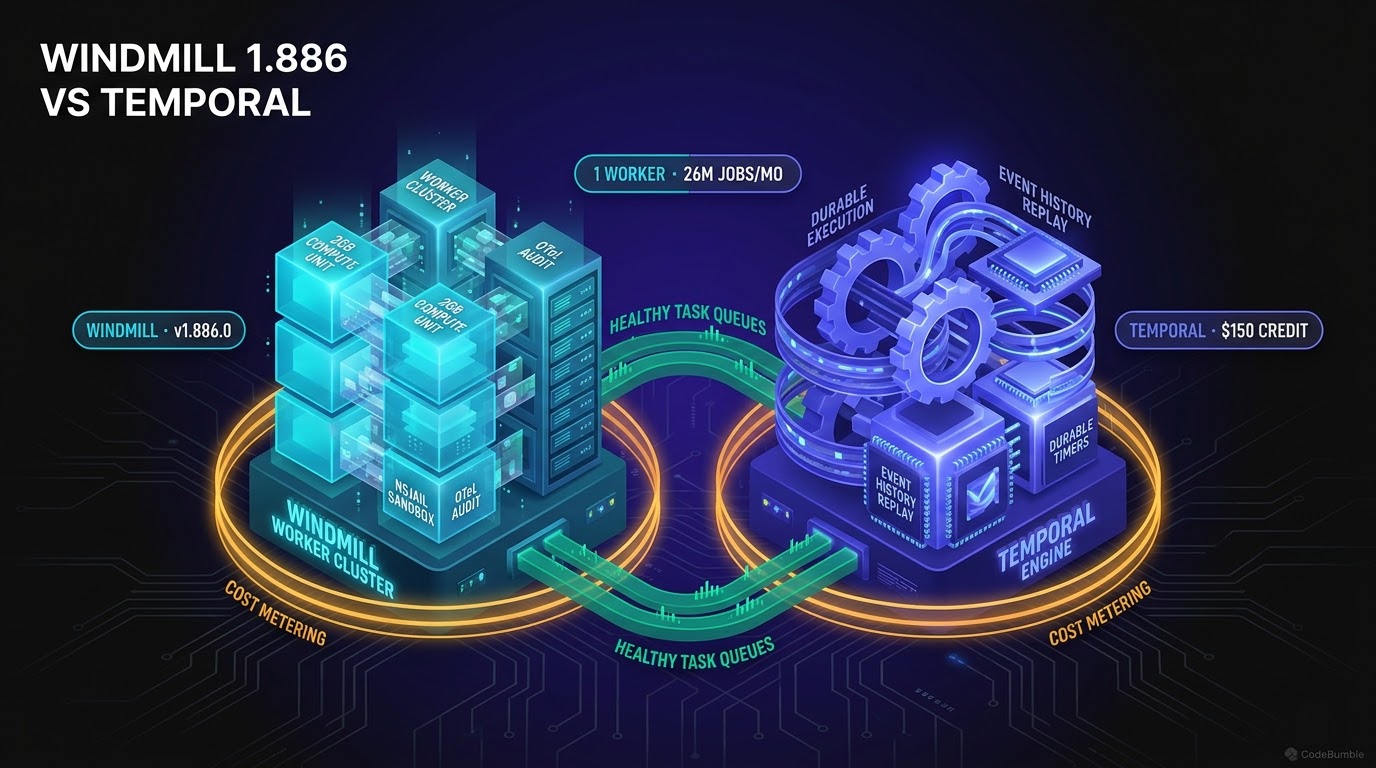
Executive Summary
- Windmill
v1.886.0hardens enterprise governance and AI review: Released on November 26, 2026 (GitHub Releases), Windmillv1.886.0(building onv1.885.0on November 25) adds a second OpenTelemetry logs exporter for audit logs (#12675), aRequire SSOworkspace protection rule (#12681), client IP/user-agent audit tracking (#12673), and separate model/effort settings for script generation and AI code review (#12678). - Two fundamentally different execution architectures: Windmill runs each step as an isolated, single-job-at-a-time script or DAG flow inside
nsjail/container workers (up to 26 million 100 ms jobs per month per worker), whereas Temporal embeds deterministic Event History replay directly into application code via SDKs for multi-year durability. - Predictable worker capacity vs. granular consumption billing: Self-hosted Windmill Community Edition is free (AGPLv3) with unlimited executions, and Enterprise workers bill by memory-based Compute Units (1 CU = 2 GB worker at $50/worker/month), while Temporal Cloud bills per Action plus $0.042/GBhr Active Storage and $0.00105/GBhr Retained Storage (starting with $150 in free credits).
- Operational takeaway: Choose Temporal when durable workflows are core product logic written inside your own services (Go, Java, Python, TypeScript, .NET, Rust); choose Windmill when workflows are internal engineering automations, API/webhook pipelines, or AI agent tools where you want plain scripts, auto-generated UIs, and predictable worker-pool sizing.
What Changed & Core Mechanism
What Shipped in Windmill v1.885.0–v1.886.0 (Nov 25–26, 2026)
Windmill's rapid late-November releases target production auditability, AI-assisted development, and database failover resilience (Windmill Releases):
- Dual OTel audit & IP provenance (
v1.886.0): Admins can configure a second OpenTelemetry logs exporter dedicated to audit logs (#12675), record client IP and user-agent headers on audit entries (#12673), derive client IPs strictly from trusted proxies (#12677), and redact secrets in instance settings reads unless explicitly revealed (#12682). - Workspace & AI governance (
v1.886.0): Adds aRequire SSOworkspace protection rule (#12681), per-task model/effort selection separating script generation from AI review (#12678), and conflict-resolution controls (overwriteordiscard) when reassigning user items (#12683). - Approval visibility, MCP security & pool safety (
v1.883.0–v1.885.0): Surfaces who approved a flow run and why a step is waiting (sleep,concurrency limit, orapproval,#12607), passes MCP image results directly to AI chat models (#12660), requires an active session on MCP OAuth client routes with audit registration (#12647), boundssqlx's return-to-pool step so database failovers cannot wedge the connection pool (#12655), and exposesNSJAIL_RLIMIT_FSIZE_MBper worker (#12609) alongside direct/procandcgroup v2reads without spawningcat(#12614).
Architectural Contrast: Worker-Per-Job Isolation vs. Deterministic Event Replay
flowchart LR
    subgraph Windmill ["Windmill v1.886.0 (Queue + Worker Pool)"]
        W1[Webhook / Cron / MCP] --> W2[PostgreSQL Job Queue]
        W2 --> W3[Worker: 1 Job at a Time<br/>nsjail + 2 GB = 1 CU]
        W3 --> W4[Step Result Stored -> Next DAG Step]
    end
    subgraph Temporal ["Temporal (Durable Event History)"]
        T1[SDK Client / Schedule] --> T2[Temporal Server + History Shards]
        T2 --> T3[App Worker Polls Task Queue]
        T3 -->|Crash / Deploy| T4[Deterministic Replay from Event History]
        T4 --> T3
    end
In Windmill, every workflow step is a standalone script (TypeScript, Python, Go, Bash, SQL, etc.) whose dependencies are resolved automatically from its imports. Per Windmill's worker group docs, each worker executes one job at a time by design so the script can consume the full memory and CPU of that worker. Long-running flows coordinate via PostgreSQL-backed job queues, sleep/approval suspension states, and error handlers, with v1.884.0 adding selective re-runs of only the failed iterations in parallel for-loops or branch-all steps (#12590).
In Temporal, workflows are ordinary functions written in your application's codebase using official SDKs (Go, Java, Python, TypeScript, .NET, Ruby, PHP, and Rust). Instead of storing state in ad-hoc database tables, the Temporal Server records an append-only Event History. If a worker crashes or deploys mid-flight, a new worker reconstructs the exact in-memory state via deterministic Workflow Replay—and Temporal Cloud Actions docs confirm that operations occurring during Worker-side Replay do not count toward billed Actions.
Minimal Production Configuration Snippets
In Windmill, autoscaling workers around queue depth uses simple occupancy and cooldown thresholds (Windmill Scaling Docs):
# Windmill worker autoscaling baseline
worker_group:
  memory_limit_gb: 2          # 1 Compute Unit (CU) on self-hosted or cloud
  min_workers: 2              # Expected base load / job duration
  max_workers: 12             # Peak load / job duration * 1.5
  scale_out_trigger: "75% occupancy or jobs waiting > min_workers"
  scale_in_trigger: "< 25% occupancy for 5+ minutes"
  cooldown_seconds: 60
  nsjail_rlimit_fsize_mb: 512 # Configurable per worker since v1.883.0
In Temporal, workflows separate deterministic orchestration from side-effecting Activities (such as LLM calls or API writes) with built-in exponential backoff:
# Temporal Python SDK: durable activity retry pattern
from datetime import timedelta
from temporalio import workflow

@workflow.defn
class AgentPipelineWorkflow:
    @workflow.run
    async def run(self, payload: dict) -> str:
        return await workflow.execute_activity(
            "run_llm_tool_step",
            payload,
            start_to_close_timeout=timedelta(seconds=60),
        )
Reliability, Cost & Performance Analysis
Comparing cost and throughput requires translating Windmill's Compute Unit (CU) model against Temporal Cloud's Action + Storage consumption model:
| Dimension | Windmill (v1.886.0) |
Temporal |
|---|---|---|
| Open-Source License | Core AGPLv3 (EE features via license key) | MIT License (Temporal Server & SDKs) |
| Free Tier | Self-hosted CE: unlimited executions; Cloud: 1,000 executions/mo | Self-hosted: unlimited; Cloud: $150 free credits (no base monthly fee) |
| Compute / Usage Billing | $50 / worker / mo (2 GB = 1 CU); $20/mo/builder, $10/mo/non-builder; 100 guests/30 days free | Pay-as-you-go Actions + $0.042/GBhr Active Storage + $0.00105/GBhr Retained Storage |
| Throughput & Concurrency | Up to 26M jobs/mo/worker (at 100 ms/job); 1 job/worker at a time; native subworkers go 8×8 ($50/mo) | Top Go multi-worker throughput in Windmill's own benchmarks; native Task Queue priority & fairness |
| Provisioned Minimums | Minute-granularity CU autoscaling (10 workers for 1/10th mo = 1 worker/mo) | Provisioned Capacity: 360,000 Actions/hr min per additional TRU (500 APS × 3600s × 20%) |
| Failure & Replay Model | Retries, error handlers, approval/sleep wait states; rerun failed parallel branches (v1.884.0) |
Automatic Activity retries, 4 timeout classes, heartbeating, saga compensation, Event History Replay |
Sources: Windmill Pricing, Windmill Plans & CU Details, Temporal Pricing, and Temporal Cloud Pricing.
Four Operational Cost & Scaling Gotchas
- Windmill's 2 GB self-hosted CU cap vs. Cloud linear scaling: Per Windmill's Compute Unit specification, a 1 GB worker =
0.5 CU, a 2 GB worker =1 CU, and on self-hosted Enterprise plans, any worker above 2 GB (even 16 GB) is capped at 2 CUs. On Windmill Cloud, CUs scale linearly with memory (8 GB = 4 CUs). Also note that staging instances markedNon-prodare excluded from production CU billing. - Windmill native subworkers for SQL/query jobs: Native workers count as 1 CU ($50/mo) regardless of memory limit and spawn 8 native subworkers at a time for high-throughput query jobs.
- Temporal Action multipliers to watch: Every execution of a Temporal Schedule accrues 3 Actions, and enabling the Namespace Fairness feature adds 0.1 Action per Action per hour (Temporal Cloud Actions). In Provisioned Capacity mode, unused capacity below 20% utilization (360,000 Actions/hr per additional TRU) still bills
ns_capacity:trufiller Actions. - Determinism vs. lock-in: Temporal requires strict determinism inside workflow code (no direct
datetime.now()or un-wrapped network calls outside Activities) and requires Worker Versioning for safe in-flight deploys. Windmill avoids replay determinism constraints because each step is an independent script, though enterprise governance features (unredacted audit logs, Git sync for >2 users, SSO for >10 users, approval forms) require a Windmill Enterprise license.
Practical Implementation & Trade-Offs
Use this architectural decision matrix when selecting between Windmill, Temporal, and visual-canvas tools like n8n:
- Choose Temporal when durable workflows are product-critical backend state machines (payment sagas, multi-day order fulfillment, long-lived AI agent loops) embedded inside an application repository, where engineering teams already write Go, Java, Python, or TypeScript microservices and need deterministic Event History replay.
- Choose Windmill
v1.886.0when you are building internal developer platforms, DevOps/SecOps runbooks, scheduled ETL scripts, or MCP-connected AI tools. You get automatic UI form generation, Git-synced TypeScript/Python scripts with automatic npm/PyPI dependency resolution,nsjailsandboxing (NSJAIL_RLIMIT_FSIZE_MB), and predictable worker-pool billing without wrapping every task in an SDK. - Choose n8n when workflows are mostly pre-built SaaS connectors (500+ native integrations) maintained on a visual canvas by operations teams, though Windmill's comparison docs note that n8n Cloud restricts external npm/PyPI imports in Code nodes (requiring self-hosted
n8nio/runnersallowlists for Python libraries).
FAQ
What is new in Windmill v1.886.0 (November 26, 2026)?
Windmill v1.886.0 adds a second OpenTelemetry logs exporter for audit logs (#12675), a Require SSO workspace protection rule (#12681), client IP and user-agent recording on audit entries (#12673), trusted-proxy IP derivation (#12677), secret redaction in instance settings reads (#12682), and separate model/effort configuration for script generation vs. AI review (#12678).
How many jobs can a single Windmill worker run? Each Windmill worker runs one job at a time by design. According to Windmill's worker documentation, a single worker can execute up to 26 million jobs per month if each job lasts 100 ms, though real capacity depends on job duration and memory footprint.
Do Temporal Workflow Replays count as billable Actions in Temporal Cloud? No. According to Temporal Cloud's Actions documentation, Workflow Replay occurs on the Worker side to reconstruct state from Event History and does not generate new server-side operations, so it does not count toward billed Actions.
What is the difference between Windmill self-hosted Community Edition and Enterprise? Self-hosted Community Edition is free under AGPLv3 with unlimited executions, up to 10 SSO users, 100 free app guests per 30 days, and Git sync for up to 2 users. Enterprise adds unredacted audit logs, S3-backed distributed dependency caching, private PyPI/npm registries, Git sync for >2 users, SSO for >10 users, and Compute Unit-based worker billing.
When should I use Temporal instead of Windmill for AI agents? Use Temporal when your AI agent workflow is part of a customer-facing product requiring strict code-level determinism, multi-day human-in-the-loop signals, saga compensation, and Replay testing against production Event Histories. Use Windmill when you want rapid internal agent tooling, MCP endpoints, and sandboxed Python/TypeScript scripts with minimal boilerplate.
Sources
- Windmill GitHub Releases (
v1.886.0&v1.885.0) — windmill-labs/windmill Releases (Published November 25–26, 2026): https://github.com/windmill-labs/windmill/releases - Windmill Documentation & Pricing — Pricing, Workers and worker groups, Plans & How to upgrade, Scaling workers, and Windmill alternatives (Accessed November 27, 2026): https://www.windmill.dev/pricing, https://www.windmill.dev/docs/core_concepts/worker_groups, https://www.windmill.dev/docs/enterprise/plans_details, and https://www.windmill.dev/docs/compared_to/peers
- Temporal Platform & Cloud Documentation — Temporal Platform Pricing Options, Temporal Cloud pricing, and Temporal Cloud Actions (Accessed November 27, 2026): https://temporal.io/pricing, https://docs.temporal.io/cloud/pricing, and https://docs.temporal.io/evaluate/cloud/actions