

SEO
ChatGPT Business Hub Gives Sites First-Party AI Click Counts, But Leaves Critical Measurement Blind Spots
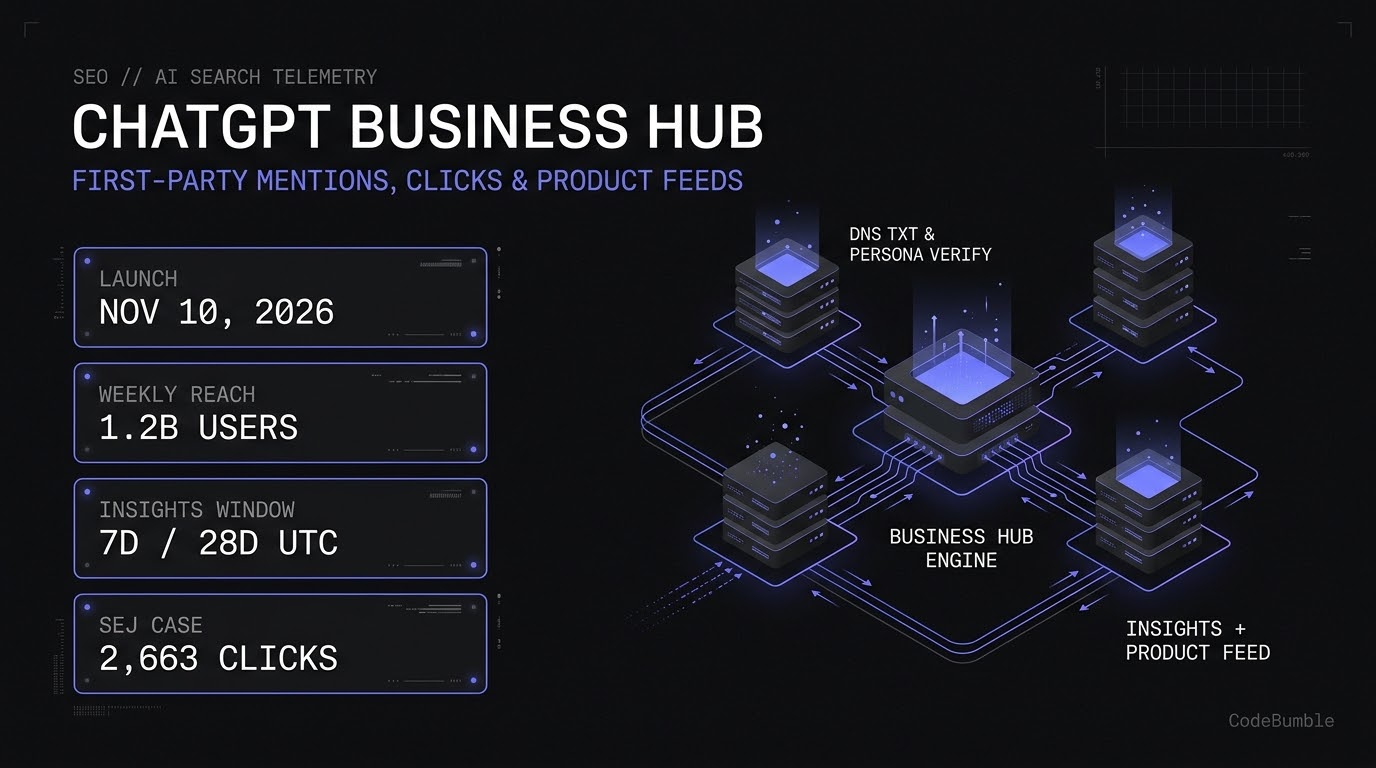
OpenAI launched ChatGPT Business Hub in beta on November 10, 2026, giving verified businesses their first direct view into 7-day and 28-day website mentions, recorded clicks, and discovery topics. Early telemetry—such as Search Engine Journal's 353,356 mentions and 2,663 clicks—proves the channel is measurable, but strict counting definitions and missing prompt logs mean teams must pair Hub Insights with server-side referral auditing.
11 min read
ChatGPT Business Hub Gives Sites First-Party AI Click Counts, But Leaves Critical Measurement Blind Spots
Executive Summary
On November 10, 2026, OpenAI launched Businesses in ChatGPT in beta alongside its management console, ChatGPT Business Hub (OpenAI Release Notes; OpenAI Help Center). Designed to connect organizations with the 1.2 billion people who use ChatGPT each week, Business Hub allows authorized representatives to claim a brand profile, verify ownership through DNS TXT records or Shopify, complete identity verification via Persona, connect product feeds, and inspect first-party engagement telemetry (Brandlight).
For technical SEO teams and analytics engineers, the headline addition is Business Hub Insights—the first native, first-party dashboard reporting how often ChatGPT references a site and how many clicks it sends back (Search Engine Journal SEO Pulse, November 14, 2026). Early production numbers illustrate the scale of the channel: Vahan Petrosyan, Director of Technology at Search Engine Journal, submitted SEJ's domain and recorded 353,356 mentions and 2,663 website clicks between October 14 and November 10, 2026 (Search Engine Journal).
However, platform telemetry comes with strict boundaries. OpenAI explicitly states that claiming a profile does not guarantee increased visibility or give brands control over ChatGPT's independent recommendations (OpenAI Help Center). Furthermore, Insights omits individual user prompts, suppresses unlinked brand mentions for online businesses, excludes competitor share-of-voice, and warns via an in-product tooltip that recorded clicks do not confirm completed website visits or conversions (Brandlight). Treating Business Hub as a replacement for server-side analytics or third-party AI visibility monitoring will produce skewed reporting; treating it as a verified data source and a first-party referral baseline gives engineering and SEO teams a concrete edge.
Technical Mechanics and Architecture
Understanding ChatGPT Business Hub requires separating the five overlapping product names OpenAI introduced in its November 2026 rollout (Brandlight):
- Businesses in ChatGPT: The overarching beta program encompassing business profiles, Insights, and Business Agents.
- Business Hub: The management console (
chatgpt.com/business-huband the ChatGPT web sidebar) where authorized representatives claim profiles, upload product feeds, and inspect Insights. - Business Agent: A labeled, brand-controlled conversational experience (initially available to eligible U.S. ecommerce and online service businesses with a website) that answers customer questions from supplied product and policy data.
- Sponsored Business Agent: A paid ad-destination agent configured separately in OpenAI Ads Manager (
Enable agent chatsunder Conversion optimization). - ChatGPT Business: An unrelated paid team workspace subscription plan.
Verification, Ingestion, and Telemetry Pipeline
Access to Business Hub is gated by a two-stage trust architecture: asset ownership verification followed by individual identity verification via Persona. Claiming a listing alone does not unlock publishing, product feeds, Insights, or the blue verification checkmark (OpenAI Help Center).
+-------------------------------------------------------------------------+
|                    STAGE 1: ASSET OWNERSHIP CLAIM                       |
|  [Business Phone]   [Business Email]   [DNS TXT Record]   [Shopify]     |
+-----------------------------------+-------------------------------------+
                                    |
                                    v  (OpenAI Claim Review)
+-------------------------------------------------------------------------+
|                    STAGE 2: PERSONA IDENTITY CHECK                      |
|  Government-Issued ID + Business Registration + Authorization Proof     |
+-----------------------------------+-------------------------------------+
                                    |
                                    v  (Approved -> Auto-Publishes Profile)
+-------------------------------------------------------------------------+
|                    STAGE 3: DATA INGESTION & TELEMETRY                  |
|                                                                         |
|  +-----------------------+     +-------------------------------------+  |
|  | Profile & Policy Data |     | Product Feeds (Domain-Verified)     |  |
|  | - Category & Bio      |     | - CSV Spec / Hosted URL / Shopify   |  |
|  | - Logos (300x300)     |     | - Prices, Availability, Issues Tab  |  |
|  | - Delivery & Returns  |     +------------------+------------------+  |
|  +-----------+-----------+                        |                     |
|              |                                    |                     |
|              v                                    v                     |
|  +-------------------------------------------------------------------+  |
|  |               ChatGPT Answer & Citation Engine                    |  |
|  |  (Draws on Hub data + external web sources; no ranking guarantee) |  |
|  +---------------------------------+---------------------------------+  |
|                                    |                                    |
|                                    v                                    |
|  +-------------------------------------------------------------------+  |
|  |             Business Hub Insights (7D / 28D UTC)                  |  |
|  |  - Mentions (URL cited for online; location shown for local)      |  |
|  |  - Website Clicks (Outbound clicks; unconfirmed as visits)        |  |
|  |  - Top 5 Discovery Topics + Other (Separate reporting window)     |  |
|  +-------------------------------------------------------------------+  |
+-------------------------------------------------------------------------+
Two operational constraints in this pipeline catch teams off guard during initial deployment (Brandlight):
- Auto-publication upon Persona approval: If you create a new profile during onboarding, OpenAI's approval of the Persona check automatically publishes it—there is no separate staging-to-production publish button, and OpenAI Support cannot unpublish or delete a live profile.
- Domain verification gate for products: Uploading a CSV feed or connecting a hosted feed URL remains disabled in the Products tab until DNS TXT domain verification is completed, even if you originally claimed the business via phone or email.
Defensive Verification & Server-Side Attribution Code
Because Business Hub Insights counts outbound clicks inside ChatGPT rather than confirmed HTTP landing-page sessions, engineering teams should verify their DNS TXT propagation before initiating OpenAI's domain check and reconcile Business Hub click counts against server-side Referer / utm_source=chatgpt.com logs.
Below is a safe, defensive Python utility to (1) verify that the OpenAI domain-verification TXT record has propagated across public resolvers before triggering the dashboard check, and (2) parse an Nginx access log to reconcile confirmed HTTP 200 landing hits from chatgpt.com against Business Hub's reported Website clicks.
#!/usr/bin/env python3
"""
Defensive DNS TXT pre-flight check and ChatGPT referral log reconciliation.
Requires: dnspython (pip install dnspython) for DNS checks; stdlib only for log parsing.
"""
import re
import sys
from collections import Counter
from typing import Optional

try:
    import dns.resolver
except ImportError:
    dns = None


def verify_txt_propagation(domain: str, expected_prefix: str) -> bool:
    """Verify TXT record visibility against public resolvers before Hub check."""
    if dns is None:
        print("[WARN] dnspython not installed; skipping DNS query.", file=sys.stderr)
        return False

    resolver = dns.resolver.Resolver(configure=False)
    resolver.nameservers = ["1.1.1.1", "8.8.8.8"]
    resolver.timeout = 3.0
    resolver.lifetime = 5.0

    try:
        answers = resolver.resolve(domain, "TXT")
        for rdata in answers:
            txt_value = b"".join(rdata.strings).decode("utf-8", errors="replace")
            if txt_value.startswith(expected_prefix):
                print(f"[OK] Found matching TXT record on {domain}: {txt_value[:32]}...")
                return True
        print(f"[FAIL] No TXT record starting with '{expected_prefix}' on {domain}.")
        return False
    except Exception as exc:
        print(f"[ERROR] DNS lookup failed for {domain}: {exc}", file=sys.stderr)
        return False


LOG_PATTERN = re.compile(
    r'^(?P<ip>\S+) \S+ \S+ \[(?P<time>[^\]]+)\] '
    r'"(?P<method>\S+) (?P<path>\S+) \S+" (?P<status>\d{3}) \S+ '
    r'"(?P<referer>[^"]*)" "(?P<ua>[^"]*)"'
)


def audit_chatgpt_referrals(log_path: str, target_status: int = 200) -> Counter:
    """Count confirmed HTTP 200 landings attributed to ChatGPT referrals."""
    path_counts: Counter = Counter()
    with open(log_path, "r", encoding="utf-8", errors="replace") as fh:
        for line in fh:
            match = LOG_PATTERN.match(line)
            if not match:
                continue
            status = int(match.group("status"))
            path = match.group("path")
            referer = match.group("referer").lower()
            if status == target_status and (
                "chatgpt.com" in referer or "utm_source=chatgpt.com" in path.lower()
            ):
                clean_path = path.split("?")[0]
                path_counts[clean_path] += 1
    return path_counts


if __name__ == "__main__":
    # Example usage: python3 hub_audit.py example.com openai-domain-verification /var/log/nginx/access.log
    if len(sys.argv) >= 4:
        verify_txt_propagation(sys.argv[1], sys.argv[2])
        counts = audit_chatgpt_referrals(sys.argv[3])
        print(f"Confirmed ChatGPT HTTP 200 landings: {sum(counts.values())}")
        for landing_path, hits in counts.most_common(10):
            print(f"  {hits:>6}  {landing_path}")
Evidence: Telemetry Benchmarks, Metric Gaps, and Ecosystem Shifts
First-Party Benchmark: Search Engine Journal's 28-Day Telemetry
The clearest early production benchmark comes from Search Engine Journal, which claimed its domain during the November 2026 beta rollout and published its 28-day Insights snapshot covering October 14 to November 10, 2026 (Search Engine Journal SEO Pulse, November 14, 2026):
| Metric | Reported Value (Oct 14 – Nov 10, 2026) | Definition & Measurement Caveat |
|---|---|---|
| Mentions | 353,356 | Online business: counts only when ChatGPT references the website URL; brand name alone does not count. |
| Website Clicks | 2,663 | Outbound clicks recorded inside ChatGPT; tooltip warns clicks do not confirm site visits or conversions. |
| Implied Click-to-Mention Ratio | ~0.75% | Derived from reported totals (2,663 / 353,356); reflects zero-click answer consumption patterns. |
Confidence Note: While the 353,356 mention and 2,663 click figures are directly reported from a live claimed account, OpenAI has not published cross-industry median click-through rates for Business Hub, and no independent multi-vertical benchmark dataset exists yet as of November 16, 2026.
Six Documented Measurement Blind Spots in Business Hub Insights
Hands-on inspection of the Business Hub beta by Brandlight (November 13, 2026) and Search Engine Journal (November 14, 2026) identified six structural gaps that analysts must document before presenting Hub numbers to leadership:
- Unlinked brand mentions are excluded: For online businesses, OpenAI's Help Center specifies that a mention is recorded only when ChatGPT references your website URL. Naming your brand in prose without a link records zero in Insights—even though the in-product tooltip phrases this more loosely as "including citations."
- No prompt or conversation logs: Businesses never receive individual user prompts or transcripts, including conversations conducted with their own Business Agent. Insights provides only five aggregate Discovery topics plus an Other bucket.
- Topic counts do not reconcile with headline mentions: In hands-on testing, the Discovery topics table carried a different, earlier reporting window than the daily Mentions/Clicks chart, and the sum of topic mentions fell well below the headline Mentions total.
- Threshold suppression creates ambiguous blanks: Metrics appear only when activity crosses OpenAI's internal thresholds. A blank card can mean low volume, ongoing data collection, or unavailable reporting—never assume a blank equals zero.
- Reporting lag in UTC: Daily charts operate in UTC and exhibit multi-day lag (e.g., data checked on November 13, 2026, was current only through November 11 UTC).
- Single-engine silo with no competitor share-of-voice: Insights covers ChatGPT only and reveals nothing about sentiment, answer accuracy, citation position, or competing brands named in the same response.
Broader Context: Platform-Defined Metrics Across AI Search
Business Hub's launch coincides with two parallel shifts in mid-November 2026 that reinforce why teams must separate platform-reported metrics from verified site telemetry:
- Google AI Mode Model Upgrade: On November 12, 2026—two days after launching the November 2026 Core Update—Google made Gemini 4 Hydrogen the default model in Search AI Mode and began using it for complex AI Overview queries, promising broader link fan-out without publishing link counts (Search Engine Journal).
- Enterprise Search Headwinds & AI Licensing: On third-quarter earnings calls covered in mid-November 2026, Ziff Davis reported a ~37% year-over-year decline in organic Google referrals alongside 2.7 billion AI Overview/AI Mode impressions in Search Console, while Tripadvisor recorded a $369.5 million non-cash goodwill impairment tied to search traffic headwinds (Search Engine Journal). Meanwhile, the Internet Licensing Collective (ILC) launched on November 12, 2026, with 3,000+ publishers and Yahoo Scout as its first commercial licensee (Search Engine Roundtable, November 13, 2026).
Hardening Playbook: Claiming, Governing, and Auditing Business Hub
Follow this numbered operational runbook to claim your brand safely without creating ownership lockouts or reporting drift:
- Confirm your claim path before self-serving: If your organization already has an OpenAI Enterprise agreement or runs ChatGPT Ads, coordinate with your OpenAI account representative first. Location profiles for managed brands may be locked by default, and Business Hub currently lacks centralized parent-company management across multiple brands or locations (Brandlight).
- Use a corporate service account, not a personal login: Claim the profile from an organization-controlled ChatGPT account. Teammate and agency invitations—and workspace membership rules—anchor to the claiming account, and OpenAI community bug reports from November 12–14, 2026, show active friction around transferring ownership from personal to corporate accounts (OpenAI Community).
- Prepare Persona documentation that matches legal records: Gather government-issued ID for the verifying representative, official business registration documents, and authorization proof. Ensure legal names and addresses match verbatim; failed Persona checks can lock the legal company name without a self-service retry (OpenAI Community).
- Verify your domain via DNS TXT: Even if you claim via phone or email, add the DNS TXT record (
verify_txt_propagationabove) so you unlock Product feeds (CSV, hosted feed URL, or Shopify) and prevent unauthorized domain claims. - Write factual, machine-readable profile copy: Treat the More about your business field as grounding text for an LLM rather than marketing prose. State exact product categories, geographic availability, delivery fees, and return windows consistent with your site's structured data and policy pages.
- Reconcile Insights against server logs and third-party tracking: Record your initial 28-day baseline, log blank metrics as
unknown(not0), and compare Business HubWebsite clicksagainst HTTP200server landings (audit_chatgpt_referrals) to quantify click-to-session drop-off. - Rollback and dispute governance: Because published Business Hub profiles cannot be unpublished or deleted by support, stage and legal-review all profile copy, logos (
300x300px), cover images (1200x400px), and CSV product feeds internally before completing Persona verification. If an unauthorized party claims your brand, use More options -> Dispute ownership and escalate with DNS TXT + corporate registration proof.
Frequently Asked Questions (FAQ)
Does claiming a business in ChatGPT Business Hub improve rankings or visibility?
No. OpenAI explicitly states in its Help Center documentation that claiming a business profile or disputing ownership does not guarantee increased visibility and gives businesses no direct control over ChatGPT's independent recommendations. Advertising also does not influence organic ChatGPT answers.
Is ChatGPT Business Hub free, or does it require ChatGPT Enterprise or Ads?
Claiming a business, managing your profile, uploading product feeds, and viewing Insights are free and do not require an Ads account or a ChatGPT Enterprise contract (OpenAI Help Center). Paid spend is only required if you promote a Sponsored Business Agent through ChatGPT Ads Manager.
Why are my Business Hub Insights showing blank metrics after verification?
Blank cards in Insights do not automatically mean zero traffic. According to OpenAI's setup guidance, a metric remains blank when activity has not met OpenAI's privacy and reporting thresholds, when data is still being aggregated (UTC daily lag), or when reporting is temporarily unavailable (Brandlight).
What counts as a "Mention" in ChatGPT Business Hub Insights?
For online businesses, OpenAI's Help Center specifies that a mention is counted only when ChatGPT references your website URL; mentioning your brand name in text without a link does not increment the counter. For local businesses, a mention counts when ChatGPT displays a location result, even if the user does not click it (Brandlight).
Can I manage multiple sub-brands or store locations from one Business Hub dashboard?
Not yet. As of the November 2026 beta, each distinct brand must be claimed and managed separately, and claiming a parent brand does not automatically claim its individual locations (Brandlight).
Sources
- OpenAI Help Center — Setting up your business on ChatGPT (Published November 11, 2026)
- OpenAI Help Center — ChatGPT release notes: Business Hub in ChatGPT (Updated November 13, 2026)
- OpenAI — Businesses in ChatGPT: Claim Your Business & Businesses in ChatGPT Terms (Updated November 9, 2026)
- Search Engine Journal — Core Update, ChatGPT Business Hub & AI Mode's New Model – SEO Pulse (Published November 14, 2026)
- Brandlight — ChatGPT Business Hub: How It Works and How to Claim (2026) (Published November 13, 2026)
- Search Engine Roundtable — Businesses in ChatGPT Business Hub Live With Click Data (Published November 11, 2026) & Yahoo Scout To Pay Publishers Through The ILC (Published November 13, 2026)
- OpenAI Community — Introducing Businesses in ChatGPT in beta (Verification & Ownership Threads) (November 11–14, 2026)