

AI
Gemini API File Slicing & Native Office Support: Server-Side Slicing, Token Benchmarks, and Trade-Offs
Google DeepMind launched native server-side file slicing controls and Microsoft Office/OpenDocument support in the Gemini API on November 23, 2026. Developers can target specific PDF pages, spreadsheet cell ranges, and video/audio intervals—paying only for inspected slices—with Vercel reporting 14x fewer tokens on PDF text skims and LiteLLM measuring 61%–96% input-token reductions across targeted slices, subject to original upload limits and whole-file defaults.
8 min read
Gemini API File Slicing & Native Office Support: Server-Side Slicing, Token Benchmarks, and Trade-Offs
Executive Summary
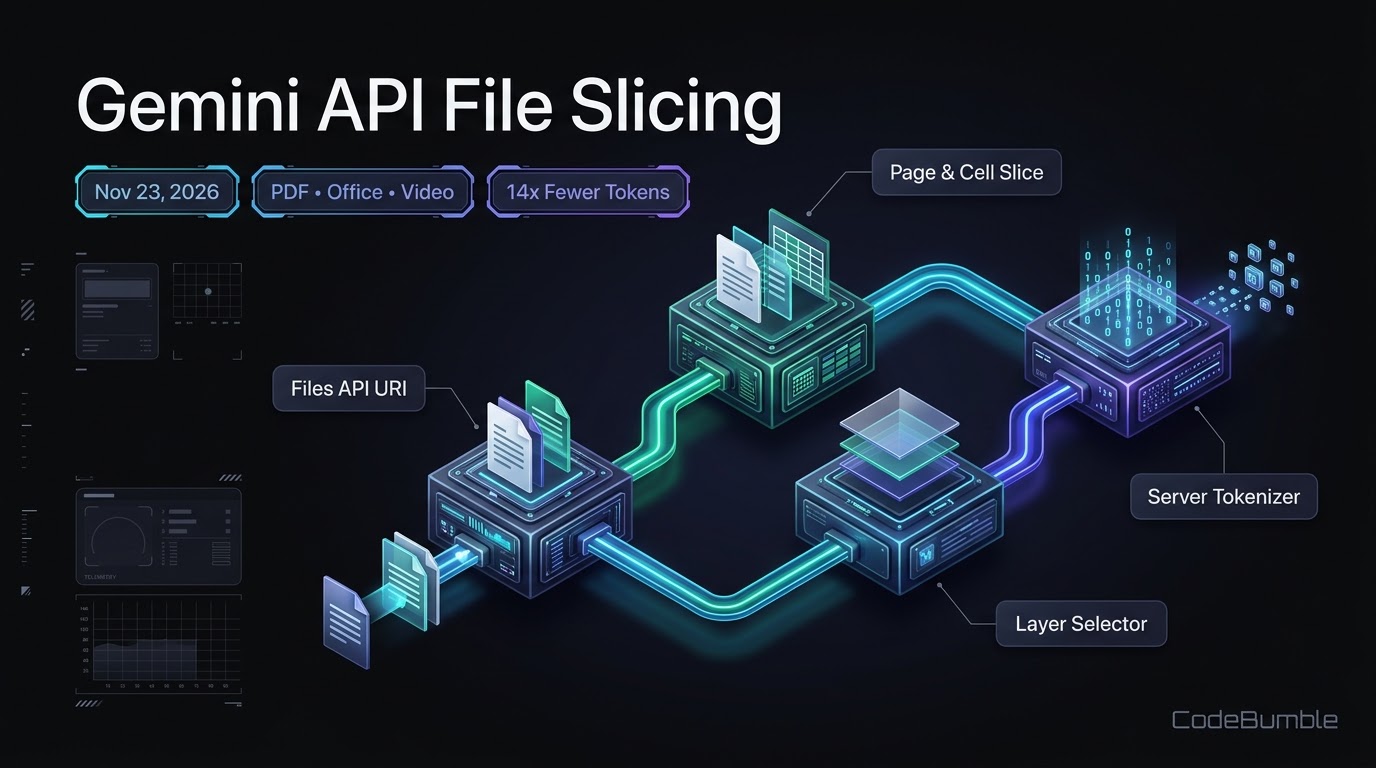
On November 23, 2026, Google DeepMind announced native server-side file slicing controls and Microsoft Office / OpenDocument upload support across the Gemini API in Google AI Studio and Vertex AI, following an initial changelog rollout on November 18, 2026 (Google Blog; Google AI Studio Release Notes; MLQ.ai). Instead of running local LibreOffice, PDF renderers, or ffmpeg inside agent sandboxes—or paying to tokenize entire 500-page reports—developers can upload a file once via the Files API and request specific page ranges, spreadsheet cell ranges, audio/video time intervals, and content layers server-side, billing tokens only for the inspected slice (Google Blog).
In partner testing ahead of launch, Vercel reported 14x fewer tokens when skimming a PDF page's extracted text layer compared with rendering the whole PDF, while LiteLLM (v1.110.2 on gemini-4-hydrogen) measured 61% to 96% input-token reductions across targeted PDF, workbook, slide, video, and audio slices (MLQ.ai; Magica). However, engineers should evaluate those headline percentages with empirical caution: omitting slicing parameters still triggers whole-file defaults, upload ceilings (such as 50 MB and 1,000 PDF pages) still apply to the full source file, and multi-turn "skim-then-zoom" workflows add discovery round trips that are not captured in single-request input-token comparisons (Magica; Unite.AI).
Architecture & How It Works
Server-Side Slicing Across Four Media Categories
Native file slicing works across all Gemini 4 models (gemini-4-hydrogen, gemini-4-neon, gemini-4-carbon, gemini-4-argon), with document, presentation, and spreadsheet controls also extending to Gemini 3 models (Google Blog; Magica). Rather than flattening files into plain text on the client, developers pass a Files API URI—valid for 48 hours at no upload storage cost—on either a user turn or inside a tool's function_result (Google Blog; Unite.AI). When returning a file URI from a tool, Gemini automatically receives metadata such as page counts and worksheet names, enabling the agent to request narrower slices on subsequent turns (Unite.AI).
| Media Category | Supported Formats | Slicing & Range Controls | Selectable Content Layers & Resolution | Default Behavior (When Omitted) | Source |
|---|---|---|---|---|---|
| Documents & Slides | PDF, DOCX, DOTX, DOC, ODT, PPTX, PPT, ODP | Inclusive start_page, end_page |
page_text, page_image, or both; low, medium, high resolution |
Gemini 4 defaults to medium-res layout-preserving page images | Google Blog; Magica |
| Spreadsheets | .xlsx, .xls, .ods |
Worksheet tab (sheet_index) & A1 visible_cells range |
data (evaluated values), formulas, visuals; low/medium/high |
All tabs with evaluated values, formulas, and sheet names | Google Blog; Unite.AI |
| Video (Static Mode) | Standard video formats via Files API | Time interval (start_offset, end_offset), FPS up to 24 fps |
transcript, frames, audio; low or high resolution |
Frames + audio at 1 fps across full clip | Google Blog; Magica |
| Audio | Standard audio formats via Files API | Time interval (start_offset, end_offset in seconds) |
Clipped audio segment only (omitted start=0, end=EOF) | Full audio track up to 9.5 hours per prompt | Google Blog; Unite.AI |
flowchart LR
    A[Client App / Agent Harness] -->|1. Upload once via Files API| B[48h Hosted URI]
    B -->|2. Skim: page_text / transcript / low-res| C[Gemini API Server Slicer]
    C -->|Returns page counts, sheet names, text| D[Gemini 4 Model]
    D -->|3. Zoom: start_page=3, end_page=3, high-res| C
    C -->|Tokenizes only inspected slice| D
Code Example: Two-Pass "Skim Cheap, Then Zoom In"
Google's recommended pattern uses a cheap text skim (on gemini-4-hydrogen) to locate a target chart inside a Word document, then reuses the exact same Files API URI to inspect only page 3 at high resolution with gemini-4-neon (Google Blog):
from google import genai

client = genai.Client()
doc = client.files.upload(file="quarterly_report.docx")

# 1. Skim the whole document cheaply as extracted text.
skim = client.interactions.create(
    model="gemini-4-hydrogen",
    input=[
        {
            "type": "document",
            "uri": doc.uri,
            "mime_type": doc.mime_type,
            "processing": {
                "type": "static",
                "page_options": {"content_layers": ["page_text"]},
            },
        },
        {"type": "text", "text": "Which page has the revenue bridge chart?"},
    ],
)

# 2. Zoom into the target page at high resolution (reusing the same URI).
detail = client.interactions.create(
    model="gemini-4-neon",
    input=[
        {
            "type": "document",
            "uri": doc.uri,
            "mime_type": doc.mime_type,
            "resolution": "high",
            "processing": {
                "type": "static",
                "page_options": {
                    "start_page": 3,
                    "end_page": 3,
                    "content_layers": ["page_image"],
                },
            },
        },
        {"type": "text", "text": "Read the revenue bridge chart and footnotes on page 3."},
    ],
)
Benchmarks, Cost & Latency Analysis
Resolution Token Budgets & Pricing Context
For Gemini 3 and Gemini 4 page images, Google estimates approximately 280 tokens per page at low, 560 tokens at medium, and 1,120 tokens at high resolution—meaning high-resolution rendering consumes 4x the image tokens of low resolution (Unite.AI; Magica). Under current Gemini 4 pricing in Google AI Studio, gemini-4-hydrogen costs $1.50 per 1M input tokens ($7.50/1M output, with a free tier available), while gemini-4-neon costs $3.00 per 1M input tokens ($15.00/1M output) (Google AI Studio Release Notes).
Partner Token Benchmarks (LiteLLM & Vercel)
LiteLLM documented controlled input-token counts comparing whole-file ingestion against targeted slices using gemini-4-hydrogen and LiteLLM 1.110.2 across direct Google requests and three Gemini proxy routes (Magica):
| Test File | Whole-File Input Tokens | Selected Slice | Slice Input Tokens | Reported Input Reduction | Source |
|---|---|---|---|---|---|
| Six-page PDF | 5,840 | Pages 3–4 | 1,147 | 80% | Magica |
| Three-sheet workbook | 1,008 | Sheet 2 | 391 | 61% | Magica |
| Three-sheet workbook | 1,008 | Sheet 1, cells A1:B3 |
173 | 83% | Magica |
| Three-slide presentation | 1,704 | Slide 2 (page_text layer) |
73 | 96% | Magica |
| 60-second video | 6,159 | Seconds 10–20 | 1,059 | 83% | Magica |
| 120-second audio | 3,879 | Seconds 60–90 | 999 | 74% | Magica |
Methodological Caveats on Savings Claims
Engineers should note three important caveats before extrapolating these numbers to production budgets:
- Input-only measurement: LiteLLM's table measures single-turn input tokens only, not end-to-end workflow cost (which includes discovery skim calls, output tokens, and potential retries if the first pass misses a visual-only chart) (Magica).
- Conflicting summary figures: A separate summary attributed 67% PDF and 33% workbook savings to LiteLLM without disclosing the underlying file sizes or parameters, so those figures cannot be treated as a universal savings rate (Unite.AI; Magica).
- Proxy compatibility limits: LiteLLM's slicing support applies to native Gemini request routes passing slicing fields through unchanged; it is not documented for OpenAI-compatible
chat/completionswrapper routes (Magica).
Production Deployment & Trade-Offs
Upload Ceilings & Hard Limits
Server-side slicing reduces context consumption, not upload constraints. The complete source file must still satisfy Gemini's ingestion limits before any slice is requested (Unite.AI; Magica):
- Documents & Office/OpenDocument files: 50 MB maximum file size, 1,000 pages per PDF, 2,000 pages or slides per Office/OpenDocument file, and 50,000 cells per spreadsheet worksheet.
- Video & Audio: Video uploads via the Files API support up to 20 GB on paid tiers (2 GB on free tier), while audio prompts support up to 9.5 hours per request.
- 48-Hour Files API TTL: Uploaded Files API URIs expire after 48 hours, so long-lived document corpora still require re-upload or an external object store (Magica).
Static Slicing vs. Agentic Video vs. Local Harnesses
- Prefer Static File Slicing for structured documents, multi-tab spreadsheets, and known time ranges where an initial
page_textortranscriptskim reliably locates the target section. Eliminating localLibreOffice,pdf2image, andffmpegcontainers removes substantial sandbox memory and disk overhead (Google Blog). - Watch Whole-File Defaults: Omitting
processingoptions on Gemini 4 renders full documents as medium-resolution page images and reads all spreadsheet tabs—costing far more than Gemini 3's text+image defaults on.docxor.pptxfiles (Magica). - Static Slicing vs. Agentic Video: While Gemini also offers agentic video understanding (introduced in September 2026), Google warns that agentic navigation adds reasoning and tool-call latency that can exceed static slicing costs on short clips or broad queries (Magica).
- When to Keep Local Preprocessing: If your files exceed 50 MB or 1,000 PDF pages, or if your pipeline requires vendor-agnostic OpenAI-compatible routing across multiple LLM providers, local chunking remains necessary (Magica).
Frequently Asked Questions
Which models support Gemini API file slicing controls?
Native file slicing works across all Gemini 4 models (gemini-4-hydrogen, gemini-4-neon, gemini-4-carbon, gemini-4-argon), while document, presentation, and spreadsheet slicing controls also support Gemini 3 models in both user turns and tool function_result responses (Google Blog; Magica).
Which Microsoft Office and OpenDocument formats are supported natively?
The Gemini API natively accepts DOCX, DOTX, DOC, ODT (documents), PPTX, PPT, ODP (presentations), and XLSX, XLS, ODS (spreadsheets) alongside PDFs, audio, and video (Google Blog; Google AI Studio Release Notes).
How many tokens does a sliced PDF or Office page image cost?
Google estimates approximately 280 tokens per page at low, 560 tokens at medium, and 1,120 tokens at high resolution on Gemini 3 and Gemini 4. Requesting the page_text layer instead avoids page-image rendering entirely (Unite.AI).
Do file slicing controls bypass the 50 MB or 1,000-page upload limits?
No. The complete uploaded file must still fit within Gemini's upload limits—50 MB per document, 1,000 pages per PDF, 2,000 pages/slides per Office or OpenDocument file, and 50,000 cells per worksheet—even if you only inspect a single page or cell range (Unite.AI; Magica).
Does Gemini file slicing work through OpenAI-compatible proxy routes?
According to LiteLLM's integration documentation, file slicing parameters pass through unchanged on native Gemini request routes, but are not documented for OpenAI-compatible chat/completions endpoints (Magica).
Sources
- Introducing file slicing controls in the Gemini API — Google Blog (November 23, 2026)
- Gemini API Release Notes — Google AI Studio (November 18 & November 5, 2026)
- Google shifts Gemini file slicing to its servers; savings depend on selection — Magica (November 24, 2026)
- Google Adds File Slicing and Native Office Support to Gemini API — Unite.AI (November 23, 2026)
- Google adds file slicing to the Gemini API so developers pay only for the pages and clips the model reads — MLQ.ai (November 23, 2026)